Server-Side Purchase Events for Online Stores: Sending Orders to Meta Conversions API
How to send confirmed online store orders to Meta as server-side Purchase events: required fields, consent, deduplication with the Pixel, testing and limits.
On this page
A server-side Purchase event is an order that your server, not the shopper's browser, reports to Meta. It still arrives when the shopper runs an ad blocker, declines tracking cookies or closes the tab before the thank-you page loads. This guide covers the fields Meta requires, why the browser should never be the one confirming a sale, how to avoid double counting with the Pixel, and how Convs handles it today. It ends with an honest list of limits.
Why isn't the Pixel enough?
The Meta Pixel runs in the browser. It sends Purchase only if the thank-you page loads, the script isn't blocked and the shopper has accepted marketing cookies. Each of those conditions fails some of the time, and you rarely know how many sales disappear that way.
Meta itself recommends running the Conversions API alongside the Pixel, not instead of it. Your server sees every paid order, so it can report Purchase regardless of what happened in the browser. That gives Meta the purchase data it needs to optimise sales campaigns.
One caveat up front: better data is not a guaranteed result. The Conversions API gives Meta a fuller picture, but it does not prove your campaigns are optimising for those events, and it does not settle attribution. For the bigger picture, see what the Meta Conversions API is.
What does a server-side Purchase event need?
A purchase in an online store is a website event. Meta requires several fields for it; leave one out and the event is rejected or poorly matched.
| Field | What it is | Meta's rule |
|---|---|---|
event_name | event name | Purchase, identical to the Pixel |
event_time | when the purchase happened (Unix seconds) | at most 7 days in the past, or the whole batch is rejected |
event_id | stable event identifier | recommended for deduplication |
action_source | where the conversion happened | website |
event_source_url | page URL | required for website events |
client_user_agent | the shopper's browser | required for website events, not hashed |
em, ph | email and phone | normalised and SHA-256 hashed |
fbp, fbc | Meta cookie identifiers | not hashed |
value, currency | amount and currency | required for Purchase; ISO 4217 code such as USD or EUR |
Two details trip people up. First, client_user_agent must be the shopper's browser, never your server's. Second, timing matters: Meta's end-to-end implementation guide recommends sending events in real time or within an hour. A purchase reported much later is less useful for optimisation. For which customer details help matching most, read how to improve Event Match Quality.
Two parts: a consent-gated script and a server confirmation
The pattern that holds up in practice splits the job in two, because the browser and the server deserve very different levels of trust. Here is how Convs implements it for its store source.
The collector script: identifiers only, and only after consent
You install the collector on the storefront and call it from your consent management platform (CMP). Before consent it stores nothing and sends nothing. After consent it:
- reuses the existing
_fbpcookie or creates its own identifier, so it works even without the Pixel, - records
_fbcand the realfbclidfrom the ad click; it never fabricatesfbcwithout an actual click, - keeps the identifier in the browser for up to 30 days and returns a
tracking_idyou attach to the order.
Withdrawing consent (setConsent(false)) clears the browser state and removes the attribution data held on the server. It does not recall conversions already sent to Meta.
The script does not send a browser Purchase and does not add a second Pixel. That's deliberate: anyone who opens the page can see the public key, so it can never be allowed to confirm a sale.
The server adapter: the confirmed purchase
Your server, the code that sees the paid order, confirms the sale and posts it to Convs with the source's private token:
POST /api/ingest/SOURCE_ID
Authorization: Bearer PRIVATE_SOURCE_TOKEN
Content-Type: application/json{
"external_id": "ORDER-123",
"status": "purchase",
"event_id": "purchase_ORDER-123",
"event_time": "2026-05-12T12:00:00Z",
"email": "customer@example.com",
"value": 149.99,
"currency": "EUR",
"consent": true,
"tracking_id": "ID_FROM_THE_SCRIPT",
"event_source_url": "https://yourstore.com/checkout/complete"
}The hub validates the order before anything is queued:
- The store source accepts only the
purchasestatus. event_idis mandatory, because without it there is no deduplication with the Pixel.- A purchase without
valueand a valid currency code is rejected. - The page URL must belong to the store domain configured on the source; query string and fragment are stripped before storage and sending.
- Without the shopper's user agent (from the script or the adapter) the event is refused.
- Email and phone are normalised and SHA-256 hashed. IP address and user agent are left unhashed, as Meta requires.
If the script collected nothing, the adapter may pass the real shopper's client_user_agent and client_ip_address itself. Never send your own server's IP or user agent.
consent: true means your process confirms a valid legal basis for sharing the data. Don't hard-code it without checking. Our article on GDPR and the Conversions API covers this in more depth (it isn't legal advice).
How do you avoid counting an order twice?
If a Pixel on the store already sends Purchase, Meta receives the same sale twice: once from the browser, once from the server. It counts it once only if both events share the same name and the same ID: eventID in the Pixel and event_id in the Conversions API. Meta deduplicates pairs received within 48 hours.
The simplest rule: derive the ID from the order number, e.g. purchase_ORDER-123, and use it on both sides. If your current Pixel setup can't set eventID, the double-send problem isn't solved, however the dashboard looks. Either change how the Pixel is installed or stop sending Purchase from one of the two channels. The Pixel and CAPI deduplication guide walks through the common mistakes.
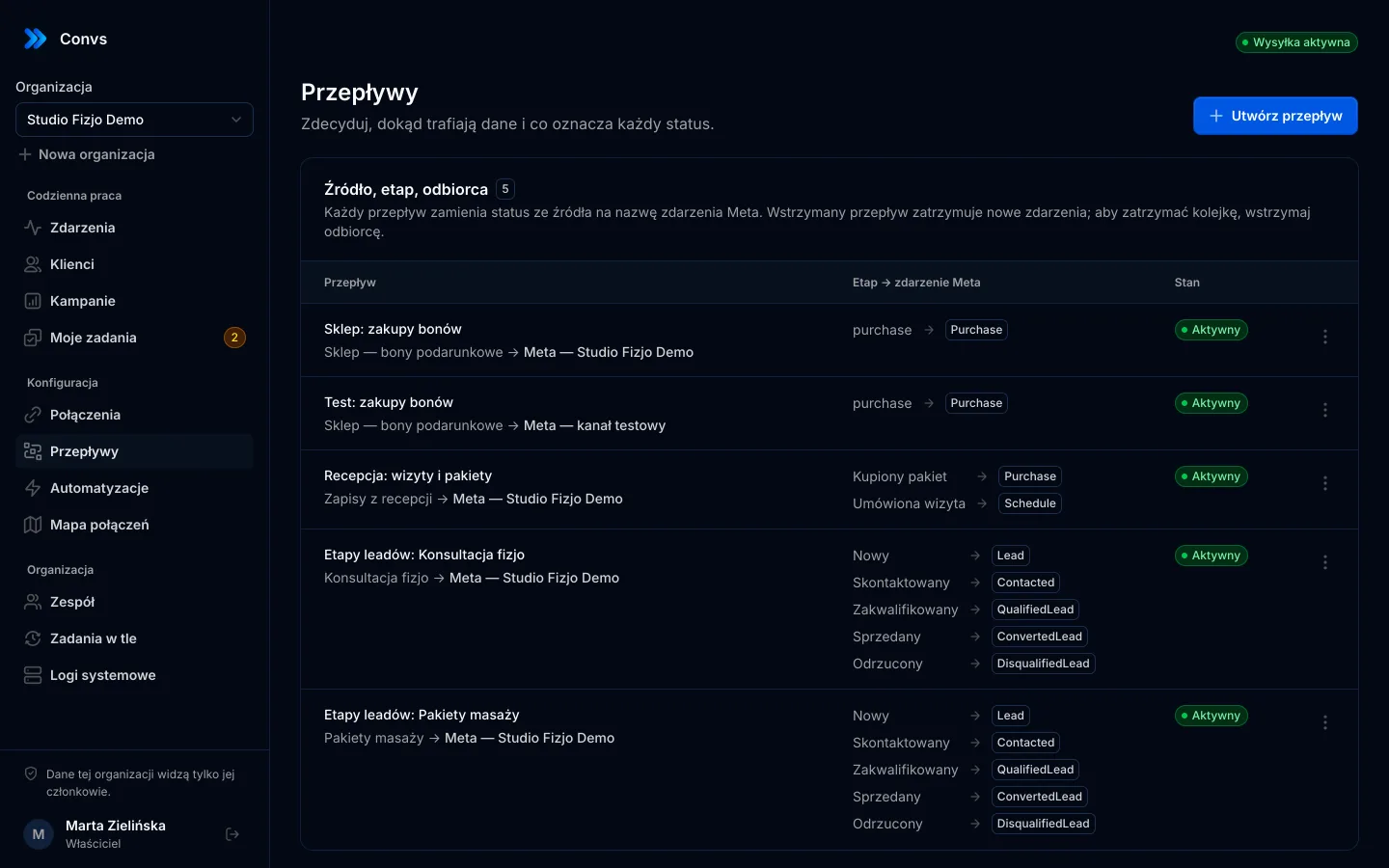
The hub adds a second safety net: the same combination of dataset, event name, event_id and mode (test or production) is never queued twice. If your adapter resends an order, no second event is created.
Setting it up, step by step
Expect two to three hours in total, most of it a developer writing the server adapter. The panel configuration itself takes minutes.
- Test destination. Connect your Meta account, pick the ad account and Pixel, and choose test events mode with the code from Events Manager. Test and production are deduplicated separately.
- Store source. Add the source and enter your store's address. The source instructions contain the script, the public key and the private token.
- Script and consent. Call
setConsent(true)from your consent banner only after marketing consent, andsetConsent(false)when it is withdrawn.getLastError()tells you if something failed. tracking_idon the order. Save the identifier from the script with the order, using whatever your platform supports (a hidden checkout field or an order attribute).- Server adapter. After payment is confirmed, post the order to the source endpoint with the private token.
- Flow. Map the
purchasestatus to thePurchaseevent and switch the flow on. - Test. Place a test order and check it in Events Manager's test events view. Meta says events should be visible within about 20 minutes.
- Production. Create a separate production destination and a new flow. The hub never silently repurposes events already waiting in the queue.
What happens after the order is sent?
The order goes into a durable queue. On network errors, rate limits (429) or Meta server errors, the hub retries up to six times with growing delays and honours Retry-After. Retries keep the same event_id, so Meta can deduplicate them. Other errors wait for manual handling; an operator can retry once the cause is fixed.
"Accepted by Meta" means a response with events_received: 1. That confirms receipt, not match quality, campaign optimisation or attribution. See the Meta Conversions API feature page for the queue and diagnostics.
Limits: when this isn't enough
Check these before you start:
- The ready-made source type is Shoper. Shoper is a Polish e-commerce platform. For it there is a consent-gated collector and a secure order endpoint. For any platform, the adapter that reads paid orders has to be written for your store, and there is no verified native adapter for Shoper's API or webhooks yet either.
- Saving
tracking_idon the order is your store's job. Without it, the purchase still reaches Meta, just without click identifiers. - Confirmed purchases only. No carts, checkout starts or refunds.
- Seven-day limit. Orders older than seven days are refused by Meta, so the hub won't send them.
- Campaign reporting currently covers Meta lead form leads, not store orders.
If you want every storefront event (product views, add to cart, checkout) sent server-side, a platform-level integration or a server-side tag manager fits better. Convs focuses on one event that must be right: the confirmed purchase.
Next step
Create an organisation, add a test Meta destination and a store source, then hand your developer the order contract above. Plans and monthly order limits are on the pricing page.
Frequently asked questions
Do I still need the Meta Pixel if I send purchases from the server?
Meta recommends running the Conversions API alongside the Pixel rather than replacing it. The Pixel still captures browsing signals; the server event makes sure confirmed purchases reach Meta even when the browser event is blocked or never fires.
Which fields are required for a server-side Purchase event?
Meta requires event_name, event_time (no more than 7 days old), action_source and, for website events, event_source_url and client_user_agent. Purchase events also need value and an ISO 4217 currency code. To match the event to a person you need customer information such as a hashed email or phone number.
How do I stop Meta counting the same order twice?
Send the same event name and the same ID from both sides: eventID in the Pixel and event_id in the Conversions API. Meta deduplicates matching pairs received within 48 hours. Building the ID from the order number, such as purchase_ORDER-123, is the simplest reliable approach.
Can a script on the storefront confirm the purchase?
It should not. Anything running in the browser can be called by anyone who opens the page, so a public key cannot prove that an order was paid. A trusted server that sees the paid order should confirm it; the browser script should only collect click identifiers after consent.
Which store platforms are supported?
Today there is a ready source type for Shoper, a Polish e-commerce platform: a consent-gated storefront script plus a secure endpoint for confirmed orders. The order contract is plain JSON, but the server-side adapter that reads paid orders from your platform has to be written for your store.