Everything about a customer on one card
Every lead lands in the CRM. The same person from several forms is one card with a full history. A stage change goes to Meta straight away.
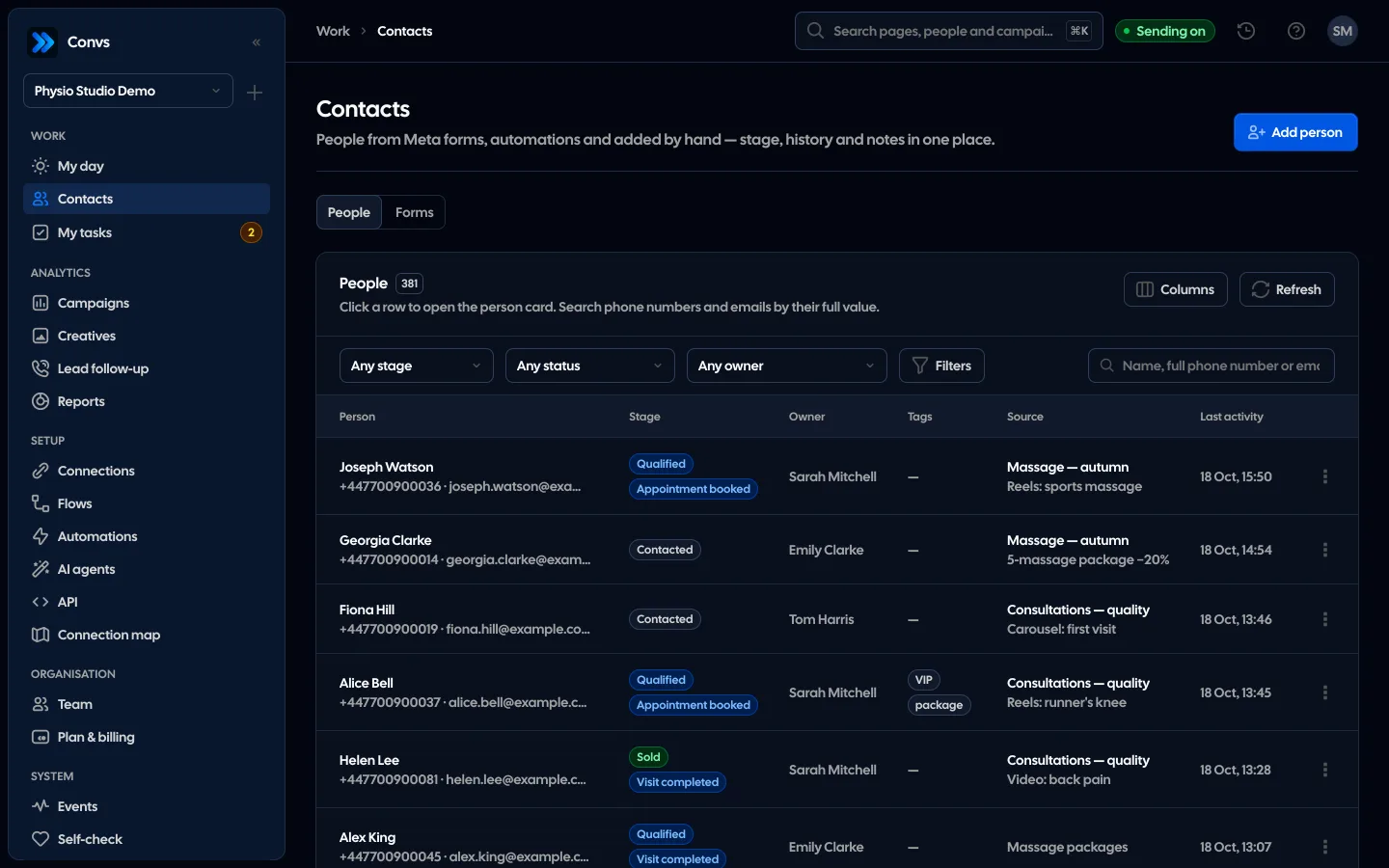
Screenshots from a demo organisation. People and numbers are fictional.
A card that says what comes next
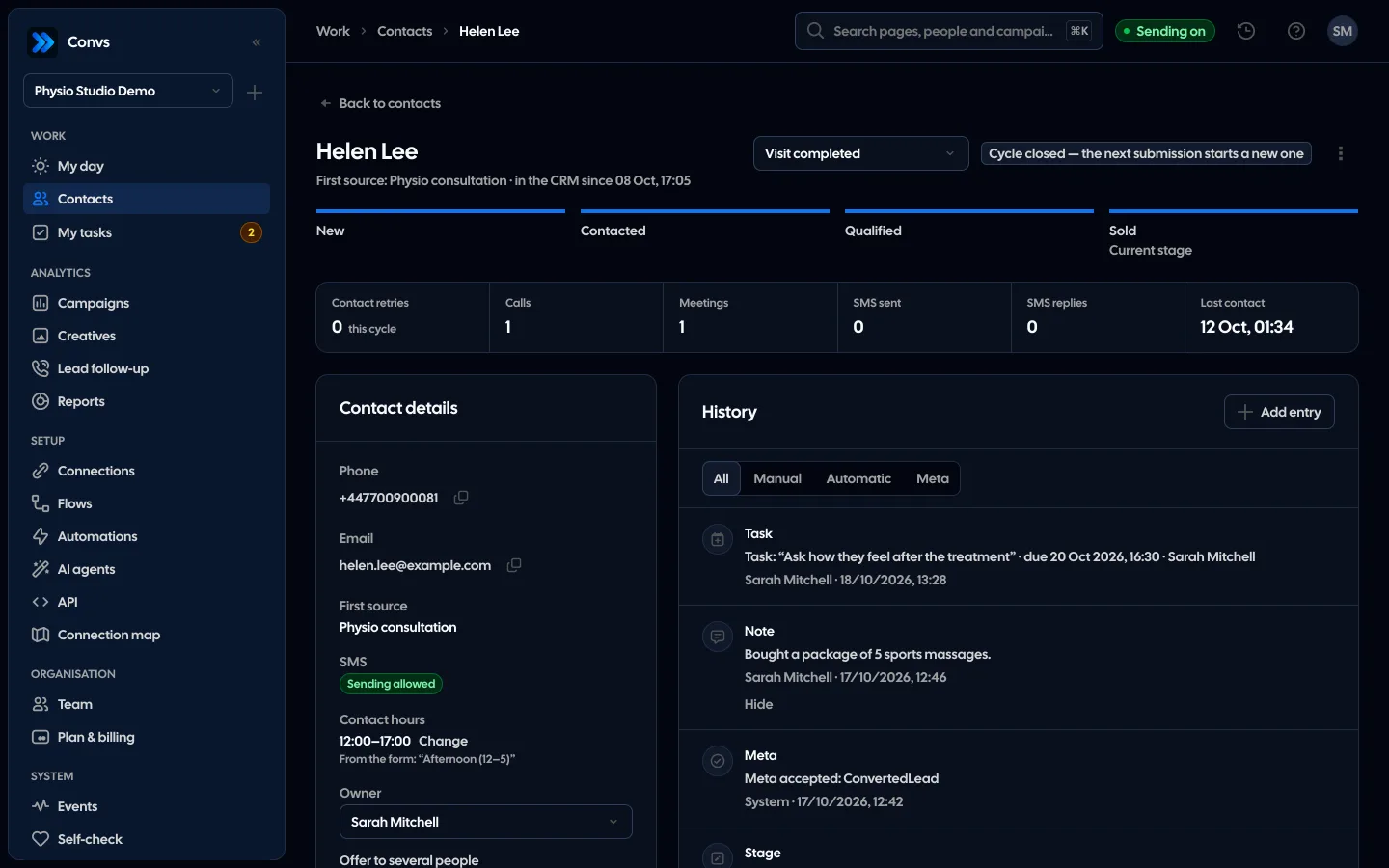
Stage, history, statuses and form answers in one place. Every entry has a time, and the team’s entries an author too.
The whole story on one card
Submission, status, call and stage change in order, with contact counts on top. A stage sent to Meta carries a tick.
A duplicate flagged, not merged
When the phone points to one card and the email to another, both get a flag. You merge, after checking.
Statuses for the team
“No answer” or “Appointment booked” never go to Meta. A switch says which status is a first contact.
Answers as columns
“Columns” adds up to 10 Meta form questions to the list, with each person’s newest answer.
Data that leaves on its own
People without activity for longer than the chosen period, 24 months by default, are erased with their history.
Example data
One person, the whole story
Submissions with their form answers, stage changes, SMS as chat bubbles (sent and replies), webhooks, Meta delivery results and notes. The top of the card shows how many times contact was retried, how many calls and SMS there were and when the last contact was. Automatic entries cannot be edited, so the history stays accurate.
- Matched by phone first, then by email
- Possible duplicates flagged, merged only after you confirm
- Form answers stored and encrypted
- Chosen form questions as columns of the contact list and the lead list
A stage in one click, straight to Meta
The stages are the same in every organisation. A stage change on the card goes to Meta as a CRM event for the same lead, so the campaign learns from what happens after the form.
- 1
New
A lead from a Meta form, from the API or added by hand lands in the CRM.
- 2
Contacted
After the first call the salesperson moves the stage and Meta gets the event.
- 3
Qualified
The person fits the offer. Meta gets this stage as a qualified lead event.
- 4
Sold
Closes the cycle, with the sale value on the person’s newest lead.
- 5
New cycle
When the same person fills in a form again, the stage goes back to New on the same card.
The CRM on a salesperson’s phone
The list and the person card work on a phone. A salesperson changes the stage right after the call, and Meta gets the event.
A stage for Meta, a status for the team
Between stages the team records what is going on with a customer: “No answer”, “Call back”, “Appointment booked” or statuses of your own, up to 30 per organisation. “Reopen” takes a rejected person back to the stage before the rejection, with nothing sent to Meta.
| Stage | Internal status | |
|---|---|---|
| Sent to Meta | ||
| Closes the cycle (Sold, Rejected) | ||
| Names of your own | ||
| First contact in Lead follow-up | A move from “New” | When it “counts as a contact” |
| Filter of the client list |
Owners and tasks with due dates
Each customer can have an owner. Tasks are due in your company’s time zone, and “My tasks” shows what is due today and what is overdue.
- List filters: owner (also “Has an owner” and several people at once), stage, status, tags, Meta form, date added and last activity
- Filters for daily work: overdue tasks, next attempt, returning customers, missing phone or email, “Do not text”, possible duplicates
- Filters stay in the page address, so a link shows a colleague the same list
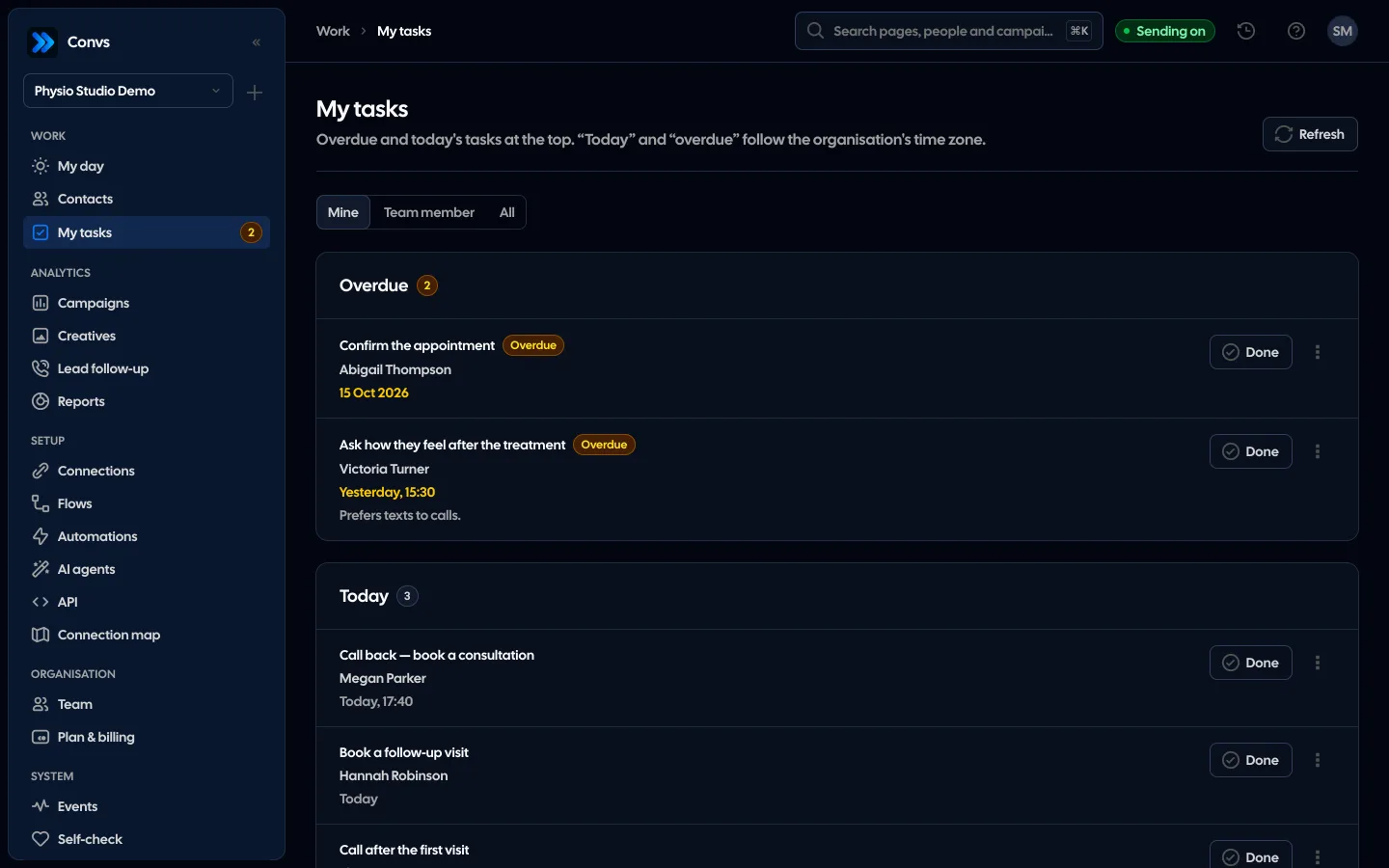
Daily plan, assignment and reports
The CRM is the base three more pages of the app work on. Each has its own page.
See “My day”“My day”
WorkOne list for today in a fixed order, with contact hours read from the form.
Lead assignment
WorkRound robin, first to claim, or by hand. Every lead has one owner.
Team reports
AnalyticsEach salesperson’s engagement and results next to the team average.
Data under control
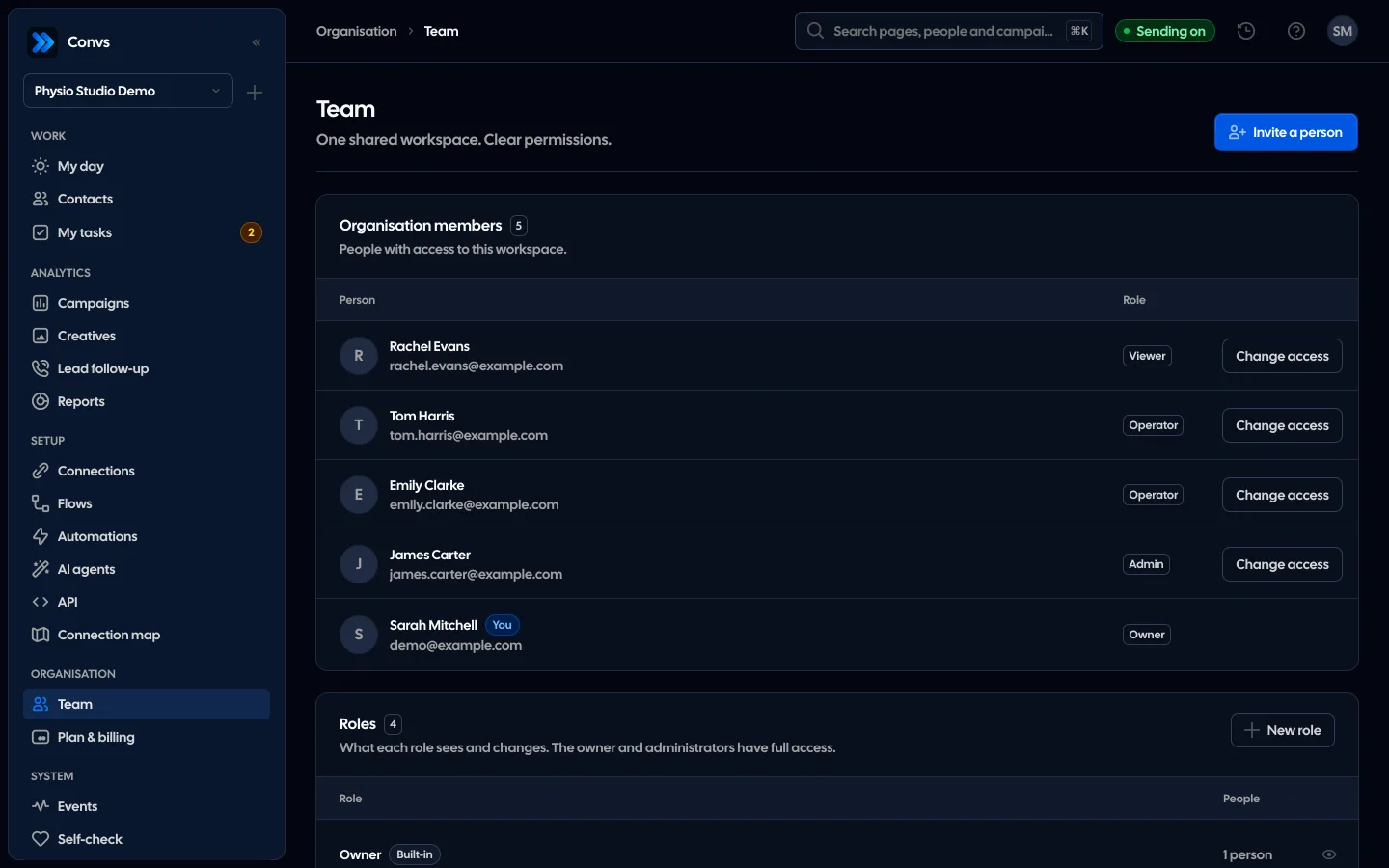
You set how long data is kept, from 6 to 120 months, and people without activity are erased automatically after that. Roles decide who sees full details.
- A “Do not text” switch on every person card
- Erase a person on request, recorded in the audit log
- Viewers see masked phone numbers and emails
For many small teams, yes: it has people, stages, history, owners and tasks. If you already have a CRM, Convs can send it webhooks from automations.
By phone first, then by email. If the phone points to one person and the email to another, both cards get a “Possible duplicate” flag. Nothing merges on its own.
The Sold stage closes the cycle. If the same person fills in a form again, a new cycle starts and the stage goes back to New.
Yes. The “Columns” button above the list adds up to 10 chosen Meta form questions as columns, with each person’s newest answer. The lead list on the Forms tab works the same way. Only roles that can edit contacts see answers.
Yes. “Reopen” on the person card takes the person and their rejected leads from the current cycle back to the stage before the rejection. Nothing is sent to Meta and the history keeps a line about it. The next stage change is sent as usual.
From the “My day” page. Tasks booked for a set time right now come first, then new leads nobody has contacted yet (longest waiting on top), then next contact attempts, overdue tasks and the rest of the day. The first item is marked “Do this now”.
It is saved as the client’s contact hours and shown on the card. A next contact attempt scheduled by an automation lands after 17:00, and “My day” flags a task planned earlier and lets you move it in one click. The first call to a new lead goes out at once, without waiting for those hours.
Related features
- My dayOne list for today in the order of work: booked calls, new leads, next attempts and overdue tasks.See details
- Lead assignmentAn owner for every lead: round robin, first to claim or by hand, so no lead gets lost.See details
- AutomationsSMS to new leads, tasks and webhooks, with sending hours and an opt-out list.See details
- Campaign reportingMeta spend joined with CRM stages: cost per lead, per qualified lead and per sale.See details
- Meta Conversions APILeads, sheet rows and orders sent to Meta from a server, without duplicates.See details
- For agenciesA separate workspace per client, roles, an all-clients overview and job queues.See details
Get started in under 5 minutes
Connect your Meta account and see which forms send good data and which need fixing.
- Free up to 100 leads a month
- No developer needed
- Automatic connection checks