Reply within a minute, even when nobody is watching
Build automations from blocks in the editor: a trigger, logic and actions. Every run keeps a step-by-step history with results.
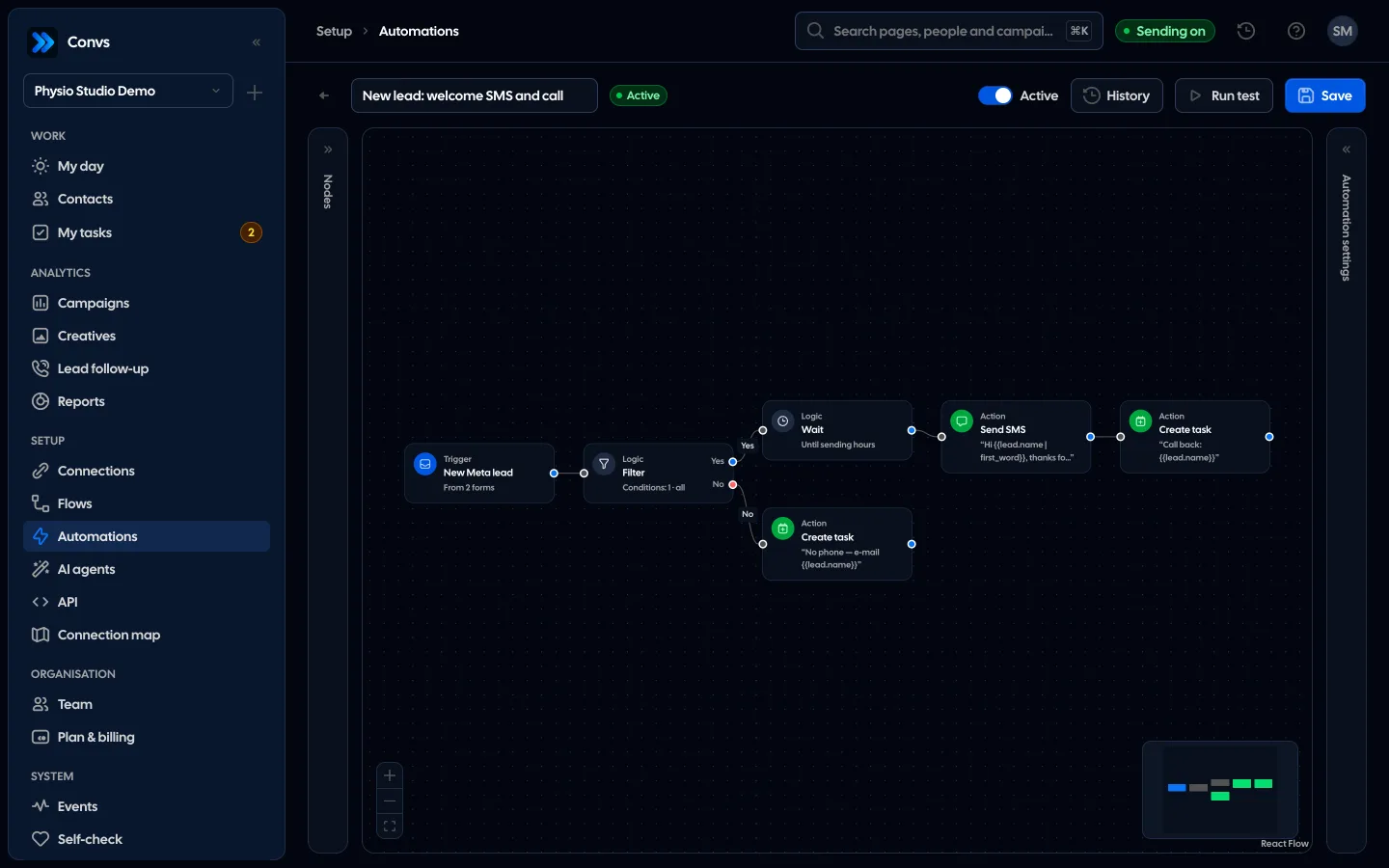
Screenshots from a demo organisation. People and numbers are fictional.
The first text goes out by itself, at a sensible hour
Build the trigger, the wait and the actions in the editor. Every run leaves a step history, and a failed step is retried with one click.
From trigger to task
A new Meta lead starts the automation: a short wait, a welcome SMS and a “Call back” task for the owner.
Variables in the text
The SMS takes the first name from the form with {{contact.first_name}}. The history shows whether it was delivered.
A night lead waits until 8:00
SMS goes out only between 8:00 and 20:00 in your time zone. A step outside them waits with “Outside sending hours”.
History of every run
Every step has a result. When the provider does not confirm sending, you see why and “Retry step”.
Example data
See it in 20 seconds
Short clips from the panel with a demo organisation’s example data, no sound.
- AutomationsA new Meta lead gets a text right away, the rep a task with a due time and the lead an owner, all built in a visual editor without code.
Eight triggers
An automation starts when something happens in your CRM or outside it.
New Meta lead
Fresh submissions only, so a backfill never spams anyone.
Stage change
One run per person, cycle and stage.
Status change
Such as “No answer”: every time it is set or only the N-th time in the cycle.
Time for the next attempt
When the countdown ends, for every attempt or e.g. from the 3rd on.
Lead not taken
When nobody takes an offered lead within X hours.
Incoming webhook
From your own system, with a token or an HMAC signature.
Overdue task
A reminder or an escalation once a task is past due.
Manual run
With the “Run test” button, before you switch it on.
SMS through your own provider
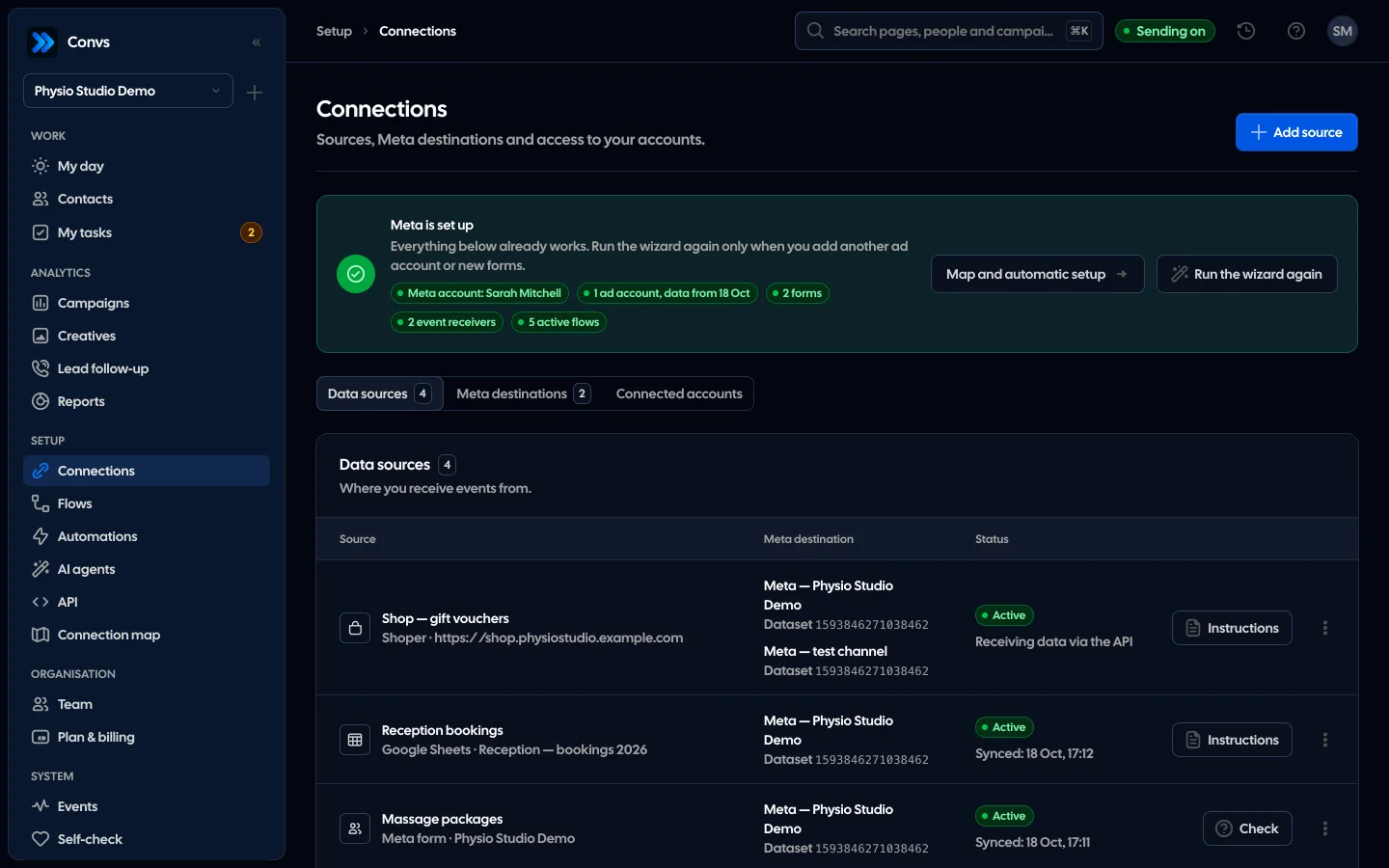
Connect an SMSAPI or Twilio account, any gateway with a JSON API, or your phone through smsportal.app. The “Check” button verifies access before the first message.
SMS from your own phone with smsportal.app
smsportal.app sends SMS from an Android phone, so messages cost whatever your mobile plan charges. smsportal.app has its own plans, including a free one.
How to connect smsportal.app- One-click connection: pick the phone in smsportal.app and come back to the panel, no keys to copy
- Replies from people in your CRM land in their history
- A “STOP” reply (or its Polish equivalents) adds the number to the “Do not text” list
- Run history shows whether each SMS was delivered
Safe hours and limits
An automation will not text anyone at 3 a.m., or anyone who asked to be left alone. The “Do not text” list stays even after the person is erased.
| Situation | What the SMS step does |
|---|---|
| The lead came after 20:00 or before 8:00 | Waits until 8:00 in your time zone |
| The organisation sent 500 SMS today | Waits until the next day |
| The number is on the “Do not text” list | Is skipped, with a line in the history |
| A retry after an SMSAPI error | Does not send a second message |
Logic and actions
Messages accept variables, such as the first name from the form. Personal data in runs is encrypted and erased after 30 days.
Filter
LogicOnly people who meet the condition go on.
Set fields
LogicValues for the next steps.
Wait
LogicFrom a minute to 30 days.
Send SMS
ActionThrough your SMS account, within sending hours.
Send webhook
ActionOver https only, with an HMAC signature (on by default).
Save to CRM
ActionThe person from the trigger data goes into the CRM.
Create task
ActionA task with a due time for the owner or a chosen member.
Assign owner
ActionRound robin, a chosen person, or several people at once.
Schedule next contact attempt
ActionIn 30 minutes, 2 hours, tomorrow morning or at a time you choose, inside the client’s contact hours.
Before an automation with an action goes live, an admin confirms the legal basis for sharing personal data.
Whatever your provider charges. Through smsportal.app the SMS goes out from your own phone and costs whatever your mobile plan charges. Convs sends through your account and adds no per-message fees.
The SMS step waits until 8:00 in your time zone. You can still create a task for a salesperson straight away.
The salesperson sets the status “No answer”. A status-change automation schedules the next contact attempt, for example in 2 hours or tomorrow morning. The card shows a countdown and the owner gets a “Call again” task due at that time. The countdown disappears when someone logs a call or changes the stage. If the client gave contact hours in the form, such as “after 5 pm”, the attempt lands inside them.
Yes. The “Send webhook” action posts to your https address with an HMAC signature and an ID for deduplication.
Related features
- CRMOne person per phone or email, full history, stages, owner, tasks and “My day” with the order of work.See details
- My dayOne list for today in the order of work: booked calls, new leads, next attempts and overdue tasks.See details
- Lead assignmentAn owner for every lead: round robin, first to claim or by hand, so no lead gets lost.See details
- Campaign reportingMeta spend joined with CRM stages: cost per lead, per qualified lead and per sale.See details
- Meta Conversions APILeads, sheet rows and orders sent to Meta from a server, without duplicates.See details
- For agenciesA separate workspace per client, roles, an all-clients overview and job queues.See details
Get started in under 5 minutes
Connect your Meta account and see which forms send good data and which need fixing.
- Free up to 100 leads a month
- No developer needed
- Automatic connection checks