Speed to lead, measured for every submission
A Meta lead cools with every hour. Lead response time shows which submissions the team handled within the limit, which too late and which nobody contacted, and what the burned ones cost.
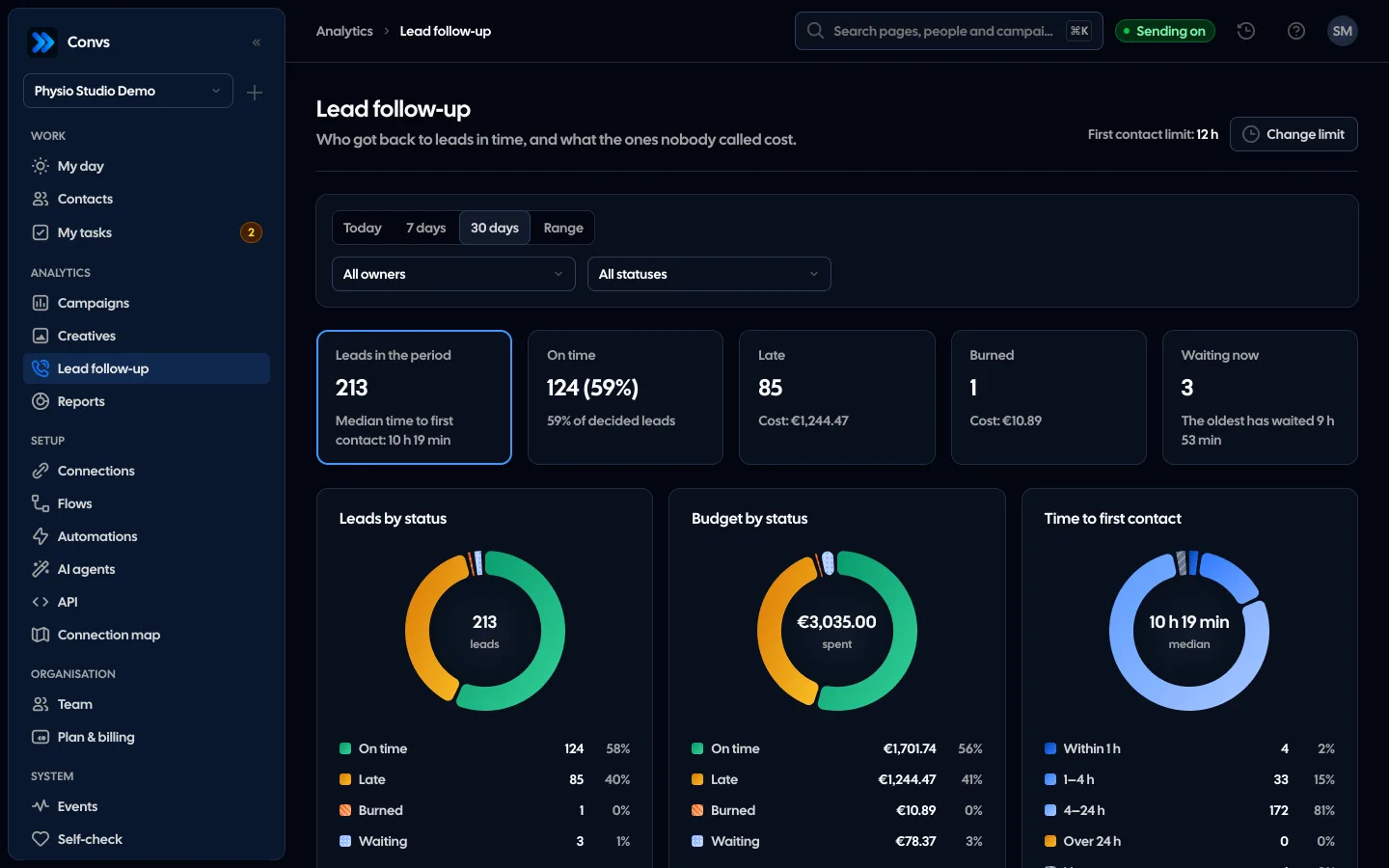
Screenshots from a demo organisation. People and numbers are fictional.
Every Meta lead has a state, a time and a cost
Lead response lines up the period’s leads against your first-contact limit: who was reached on time, who too late, who nobody handled, and what that cost in ads.
Four states and their cost
The period’s leads split into on time, late, burned and waiting. Late and burned leads show what they cost in ads.
How long to first contact
Within an hour, 1–4 h, 4–24 h, over a day or never, with the median for the whole period.
You set the limit
From 1 to 168 hours. Contact before the limit ends is “on time”, after it “late”, and no contact once it has passed is a burned lead.
A burned lead has a price
The lead’s cost from the ad it came from. An automatic SMS is shown but does not count as contact.
Every owner’s result
How many leads they handled within the limit, their median and how many burned. On the same page, no spreadsheet.
Example data
See it in 20 seconds
Short clips from the panel with a demo organisation’s example data, no sound.
- Lead follow-upLead follow-up shows who calls back on time, who is late, which leads burned and what they cost.
Four states for every lead
Every fetched Meta lead in the chosen period gets one state, measured against your first-contact limit. The same for the whole team and for each owner.
On time
First contact came before the limit ran out.
Late
Contacted, but only after the limit.
Burned
The limit passed and nobody got in touch. You see what the burned leads cost.
Waiting
No contact yet, but the limit is still running. Left out of the on-time share.
Contact read from the person card
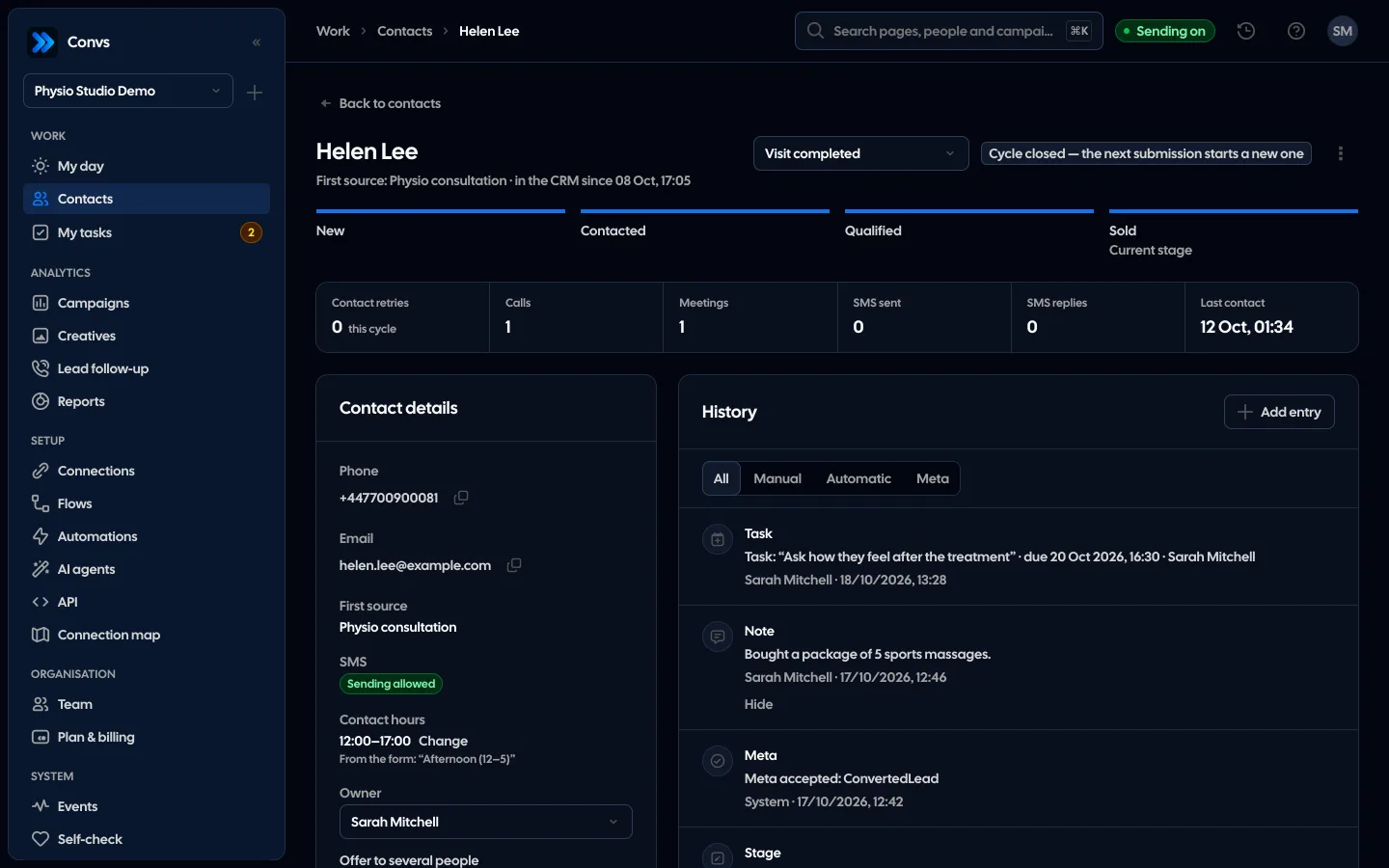
Nothing extra to click. First contact is the earliest entry on the person card from the moment the lead arrived until that person’s next submission.
- Entries hidden in the history do not count
- A text from an automation shows on the lead as a separate flag
- A later stage set on the lead itself counts too
What counts as first contact
What counts is what means talking to the customer. Entries that are not a contact stay in the history but do not stop the clock.
| Entry on the person card | First contact |
|---|---|
| Call | |
| Meeting | |
| Moving the stage on from “New” | |
| A status that counts as a contact, such as “No answer” | |
| A status that does not count as a contact | |
| Note | |
| Automatic text |
A limit you set
We count plain clock hours, nights and weekends included. You pick the period: today, 7 days, 30 days or your own date range.
- 1
Set the limit
From 1 to 168 hours, 12 by default. The owner or an admin changes it.
- 2
A lead arrives
The clock starts the moment a Meta form lead arrives.
- 3
First contact
Stops the clock: the lead is on time or late.
- 4
Change the limit
Older leads are recalculated too, so you see at once how the new limit would have looked.
Who on the team, and what it costs
The owner table shows each team member’s results. Next to it you see how much ad money went on leads in each state, burned ones included.
See team reports- Share on time (waiting leads left out) and median time to contact
- Speed buckets: up to 1 h, 1–4 h, 4–24 h, over a day
- Cost per lead from its ad’s spend; an ad without spend uses the period average, marked as an estimate
- Organic leads have no cost
Fair numbers
A lead that reached the app only after its limit had passed, for example read from history when a form was connected, is left out of the results. Nobody could have handled it in time.
See “My day”Imports left out
countThe page says how many such leads it left out.
Newest first
Every column sorts with a click, and the list exports to CSV.
“Only own”
Such a role sees only its own rows; team totals stay.
No contact details
Rows never carry a phone number or an email address.
First contact comes from what the team logs in the CRM. A call nobody logged does not exist for the report, and the lead then looks burned.
The default is 12 hours and you can set 1 to 168. Start with the time your team really calls back in and shorten it as the on-time share grows. A change recalculates older leads too, so you see at once how the new limit would have looked.
No. A text from an automation shows on the lead as a flag, but first contact is a call, a meeting, a stage change or a status that counts as a contact.
Yes. We count plain clock hours from the moment the lead arrived, with no business hours or holidays. A Friday evening lead with a 12-hour limit burns on Saturday morning.
These are leads that reached the app only after their limit had passed, usually read from history when a form was connected. Nobody could have handled them in time, so they do not skew the results.
Every role by default. Without access to Contacts the rows show “Person details hidden” instead of a name and do not open the person card. Phone numbers and email addresses are never shown here.
Related features
- Campaign reportingMeta spend joined with CRM stages: cost per lead, per qualified lead and per sale.See details
- Creative analyticsCost per qualified lead, CRM-based ROAS, hook rate and a fatigue signal for every creative.See details
- Team reportsLeads, costs, bookings, visits and sales in a period, and each rep’s results next to the team average.See details
- CRMOne person per phone or email, full history, stages, owner, tasks and “My day” with the order of work.See details
- Meta Conversions APILeads, sheet rows and orders sent to Meta from a server, without duplicates.See details
- For agenciesA separate workspace per client, roles, an all-clients overview and job queues.See details
Get started in under 5 minutes
Connect your Meta account and see which forms send good data and which need fixing.
- Free up to 100 leads a month
- No developer needed
- Automatic connection checks