Every lead has an owner before it goes cold
A new form lead does not wait for someone to notice it. Convs gives it an owner in turn right away, or offers it to several people at once and hands it to whoever reacts first.
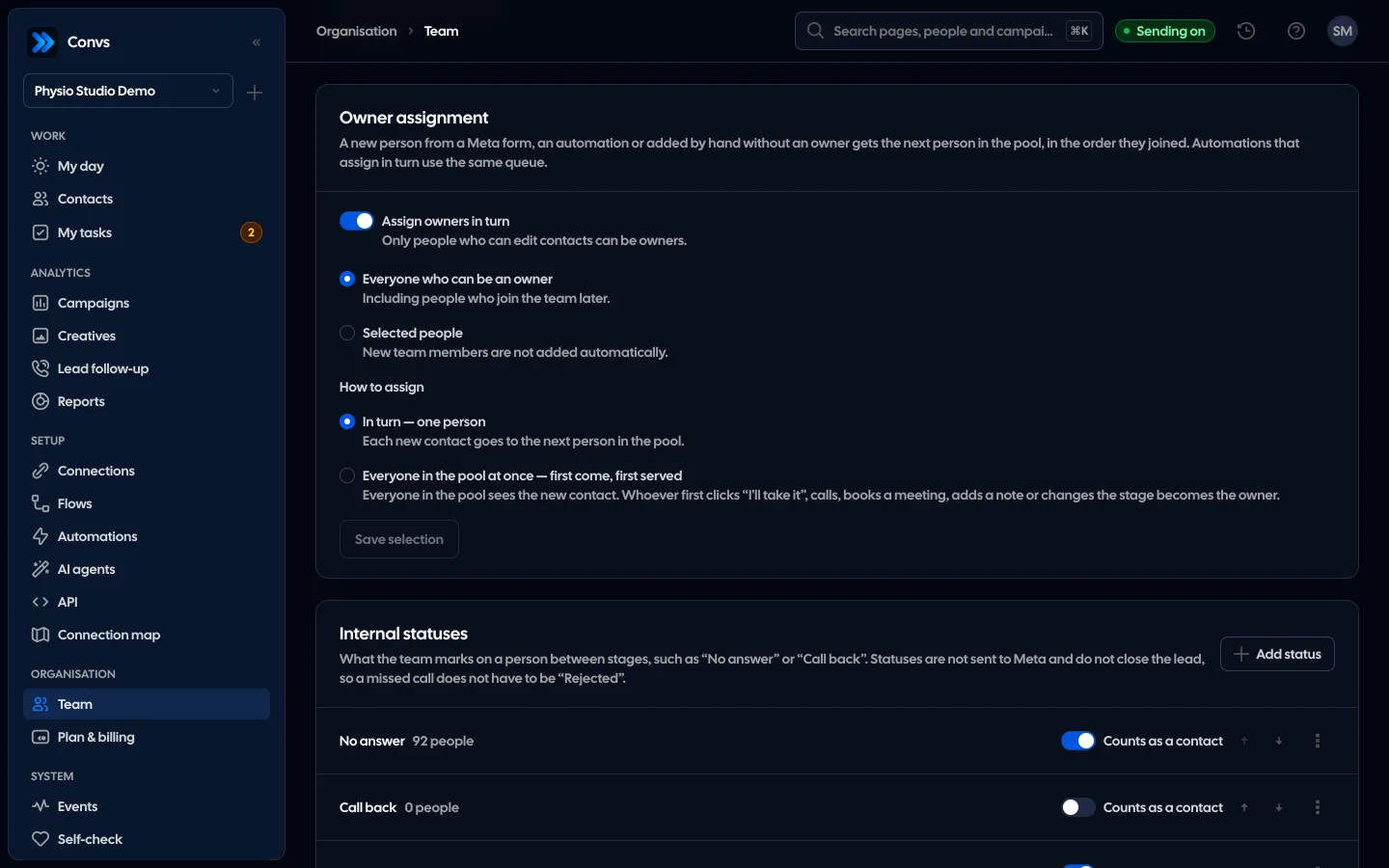
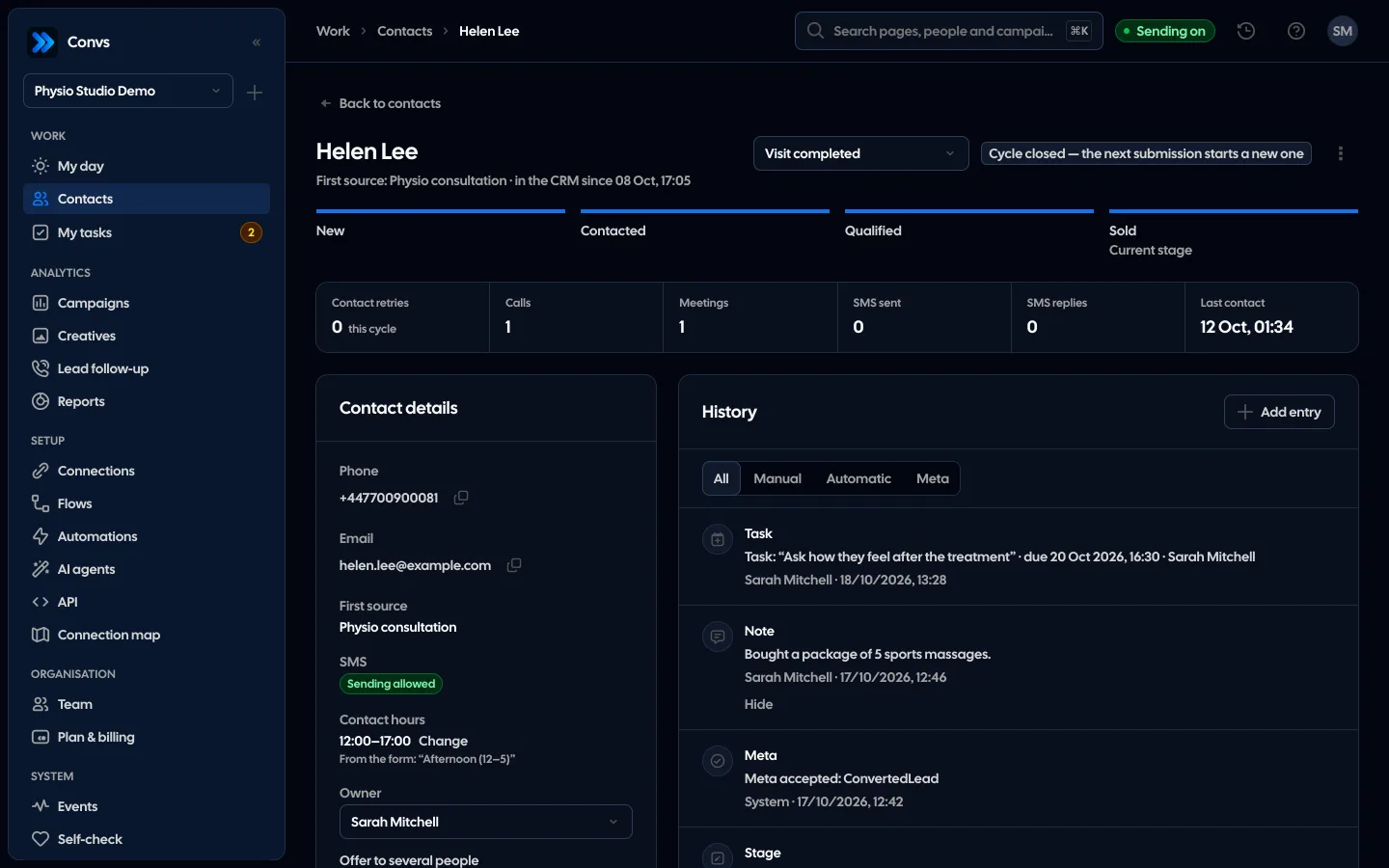
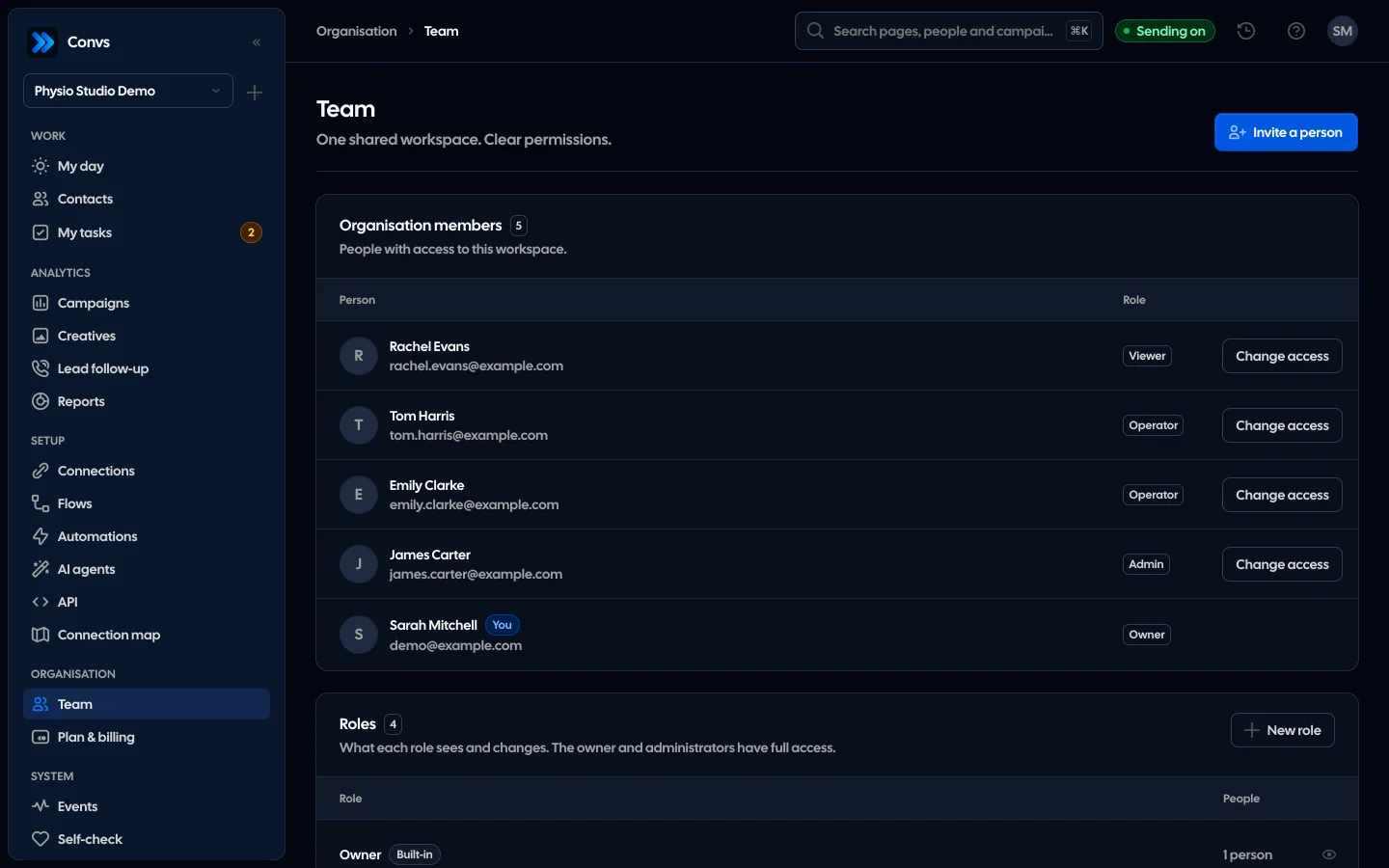
Screenshots from a demo organisation. People and numbers are fictional.
Every new lead goes to someone
In turn, or to several people at once. Either way the lead ends with one owner, and every change stays in the history.
First to claim takes it
With “Everyone in the pool at once”, every person in the pool sees the new lead. Whoever first clicks “Take it”, or calls, books a meeting, adds a note or changes the stage, becomes the owner.
The late one knows at once
Whoever clicks too late sees who took the lead. A lead never gets two owners.
In turn, in the order they joined
With “In turn — one person”, each new contact without an owner gets the next person in the pool.
Every change in the history
The offer and the claim are logged on the person card with the time, so you see who took the lead and when.
When nobody takes it
The “Lead not taken” trigger starts an automation after the hours you set, from 1 to 168 (4 by default). Taking the lead stops its waiting steps.
Example data
See it in 20 seconds
Short clips from the panel with a demo organisation’s example data, no sound.
- “I’ll take it” buttonA lead is offered to several reps, and whoever clicks “I’ll take it” or calls first becomes the owner.
Three ways, always one owner
The owner or an admin sets the assignment on the Team page; round robin is off by default. Only someone who can edit clients can be an owner, never the Viewer role.
Round robin
Every new person without an owner gets the next team member, in the order they joined.
- Meta leads, saves from automations and people added by hand
- Pool: everyone who can own customers, or chosen people
- Two leads in the same second never land on one person
First to claim wins
A lead goes to the whole pool or to a few chosen people at once and has no owner until someone takes it.
- “Take it”, or the first call, meeting, note or stage change takes it
- Whoever comes late sees that someone else has already taken it
- An offered lead shows in My day, also for roles limited to “Own only”
By hand
You choose the owner or several candidates on the person card, or with the “Assign owner” automation action.
- The action: round robin, a chosen person, several people or the whole pool
- “Only when the person has no owner” is on by default
- Every change goes to the customer’s history
The owner on the person card
The owner is the person responsible for a customer. You see them on the list and on the card, and every change goes to the history, such as “Owner: Anna → John”.
- Owner filter: mine, has an owner, “No owner”, “Waiting for me”, “Waiting to be taken”, chosen people
- A role limited to “Own only” sees only its own customers and those offered to it
A lead for several people: from offer to owner
This is the path of a lead offered to several people. If nobody takes it, an automation reminds the manager about it or hands it to one person.
See automations- 1
Offer
The lead goes to the candidates: the whole pool or chosen people. There is no owner yet.
- 2
“Take it”
It goes to whoever first clicks “Take it”, or first calls, logs a meeting or a note, or changes the stage.
- 3
One owner
The first one wins. The others see “… has already taken this lead”, so nobody calls twice.
- 4
Nobody took it?
The “Lead unclaimed after X hours” trigger (1 to 168, 4 by default) starts an automation, such as a text to the manager.
- 5
Steps stop by themselves
When someone takes the lead, that automation’s waiting steps stop by themselves.
The round robin pool
You set the pool on the Team page. Someone removed from the team or without the right to edit clients drops out of it at the moment of choosing, and when nobody chosen is left, the panel shows it.
- “Everyone who can own customers” also covers people who join later
- “Chosen people”, for when the account owner does not want customers, for example
- The same queue serves tasks and the “Assign owner” automation action
Tasks with due dates for the right person
A task from an automation goes to the person’s owner, to a chosen team member or in turn. The “Call again” task after a missed call goes to the owner, and when there is none, to the next person in the pool.
See My day- Only someone who can edit tasks can be given a task
- Due times in the company’s time zone; “My tasks” shows today, overdue and upcoming
When someone leaves the team
Removing a team member or taking away their access to clients does not leave leads quietly unattended. Every affected customer gets a history entry, so the “No owner” filter shows them at once.
| What that person had | What happens |
|---|---|
| Customers they owned | They lose the owner |
| Leads offered to them to take | They drop out of the candidates; if they were the last, the lead has no owner |
| Open tasks | They pass to the person who made the change |
| A place in the round robin pool | They drop out of the pool |
| API keys | Revoked when they lose API access |
Assignment does not rate salespeople or match them to leads by results. It shares leads in turn or gives a lead to whoever reacts first. Reports show each person’s results.
Yes. Every new person without an owner gets the next member of the pool: a Meta form lead, a save from an automation and a person added by hand.
The lead goes to whoever was first. The other person sees that someone else has already taken it, so nobody calls twice.
It depends on the role. Limited to “Own only”, they see only their own customers and leads offered to them. Without the limit, they see the whole client list.
The “Lead unclaimed after X hours” trigger runs an automation, such as a text to the manager or assigning the lead to one person. If someone takes the lead earlier, the automation stops.
They lose the owner, and that person’s open tasks pass to whoever removed them. Every such customer has a history entry, so the “No owner” filter finds them quickly.
Related features
- CRMOne person per phone or email, full history, stages, owner, tasks and “My day” with the order of work.See details
- My dayOne list for today in the order of work: booked calls, new leads, next attempts and overdue tasks.See details
- AutomationsSMS to new leads, tasks and webhooks, with sending hours and an opt-out list.See details
- Campaign reportingMeta spend joined with CRM stages: cost per lead, per qualified lead and per sale.See details
- Meta Conversions APILeads, sheet rows and orders sent to Meta from a server, without duplicates.See details
- For agenciesA separate workspace per client, roles, an all-clients overview and job queues.See details
Get started in under 5 minutes
Connect your Meta account and see which forms send good data and which need fixing.
- Free up to 100 leads a month
- No developer needed
- Automatic connection checks