Sales from outside your forms go back to Meta too
Reception logs visits in a sheet, the shop takes orders. Convs turns a new status or a paid order into an event for Meta, so your campaigns learn from sales, not just clicks.
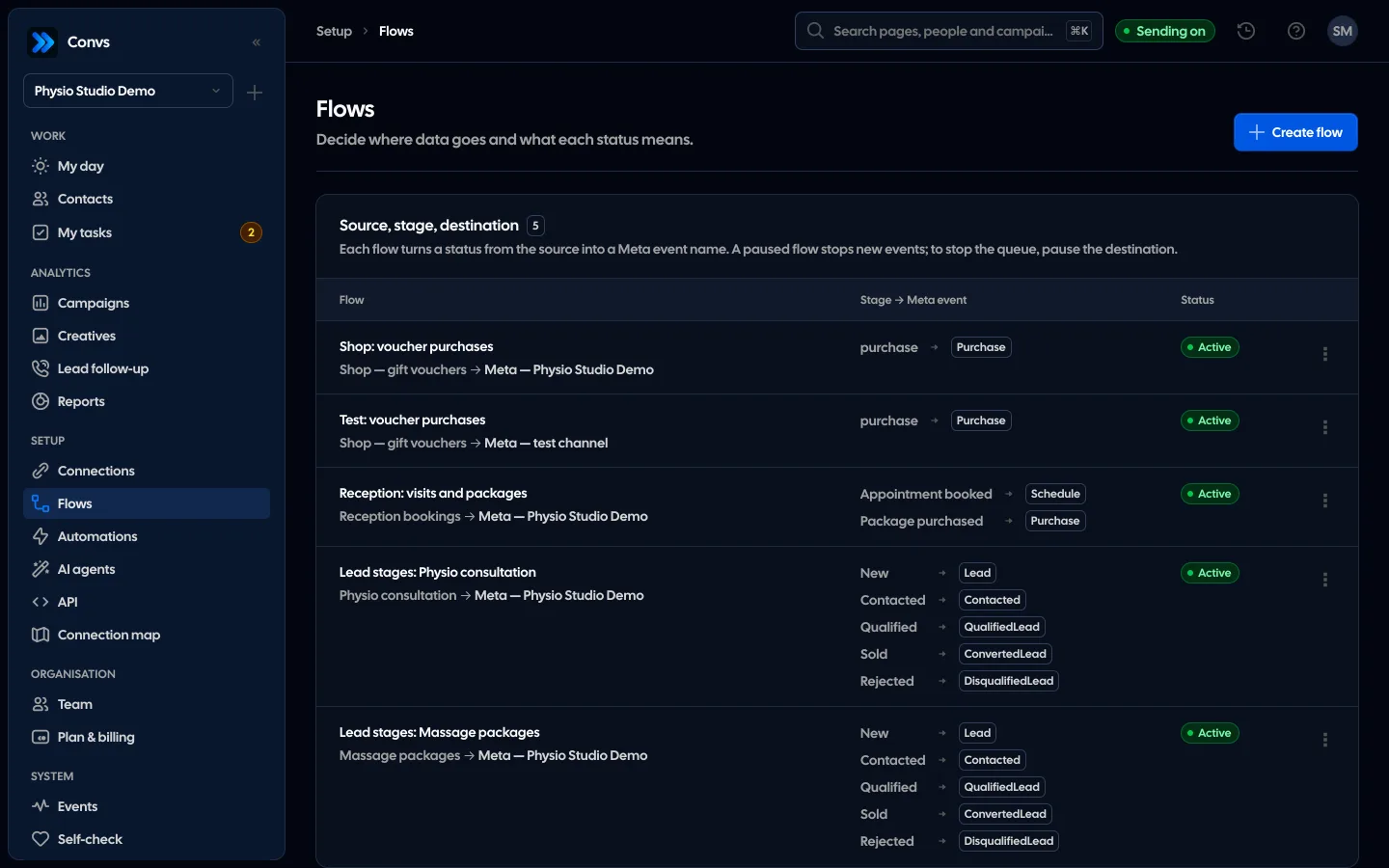
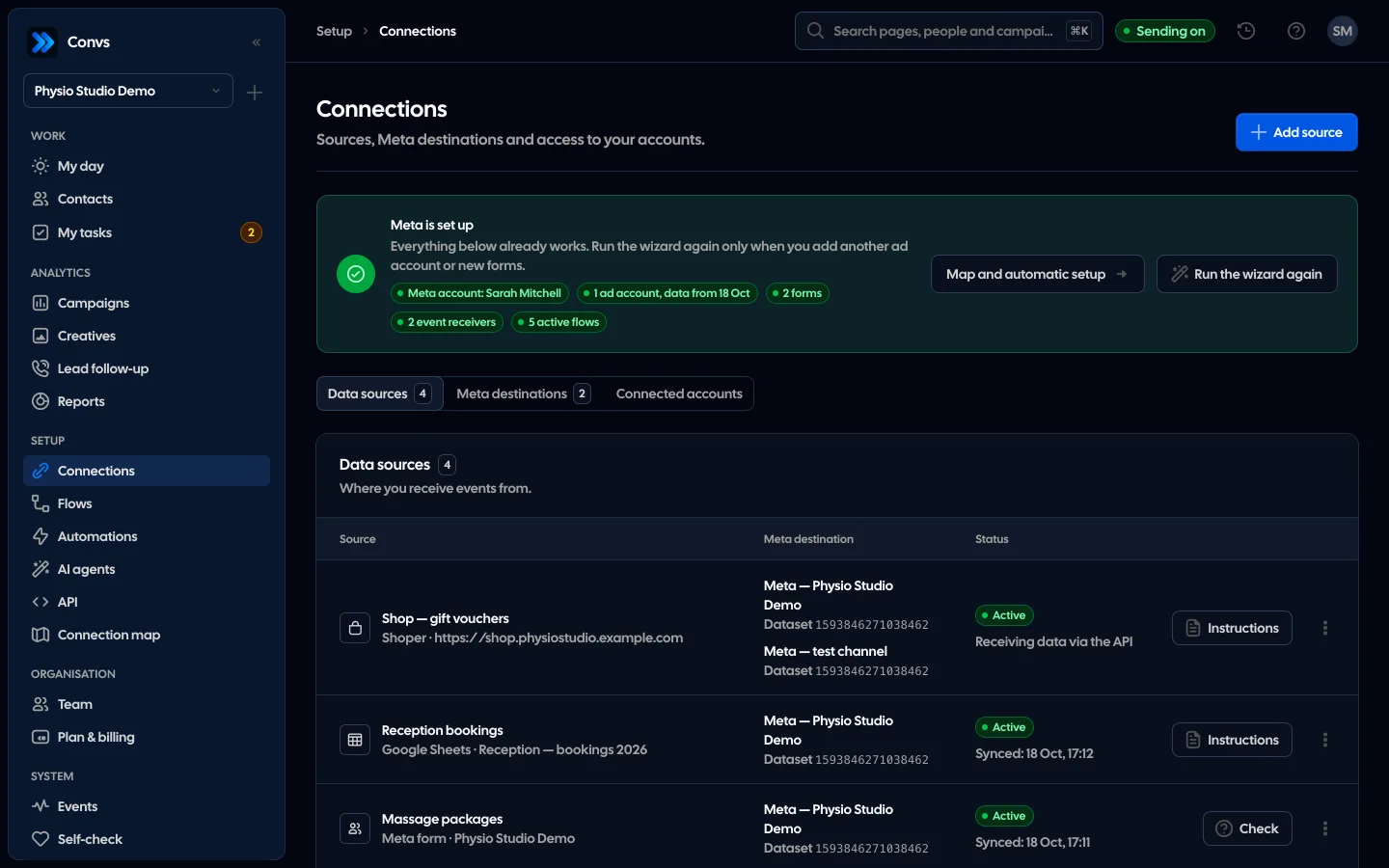
Screenshots from a demo organisation. People and numbers are fictional.
A status in a sheet, an order in a shop, an event in Meta
Reception changes a status, the shop takes a payment, and the rest happens on its own. This is how it looks on the way.
A sheet row becomes an event
A new status in a row is one conversion, and the same status of the same row never goes twice. The sheet is read about once a minute.
The flow says what and how
You choose which status goes to Meta and under what event name. Statuses without an event stay in the sheet.
A paid order from the shop
The shop’s server sends a paid order with the source’s private token. Meta gets a purchase with its value, currency and product IDs.
Every send on the Events list
You see what is queued, what is being retried and what Meta accepted. Acceptance confirms receipt, not attribution to an ad.
Example data
Three ways to Meta
Pick the one your sales already flow through. Each ends in the same queue to Meta, with the same deduplication.
API documentationGoogle Sheet
no developerReception or sales type statuses into a spreadsheet.
- Connect a Google account and pick the file; the app reads only that file
- Turn a row’s status into an event in a flow
- Read about every minute, up to 500 rows at a time
Shoper shop
Orders paid in an online shop.
- The shop’s server sends a paid order with the source’s private token
- The browser script runs only after consent and helps tie the order to an ad
- A purchase with value and currency, up to 100 product IDs
Public API
from GrowthSales live in another system, such as your own CRM.
- Send conversions to a sheet or shop source
- Webhooks for new people, stage changes, new leads and failed sends to Meta
- Create API keys with chosen scopes in the app
A Google Sheet as a source
Connect a Google account and pick the file in Google’s file picker. The app sees only the files you choose, and only reads them. Then choose the tab and the header row and say which column means what.
- Columns: row ID, status, status time, consent and at least one of email, phone or Meta lead ID
- Optional value and currency, for example for a purchase
- Read about every minute, up to 500 rows per pass
- An error names the first rejected row number, never customer data
Turn a status into an event
A flow says which status goes to Meta and under what name. This is how it looks in the example clinic. Every new status of a row is one conversion, and one source can send to several Meta datasets.
| Status in the sheet | Event to Meta | What goes with it |
|---|---|---|
| Appointment booked | Schedule | Hashed email and phone, the status time in the sheet’s time zone |
| Package purchased | Purchase | The same plus value and currency |
A row’s way to Meta
Nothing lost, nothing sent twice: the same row with the same status, or the same order, is always one event, also after the sheet is read again.
How sending to Meta works- 1
A new status
Someone changes a status in the sheet, or the shop’s server reports a paid order.
- 2
Read
The sheet is read about every minute; an error names the row number, never customer data.
- 3
Flow
The status gets an event name, and email and phone are normalised and hashed with SHA-256.
- 4
Durable queue
The event waits until Meta accepts it; passing errors are retried with the same ID.
- 5
Result in Events
Every send’s result shows in the Events list. Meta accepts events no older than 7 days.
For Shoper we have a ready script for the shop and an address the shop’s server posts the paid order to. We do not yet have a ready plug-in that reads orders from Shoper’s API by itself, so that step has to be fitted to your shop. A Google Sheet connects entirely from the app.
Yes. The sheet needs a row ID, a status, the status time, consent and an email, phone or Meta lead ID. Every new status the flow turns into an event goes to Meta as a conversion.
Only the ones you pick in Google’s file picker, and only to read them. We do not see the rest of your Drive and change nothing in the sheet.
The same row with the same status is one conversion, forever. Only a new status that the flow maps to an event sends another one.
Yes. Until your consent tool calls it, it stores nothing and sends nothing. The order itself is confirmed by the shop’s server, and the consent field on the order says whether you have a legal basis to pass it to Meta.
Yes. The plan limit covers new leads and orders in a month across all sources: the first event of each sheet row and each order counts once.
Related features
- Meta Conversions APILeads, sheet rows and orders sent to Meta from a server, without duplicates.See details
- Meta lead formsInstant Form leads in your CRM as they come in, with their answers and the ad they came from.See details
- Self-checkOne check of your whole Meta, sources and automations setup, with a link to the fix for every problem.See details
- CRMOne person per phone or email, full history, stages, owner, tasks and “My day” with the order of work.See details
- Campaign reportingMeta spend joined with CRM stages: cost per lead, per qualified lead and per sale.See details
- For agenciesA separate workspace per client, roles, an all-clients overview and job queues.See details
Get started in under 5 minutes
Connect your Meta account and see which forms send good data and which need fixing.
- Free up to 100 leads a month
- No developer needed
- Automatic connection checks