Which ads bring customers, not just form fills
Convs pulls your Meta spend every hour and joins it with the stages in your CRM. See the cost at every funnel step, from campaign down to a single ad.
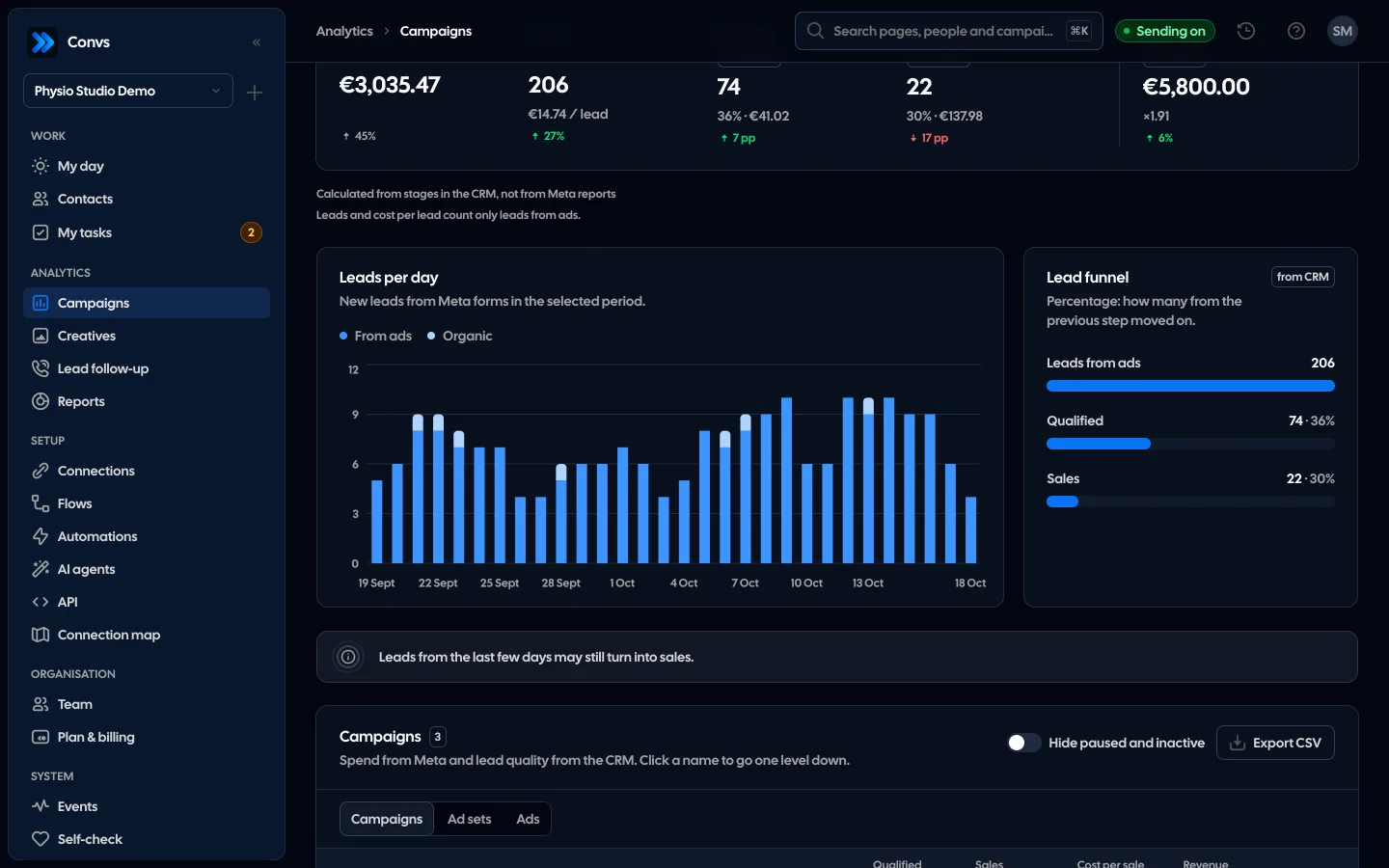
Screenshots from a demo organisation. People and numbers are fictional.
The cost of a customer, not a form
Meta spend next to what your team did with the leads: who was a fit and who bought.
A cost at every funnel step
Meta spend divided by leads, qualified leads and sales from the CRM, with the change against the previous period.
From campaign to a single ad
Campaign, ad set and ad share the same columns. When there is nothing to divide by, you see a dash, not zero.
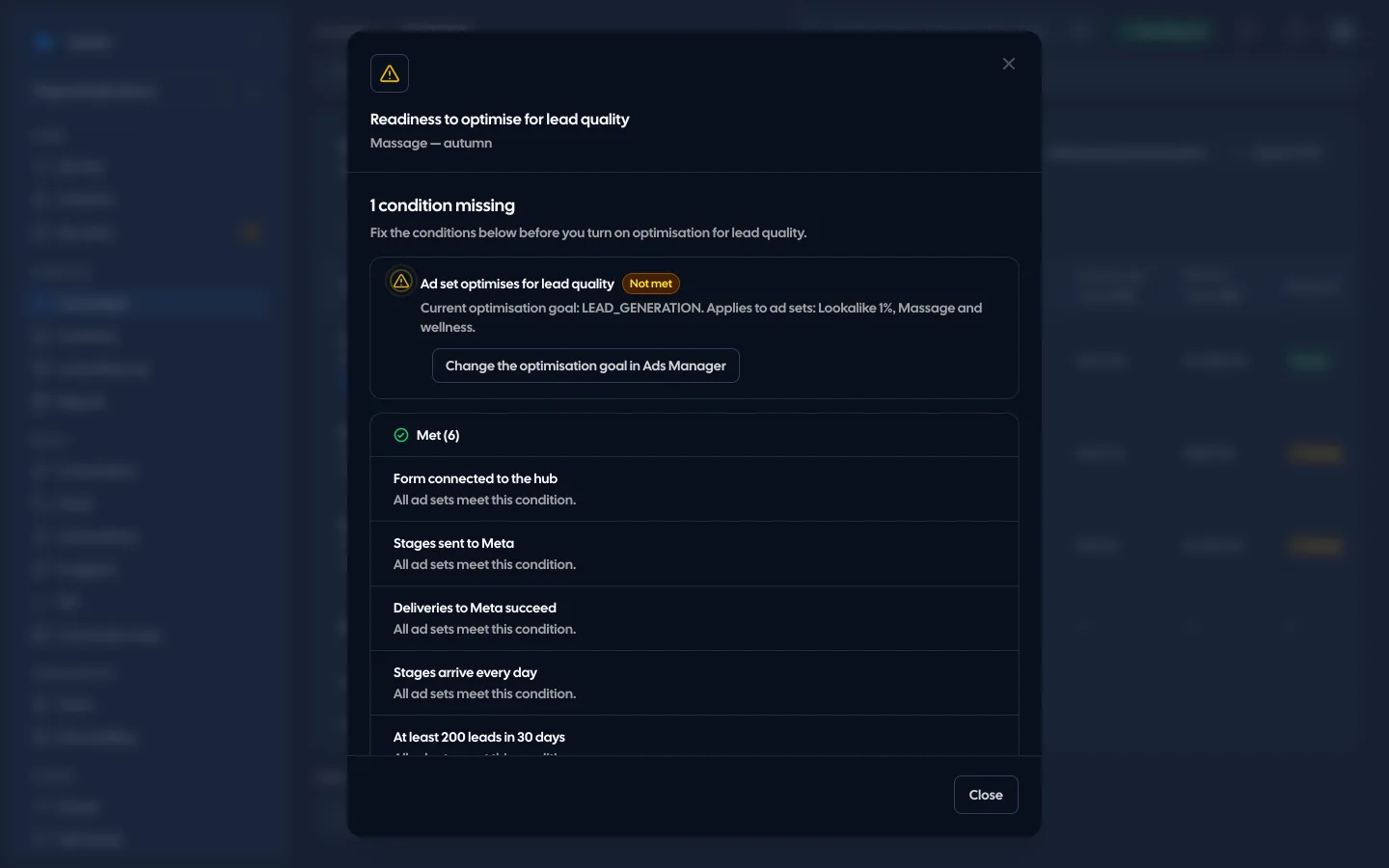
7 readiness conditions per ad set
An unmet condition shows what is missing. Meeting them does not prove Meta already optimises the campaign.
A late sale lands in the right campaign
Periods are counted by lead date, and a sale counts once per person and cycle.
Meta spend without waiting
We pull it every hour and at night, 90 days back on the first connection. “Fetch now from Meta” does not wait for the clock.
Example data
See it in 20 seconds
Short clips from the panel with a demo organisation’s example data, no sound.
- Cost per saleCampaigns joins Meta spend with your CRM stages: cost per lead, per qualified lead and per sale for every campaign, ad set and ad.
A funnel from spend to sales
Spend, leads, qualified leads and sales in one view, with the change against the previous period.

How we count
The numbers should match what you know about your customers. Five rules behind every column of the report.
| Rule | What it means |
|---|---|
| Periods by lead date | A late sale lands in the campaign the lead came from |
| A sale once per person and cycle | A second sale by the same person in the same cycle does not double the result |
| A cost only when there is something to divide by | Without leads or sales the cost is “—”, not €0 |
| Organic leads | Their own row, without costs |
| Leads from outside Meta forms | Sheets, the shop and webhooks have no campaign, so the report does not show them |
Readiness for lead-quality optimisation
For each ad set we check Meta’s 7 conditions, such as 200 leads in 30 days and stages arriving daily. Unmet conditions show what is missing and what to fix.
The same yardstick for every creative
The same spend and stages, laid out by creative. Ads that reuse the same video or image count together.
See creative analyticsCosts from the CRM
Cost per qualified lead, cost per sale and ROAS from the CRM for every creative.
Hook rate and hold rate
Plus CTR (link), next to the costs rather than in a separate table.
“Possible fatigue”
A week-by-week signal when the cost climbs. Something to check, not proof of the cause.
Tags and comparison
Hook, creator, offer and format, and chosen creatives side by side.
From a number to real people
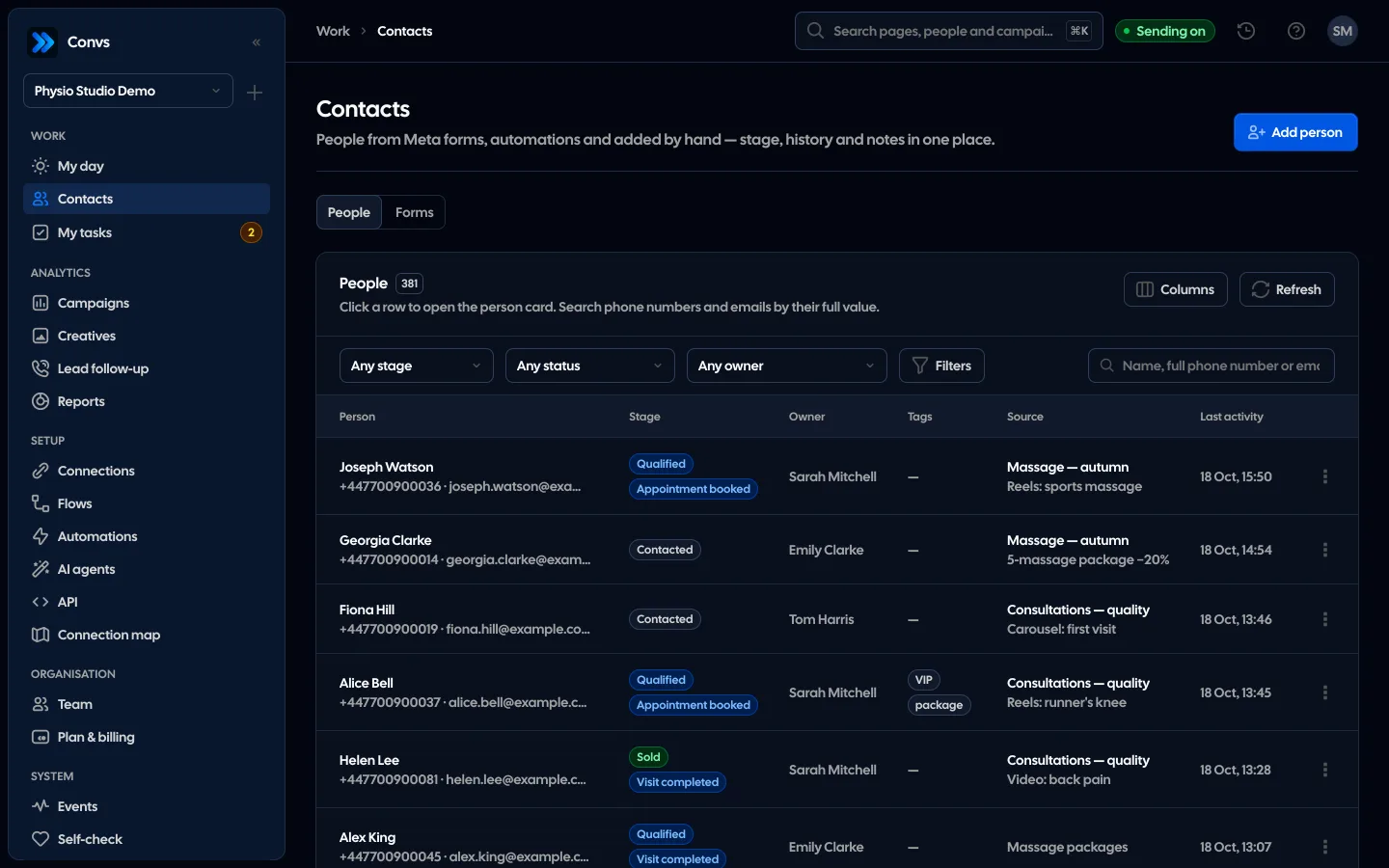
Clicking a lead count opens the CRM filtered to that campaign, ad set or ad. Export to CSV with one button.
CRM columns are counted from your stages. They do not prove that Meta optimises your campaign for this data. Meeting the readiness conditions does not prove it either: Ads Manager will tell you.
No. We pull spend for the ad accounts you already use in destinations and forms. The first sync goes 90 days back.
The report does not. It only reads data from Meta and never changes campaigns, ad sets or ads. A new ad is created in Meta only when an owner or admin creates it in Creatives (Clusters): always paused, with [convs.io] at the start of its name.
Leads from Sheets, your shop or a webhook have no campaign attached, so the report does not show them. They still land in the CRM like any other lead.
Related features
- Creative analyticsCost per qualified lead, CRM-based ROAS, hook rate and a fatigue signal for every creative.See details
- Lead response timeResponse time for every Meta lead: on time, late, burned or waiting, with the cost of burned leads.See details
- Team reportsLeads, costs, bookings, visits and sales in a period, and each rep’s results next to the team average.See details
- CRMOne person per phone or email, full history, stages, owner, tasks and “My day” with the order of work.See details
- Meta Conversions APILeads, sheet rows and orders sent to Meta from a server, without duplicates.See details
- For agenciesA separate workspace per client, roles, an all-clients overview and job queues.See details
Get started in under 5 minutes
Connect your Meta account and see which forms send good data and which need fixing.
- Free up to 100 leads a month
- No developer needed
- Automatic connection checks