Meta form leads in your CRM before they go cold
Connect an Instant Form to Convs once. Every submission lands in the CRM with its answers and the ad it came from, and the stages your team sets go back to Meta.
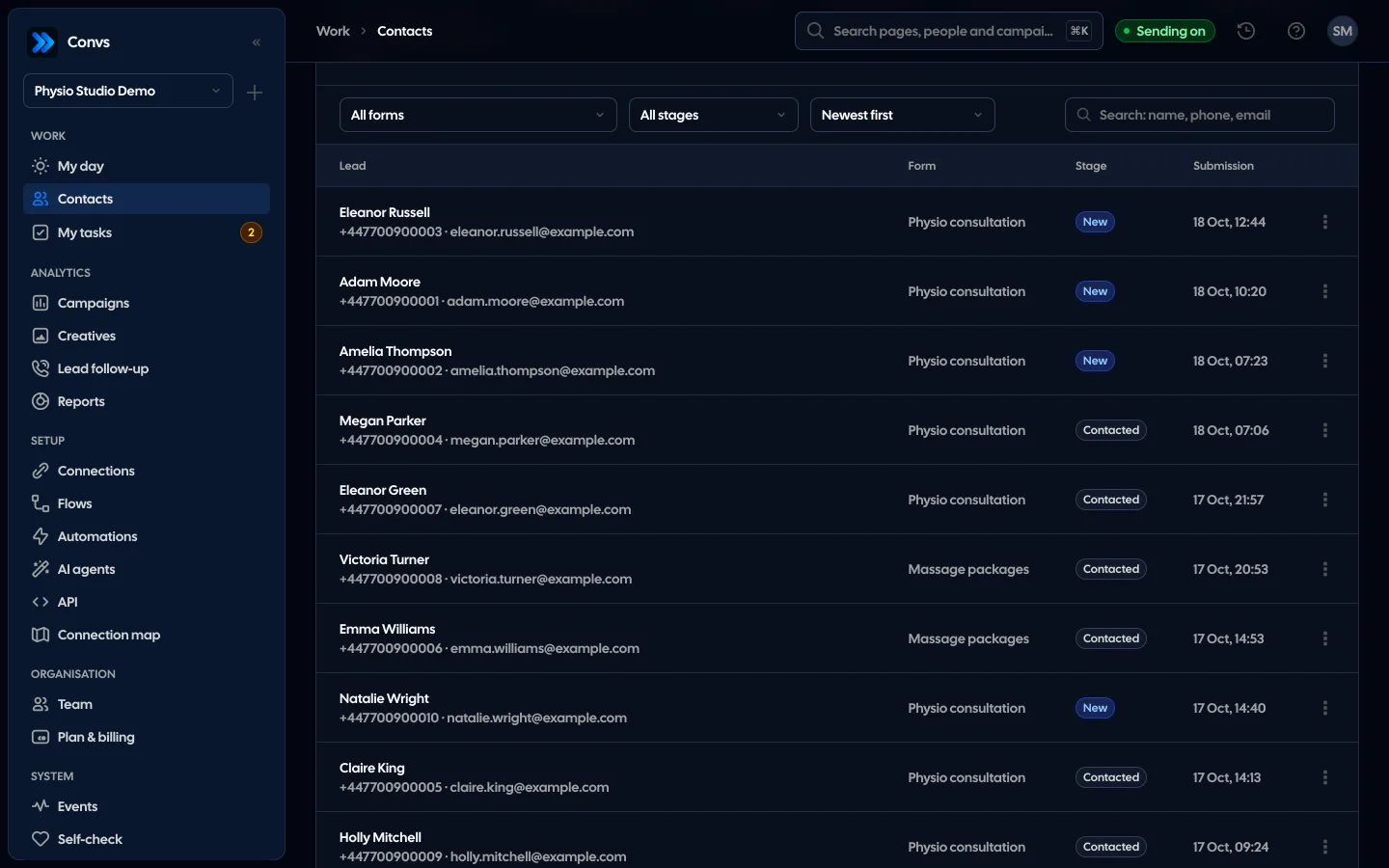
Screenshots from a demo organisation. People and numbers are fictional.
From a submitted form to a stage in Meta
This is the way of one submission: from the form under the ad, through the person card, to the event that goes back to Meta.
The submission lands in the CRM at once
Name, phone, email and every answer go onto the person card together with the campaign, ad set and ad the lead came from.
Answers as columns
The “Columns” button adds up to 10 form questions to the client list and the lead list, with each person’s newest answer.
The stage goes back to Meta
Changing the stage on the card sends a CRM event with the lead’s original ID. “Accepted by Meta” confirms receipt, not attribution to an ad.
90 days back in one job
An import of 7, 30 or 90 days of one or all forms runs as a background job with progress. Leads already here are skipped, and old ones do not start automations.
Example data
Connect a form from the app
Sign in with Meta, pick one ad account and a Page form, or the ad that uses it. Before connecting we check access to the Page, the form and its leads, then create the source together with its flow to Meta.
- Always one chosen ad account, never “all”
- An admin confirms the legal basis for processing before the form is connected
- A form connects once per organisation; reconnecting restores its leads and stages
- The setup wizard walks through it step by step and imports 90 days at once
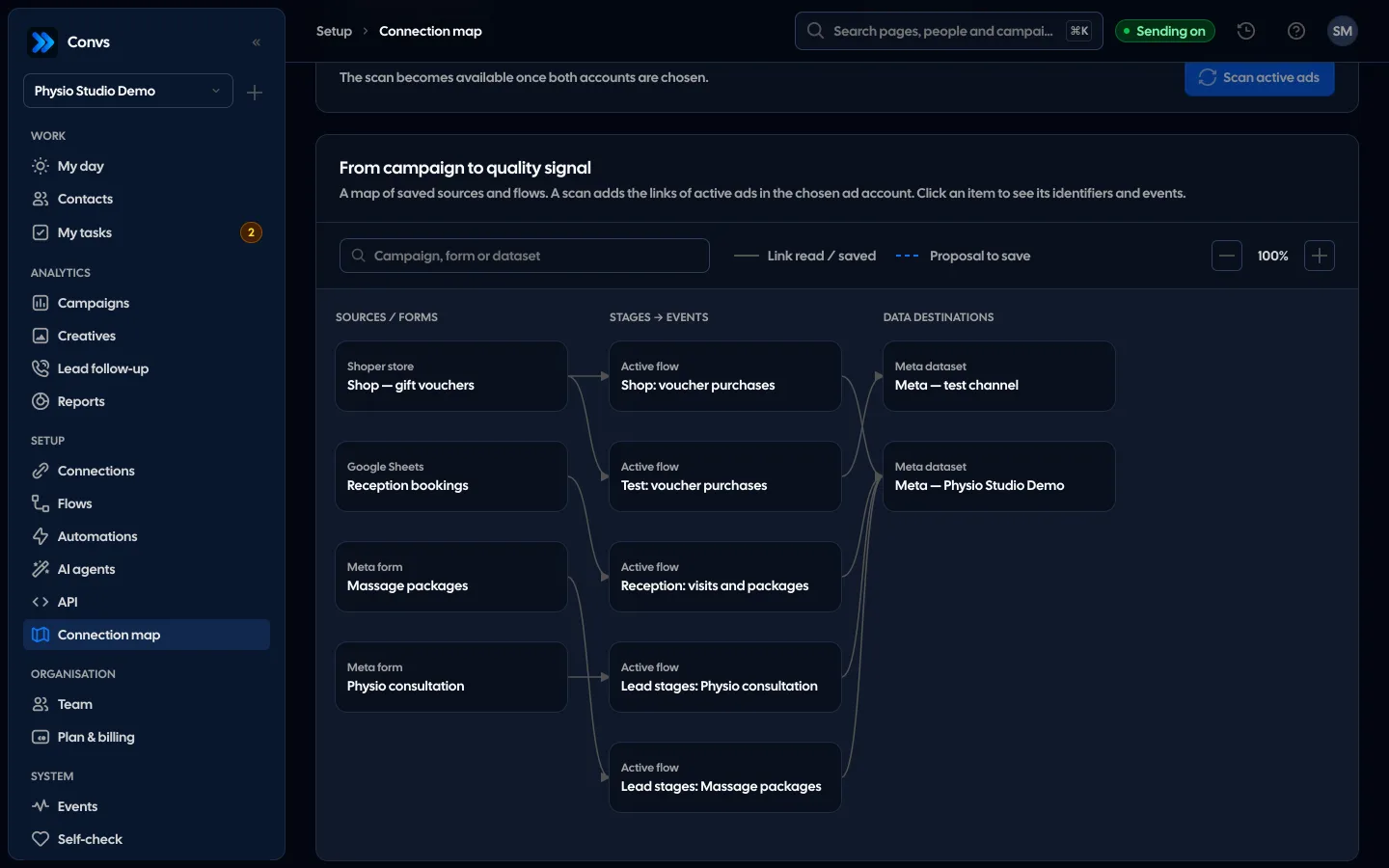
From the form to an event in Meta
No retyping. Older leads come in with an import of the last 7, 30 or 90 days (Meta keeps form leads for 90 days) or with the “Fetch leads” button.
- 1
Someone sends the form
An instant form in an ad on Facebook or Instagram.
- 2
Meta lets us know
Through the Page webhook we subscribe ourselves. Without a working webhook the form is read every 5 minutes; the same lead is saved once.
- 3
The person card
Answers, campaign, ad set and ad on the lead. The same person from several forms is one card.
- 4
A stage from the team
A salesperson calls and changes the stage on the card.
- 5
A CRM event to Meta
The stage goes through the Conversions API with the original lead ID.
Answers and the ad source on the person
We save the name, phone, email and every other answer, with question labels read from Meta once a day. Each lead keeps the campaign, ad set and ad it came from.
- Up to 50 answers per lead, values up to 500 characters, encrypted
- “Columns”: up to 10 chosen questions as columns of the contact and lead lists
- Answers in automations, for example in an SMS
- The same person from several forms is one card: matched by phone, then by email
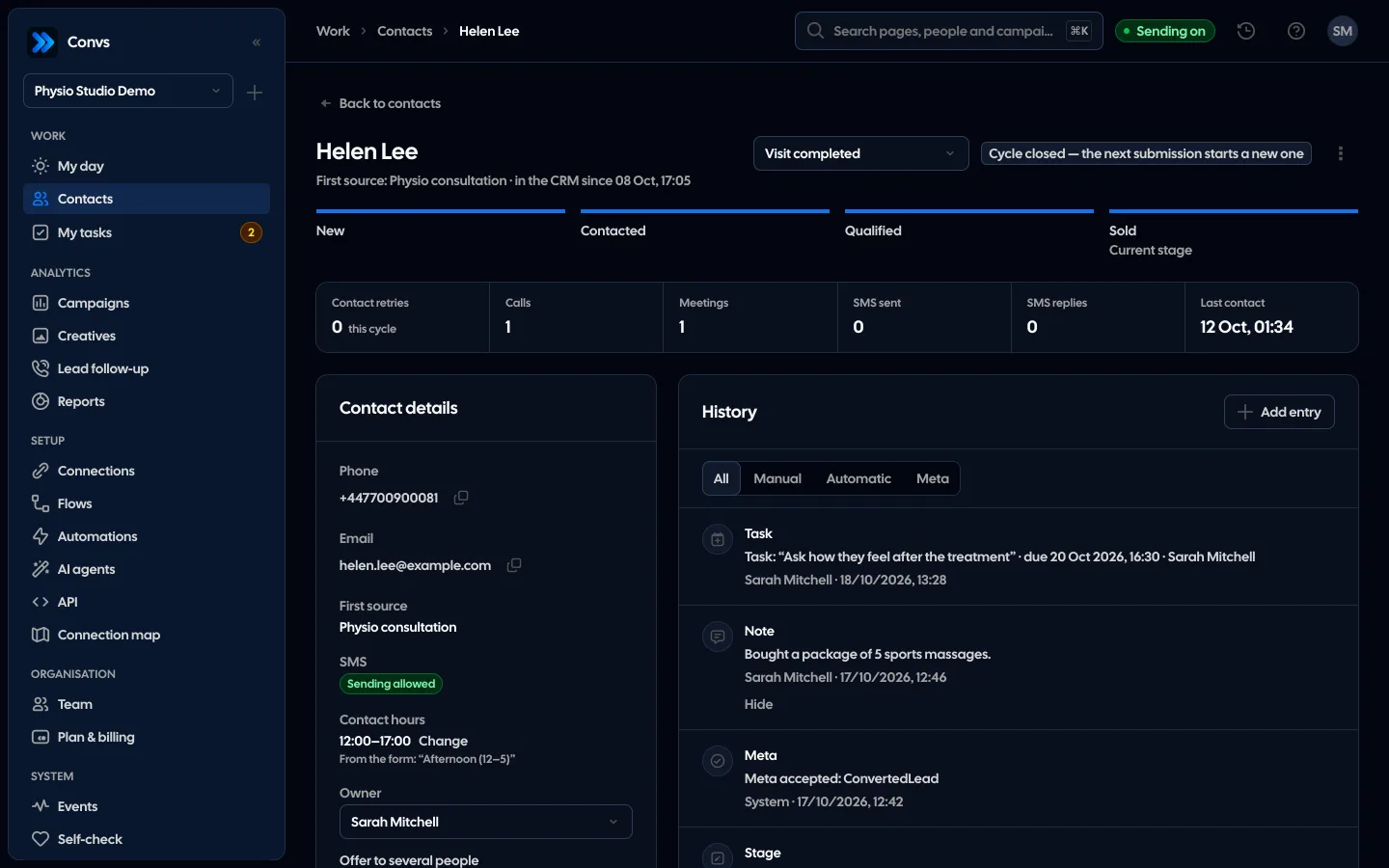
Stages go back to Meta
When a salesperson changes the stage on the card, Meta gets the next event with the original lead ID, the way the CRM integration in Events Manager expects it. This is how a new flow names them; change the names in the flow or with “Match events”. A form without a flow works too: the lead waits for a flow for up to 7 days.
How sending to Meta works| Stage in the CRM | Event to Meta |
|---|---|
| New | Lead |
| Contacted | Contacted |
| Qualified | QualifiedLead |
| Sold | ConvertedLead |
| Rejected | DisqualifiedLead |
Silent failures show up at once
Form integrations break without a message. Self-check looks at these after every setup change or on “Check now”, together with failed fetches and leads saved without a name, phone and email, and says what to click for each problem.
See Self-checkA paused form
Someone paused the form in Meta, so new leads stop coming.
No access to leads
The login lost access to the Page, the form or its leads.
Silence while spending
No leads for 7 days while the ads they came from are spending.
An expiring login
The Meta login expired or expires within 7 days.
Filling in a form is not automatic consent to further processing. Contact data stored on the lead itself is erased after 30 days; the person in the CRM stays for the retention period set in the organisation.
With a working Page webhook, we fetch the submission as soon as Meta announces it. Without a webhook, the form is read every 5 minutes.
Yes, up to 90 days back, because that is how long Meta keeps form leads. You choose the import: 7, 30 or 90 days. Automations do not start for leads older than 24 hours, so an import never texts anyone.
The account you sign in with needs access to the Page and its leads (Leads Access Manager) and to the ad account. If something is missing, the check before connecting says exactly what.
They get one card. We match by phone first, then by email. If the phone points to one person and the email to another, both cards are marked “Possible duplicate” and you merge them yourself.
No. You can connect a form only to get leads into the CRM and start automations. To optimise for lead quality, though, Meta needs CRM stages through the Conversions API.
Every submission gets a verification mark — clean, to check or spam — worked out from its own data the moment it arrives: an impossible or made-up phone number, a throwaway email domain, a placeholder name. You filter the lead list by the mark and see the reasons on the person card. The mark only informs — it never hides or rejects a lead.
Related features
- Meta Conversions APILeads, sheet rows and orders sent to Meta from a server, without duplicates.See details
- Self-checkOne check of your whole Meta, sources and automations setup, with a link to the fix for every problem.See details
- Google Sheets and ShoperSales from a sheet and orders from your shop sent to Meta as conversions, no developer needed for the sheet.See details
- CRMOne person per phone or email, full history, stages, owner, tasks and “My day” with the order of work.See details
- Campaign reportingMeta spend joined with CRM stages: cost per lead, per qualified lead and per sale.See details
- For agenciesA separate workspace per client, roles, an all-clients overview and job queues.See details
Get started in under 5 minutes
Connect your Meta account and see which forms send good data and which need fixing.
- Free up to 100 leads a month
- No developer needed
- Automatic connection checks