Cost per Qualified Lead: CPL, Cost per Sale and How to Measure Them Honestly
How cost per qualified lead differs from CPL and cost per sale, why you should measure cohorts by lead date, and how to join Meta ad spend with CRM stages.
On this page
Cost per qualified lead is your ad spend divided by the number of leads your team judged worth pursuing. Not every form, only the ones you can actually work with. It's one of three costs worth seeing side by side: cost per lead (CPL), cost per qualified lead and cost per sale. Each tells a different story, and CPL alone can crown the wrong campaign.
Three costs and what each tells you
| Metric | Formula | What it measures |
|---|---|---|
| Cost per lead (CPL) | spend ÷ leads | what a submitted form costs |
| Cost per qualified lead | spend ÷ qualified leads | what a worthwhile conversation costs |
| Cost per sale | spend ÷ sales | what a paying customer costs |
CPL is easy because Ads Manager calculates it for you. The trouble is that a Meta Instant Form takes seconds to complete, often with details pre-filled from the person's profile. Your leads include numbers that never answer, people who don't remember signing up and people who wanted something else. CPL counts them all the same.
Example: cheaper leads, pricier customers
Example data for two campaigns with the same budget:
| Campaign A | Campaign B | |
|---|---|---|
| Spend | $1,000 | $1,000 |
| Leads | 150 | 75 |
| CPL | $6.67 | $13.33 |
| Qualified | 15 | 25 |
| Cost per qualified lead | $66.67 | $40.00 |
| Sales | 3 | 6 |
| Cost per sale | $333.33 | $166.67 |
On CPL you'd move budget to Campaign A. On cost per qualified lead and cost per sale, you'd do the opposite. It's a common pattern with instant forms: cheap submissions aren't the same as cheap customers.
Why can't Meta calculate it for you?
Meta knows a form was submitted. It doesn't know whether your sales rep got through, whether the person bought, or how much they spent. That knowledge sits in your CRM or in the spreadsheet your team updates.
So cost per qualified lead is something you calculate on your side, by joining two sources: spend from Meta and stages from your CRM. If you also send those stages back to Meta through the Conversions API, Meta can optimise campaigns for lead quality, not just volume. Meta's CRM integration documentation lists requirements for that optimisation, including at least 200 leads a month, a target stage reached by 1–40% of leads within 28 days, and uploading data at least once a day. More in our article on conversion leads optimisation.
These are two separate things. The CRM report tells you what a good lead costs; the data you send to Meta gives it something to learn from. The report doesn't prove Meta is already using that data.
Lead-date cohorts: the only fair comparison
When you join spend with stages, you have to decide which period a sale belongs to. There are two approaches.
| By sale date | By lead date (cohort) | |
|---|---|---|
| "June sales" means… | everything closed in June, even from April leads | June leads that are sold today |
| Spend and outcomes refer to the same people | no | yes |
| Recent periods | look normal | look worse, because sales are still coming |
| Best for | financial reporting | judging campaigns |
Counting by sale date divides June's spend by sales partly generated by April's campaigns. If April ran different creative, the number blends two different things.
Lead-date cohorts have one drawback to keep in mind: the latest days always look weak because those leads haven't matured. Compare periods that have had similar time to close, such as a week from a month ago against a week from two months ago, not last week against the whole previous quarter.
How to calculate it, step by step
- Agree on what "qualified" means. One definition for the whole team, for example "call held, need confirmed, budget fits". Without it, the metric measures your sales team's mood. Our guide to CRM lead stages for Meta helps here.
- Tag every lead with its campaign, ad set and ad. Meta lead form leads carry this information; capture it when the lead is retrieved.
- Collect spend at the same level. Daily spend per campaign, ad set and ad, in the ad account's time zone.
- Keep stages current. The metric is only as good as your team's discipline in updating stages.
- Count cohorts by lead date and flag recent periods as incomplete.
- Count people, not forms. When the same person submits twice, the sale counts once.
How Convs calculates it
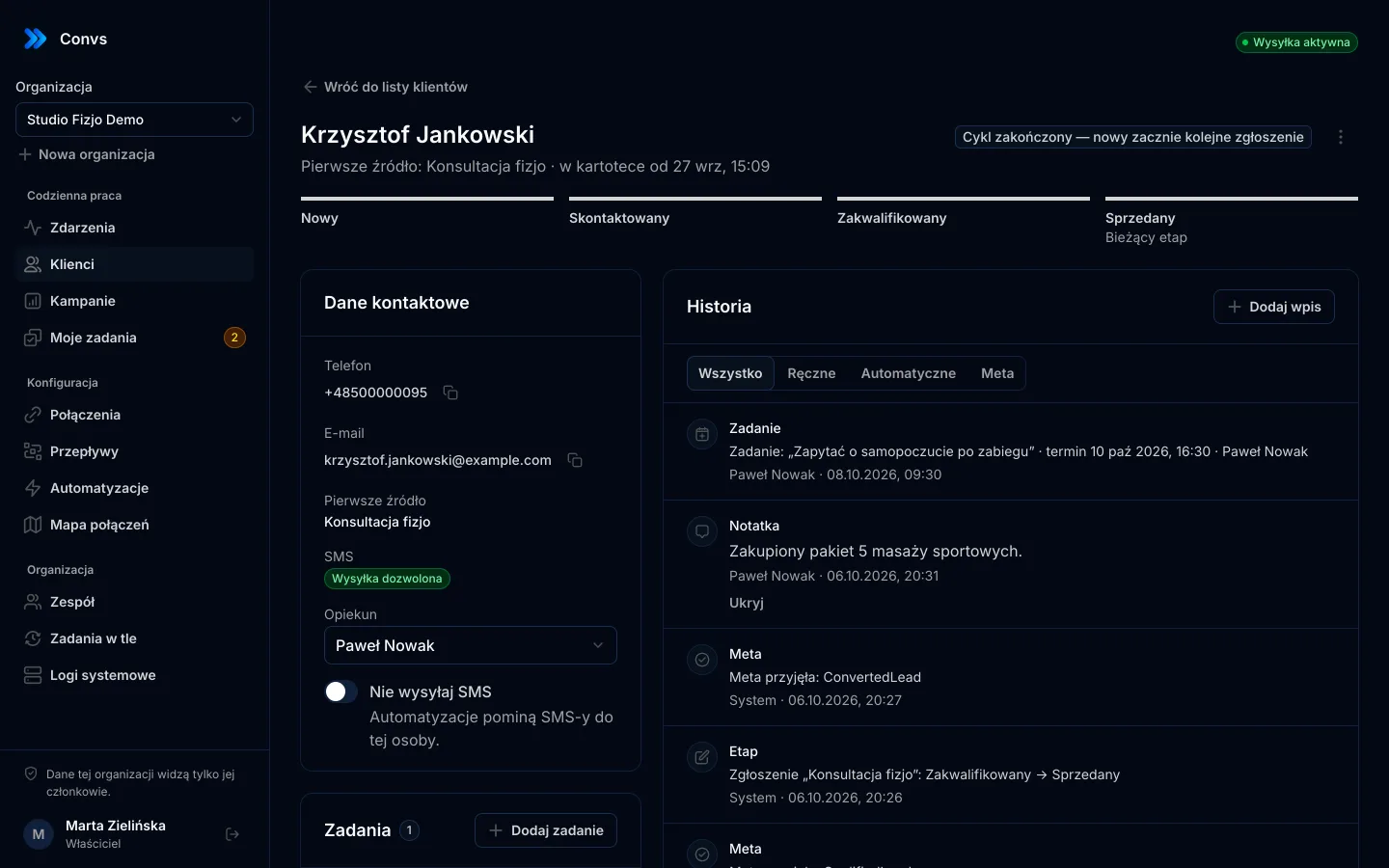
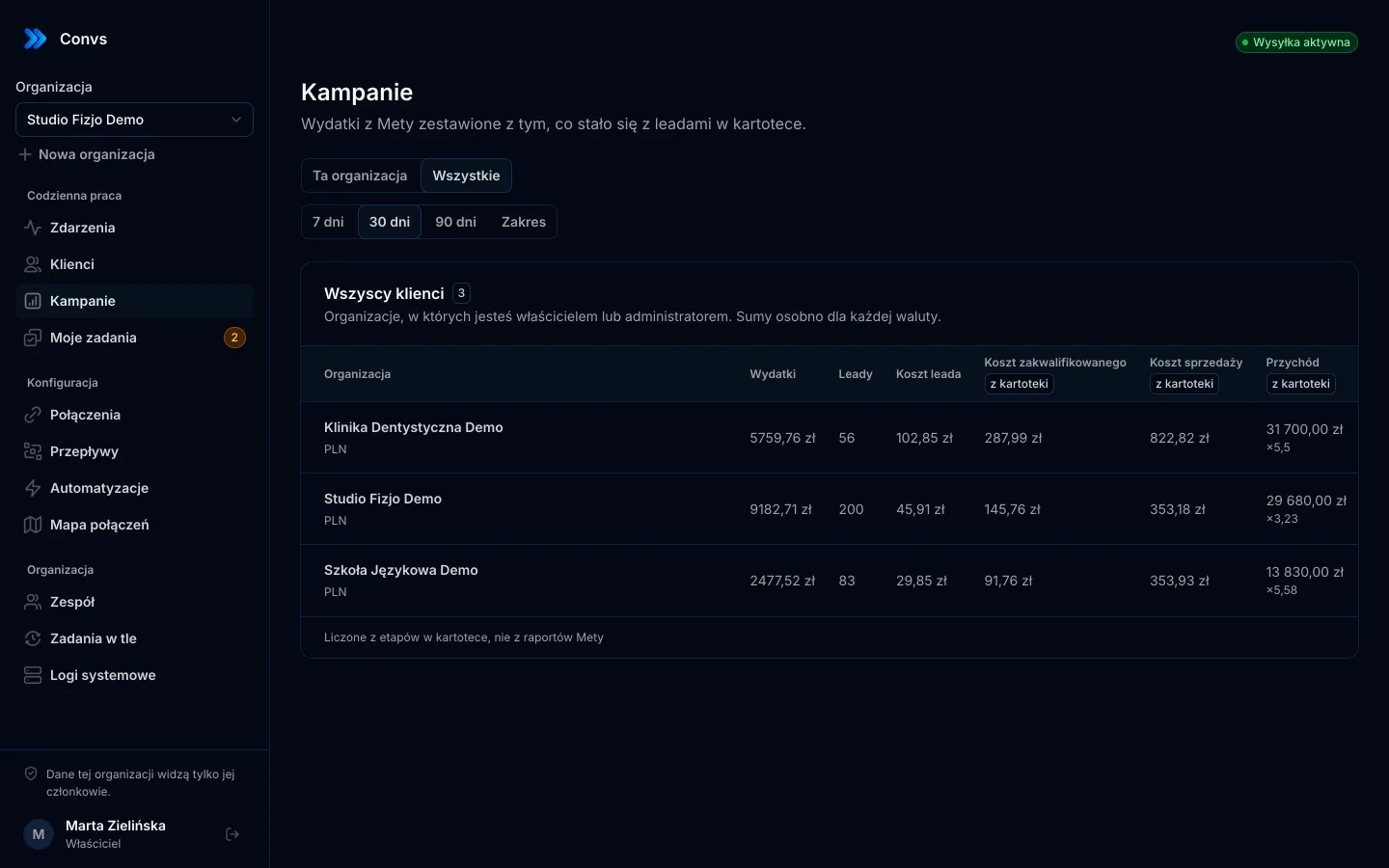
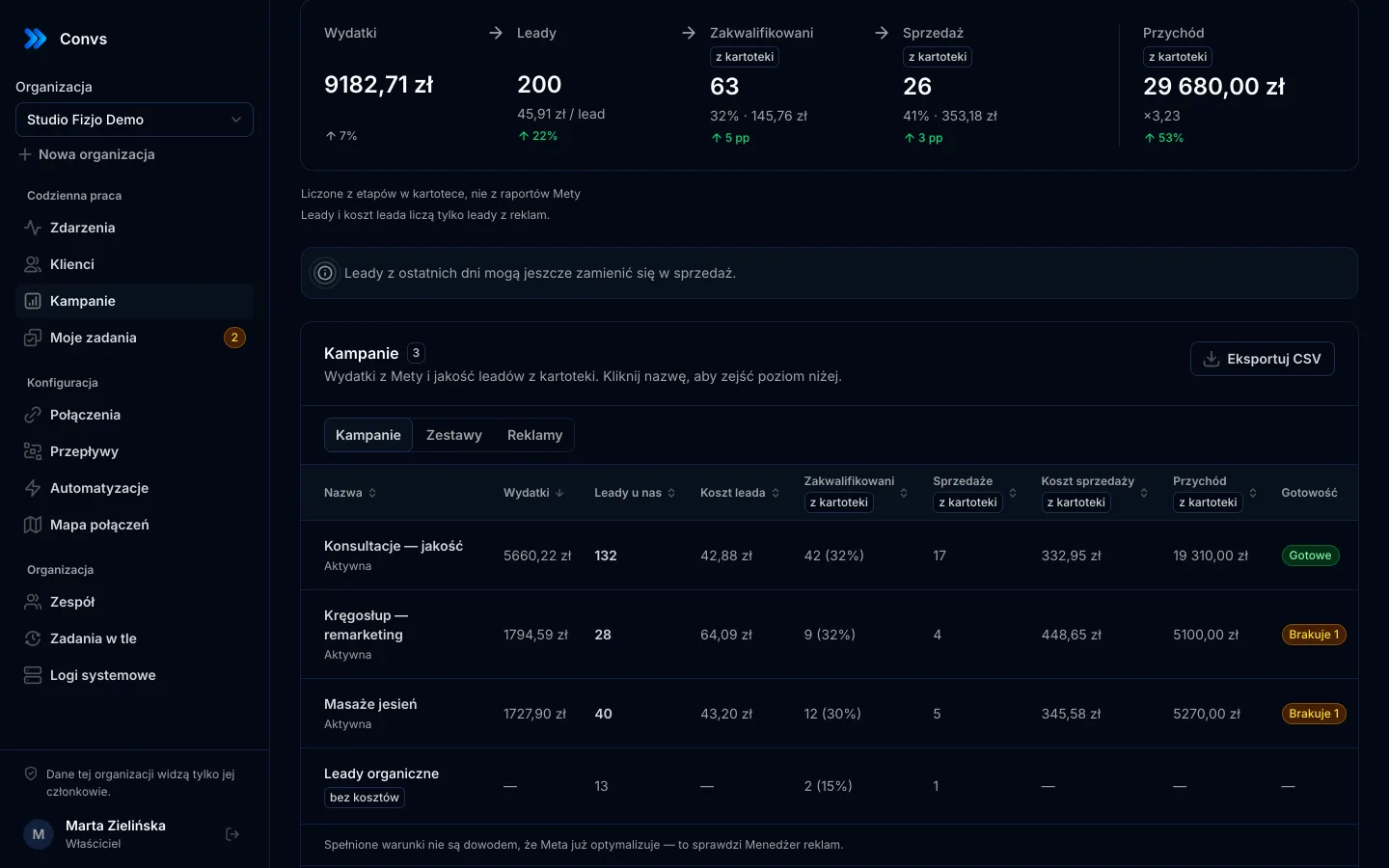
The Campaigns page in Convs joins Meta spend with stages from the CRM using these rules:
- Lead source. When a lead is retrieved, the hub stores its campaign, ad set, ad and platform. Leads from the last 90 days are backfilled.
- Spend is pulled automatically for the ad accounts already connected in the organisation: hourly for today and yesterday, nightly for the last 28 days (Meta revises figures retroactively), and 90 days back on first connection. Nothing in Meta is changed.
- Cohort by lead arrival date. For recent periods, the page reminds you that sales may still come in.
- Qualified means the "Qualified" or "Sold" stage. Rejected leads are counted separately.
- One sale per person and cycle, attached to the lead carrying the sale value.
- Zero means "—", not zero or infinity.
- Organic leads get their own row, with no costs.
- Missing leads are visible. When Meta reports more leads than reached the hub, the row says some leads didn't arrive.
- Revenue is the sale values from the CRM; revenue-to-spend ratio only when currencies match, with no conversion.

The table has Campaigns, Ad sets and Ads levels with drill-down, sorting and CSV export. Clicking a lead count opens the client list filtered to that campaign, so you're two clicks from the actual people behind a number. More on the campaign reporting page.
The CRM-based columns come from your stages, not from Meta's reports. They are not evidence that Meta optimises the campaign for those stages.
Pitfalls to watch for
- Small numbers. With five qualified leads, one more shifts the cost by 20%. Don't draw conclusions from a few days.
- Different sales cycles. A campaign for an expensive product sells later. Compare it with itself over time, not with a campaign for a quick service.
- Late stage updates. If reps update the CRM once a week, recent periods look even worse.
- Currencies. An ad account in euros and sales in dollars are two numbers you shouldn't divide without a deliberate conversion.
Limits
- Only Meta lead form leads carry a campaign. Leads from Google Sheets, an online store or a webhook aren't part of the campaign report in this version.
- 90 days of history. Meta makes lead form leads available for 90 days, so older leads show "unknown source".
- No currency conversion.
- Every one of these metrics is on every plan, including Free: spend, cost per lead, per qualified lead and per sale, the funnel and CSV; see pricing.
Next step
Write down, in one sentence, what "qualified lead" means in your business and set up your CRM stages to match. Once stages are kept current, cost per qualified lead takes minutes instead of a spreadsheet session every reporting cycle. Agencies with many clients will find more in Meta reporting for multiple clients.
Frequently asked questions
What's the difference between CPL and cost per qualified lead?
CPL divides spend by every lead, including fake numbers and accidental submissions. Cost per qualified lead divides the same spend only by leads your team marked as worth pursuing. A campaign with a low CPL can have a high cost per qualified lead.
Why doesn't Ads Manager show cost per qualified lead?
Meta knows someone submitted a form but not what happened next: whether they picked up the phone or bought. That lives in your CRM. Only when you send lead stages through the Conversions API does Meta get the data it needs to optimise for quality.
What is a lead-date cohort?
It's a way of counting where qualifications and sales are credited to the period the lead arrived. Sales for the last 30 days means leads from those 30 days that are sold today, so spend and outcomes refer to the same people.
Why does last week's cost per sale look terrible?
Because many of last week's leads haven't had time to buy yet. With cohort counting, recent periods always look worse and improve over time. Compare periods that have had a similar amount of time to close.
Does a low cost per qualified lead mean Meta is optimising for quality?
No. You calculate this metric from CRM stages. Whether Meta actually optimises a campaign for those stages is visible in the ad set settings and in Ads Manager.