CRM Lead Stages for Meta: How to Design a Funnel Meta Can Actually Learn From
Which lead stages to send to Meta, how many to use and which one to optimise for. Meta's requirements (200 leads, 1–40%, 28 days) and the mistakes to avoid.
On this page
Meta cannot see what happens to a lead after the form is submitted unless you tell it. CRM stages sent through the Conversions API are the only signal that a lead picked up the phone, qualified or bought. If your stages are vague, sent irregularly or edited backwards, Meta learns from noise. This guide shows how to design stages that meet Meta's requirements and that your team can keep up with day to day.
How does Meta use CRM lead stages?
With the CRM integration for Instant Forms leads (Meta calls it the conversion leads integration), you send an event with the lead's ID every time its stage changes. Meta ties that event to the lead that came from your ad and, over time, learns which people move further down the funnel. The implementation guide sets a few hard rules:
event_nameis free-form: you define the stage names,lead_idis Meta's 15–17 digit lead ID and has the highest matching priority,action_sourcemust besystem_generated, andcustom_datacarriesevent_source: crmplus your CRM's name,event_timeis when the stage changed in your CRM and must be later than the lead's creation time,- you send every stage as it happens, including the first one (the raw lead),
- ideally in real time, at least once a day; backfill is limited to 7 days.
Then, in Events Manager, you build the funnel: remove events that do not belong, put the rest in order, and split them into positive stages (a quality lead) and other stages. Finally you choose the optimisation stage. Meta notes that it also optimises for stages further down, and may move to a different stage if that works better.
What does Meta require from your funnel?
Meta lists when the integration is a good fit on the CRM integration overview. Keep these numbers in view before you name a single stage:
| Requirement | Meta's guidance |
|---|---|
| Lead source | Instant Forms on Facebook and Instagram |
| Lead volume | at least 200 per month |
| Upload frequency | at least once a day |
| Time to the optimisation stage | reached within 28 days of the lead |
| Share of leads reaching it | between 1% and 40% |
| Identifier | Meta's lead_id stored in your CRM |
The key design decision follows from these: your optimisation stage must not be too common (if 80% of leads are "qualified", the stage says nothing) or too rare or too late (a sale three months out will not fit in 28 days).
What makes a good lead stage?
A stage records a fact, not a feeling
"Contacted" means a salesperson actually spoke to the customer. "Warm" or "promising" is an opinion that means something different to everyone. Meta has no idea that one rep qualifies more generously than another. Write the criterion for each stage in one sentence and share it with the team.
Stages only move forward
If a lead can drop from "Qualified" back to "Contacted", your data contains contradictory signals. It is better to let stages only advance and to make dropping out a separate final stage, such as "Disqualified".
One stage clearly means value
Pick one stage that means "this lead was worth paying for". Usually that is qualification (for long sales cycles) or the sale itself (when deals close quickly). That stage should meet the 1–40% within 28 days rule.
Time of change, not time of sync
Meta needs the moment the lead actually changed stage. If your CRM only records the export or nightly sync time, every change of the day looks as if it happened at 2 a.m.
Fewer is better
Four to six stages are plenty. Ten small statuses ("Call back", "No answer 2", "Email sent") make a fine to-do list but a weak funnel for Meta. Keep those in notes and tasks, not in stages.
An example funnel that follows these rules
Below are the five stages Convs uses by default for Meta form leads. You can rename the events in the flow.
| Stage in the CRM | Event sent to Meta | Criterion (example, adapt it) |
|---|---|---|
| New | Lead | the lead arrived from the form (sent automatically) |
| Contacted | Contacted | a conversation with the customer took place |
| Qualified | QualifiedLead | the customer meets fixed criteria, e.g. budget and timing |
| Sold | ConvertedLead | contract signed or order paid |
| Disqualified | DisqualifiedLead | not a fit, or dropped out |
Example (made-up numbers, for illustration only): a heat pump installer gets 400 leads in 30 days. 60 of them, or 15%, reach qualification (site survey booked), usually within a week. 12, or 3%, sign a contract, but on average after 45 days. The sale is inside the 1–40% range but outside the 28-day window, so qualification is the better optimisation stage. Working out what such a lead costs is covered in cost per qualified lead.
How this works in Convs
You set the stage on the person's record in the CRM. A few rules built into the product enforce the principles above:
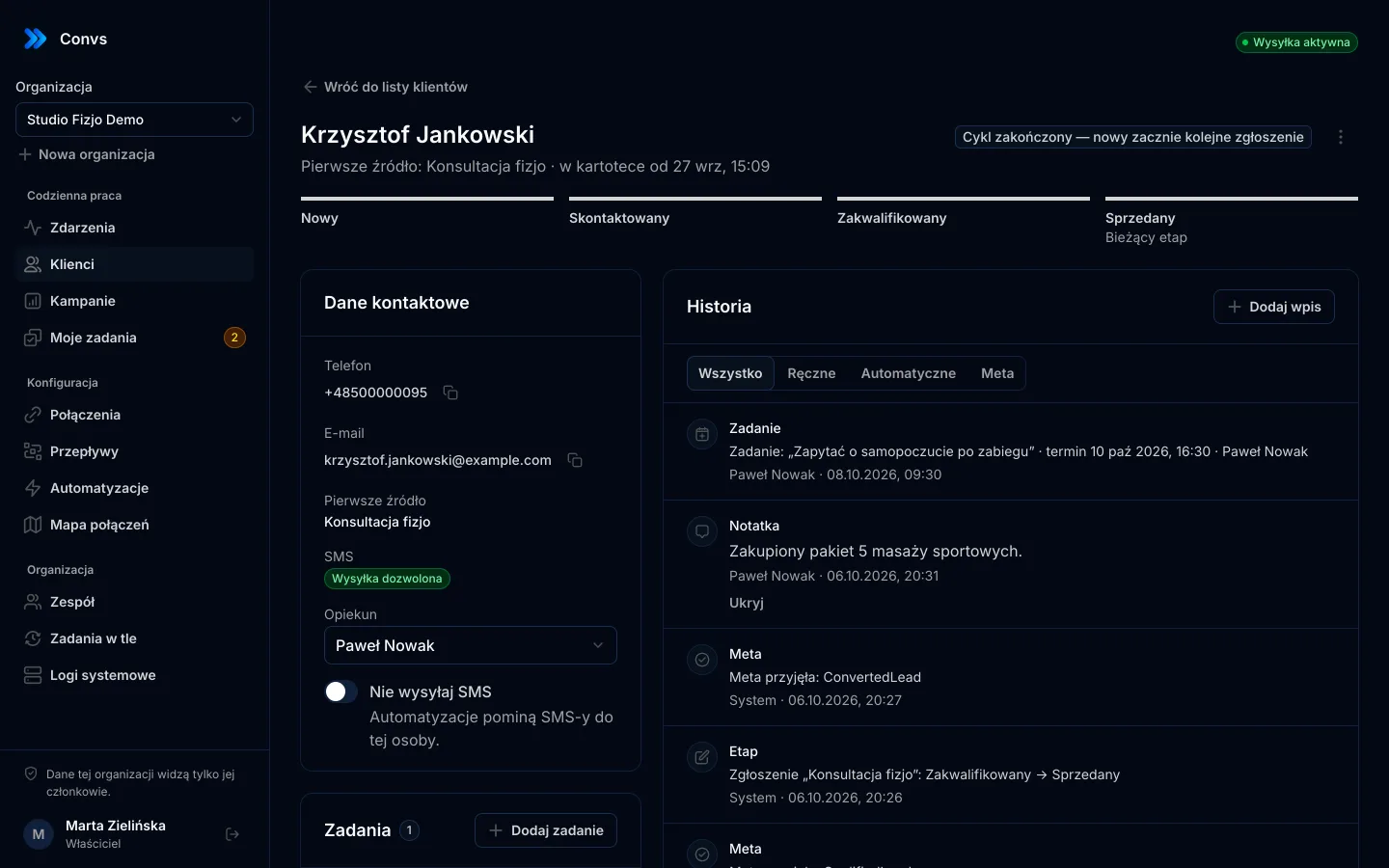
- Stages only move forward. New → Contacted → Qualified → Sold or Disqualified. A person with a closed stage does not move back; their next form submission opens a new cycle.
- The stage change and the delivery queue entry happen together. A stage cannot change while its event quietly goes missing.
- A person's stage applies to all their open leads in the current cycle. Each lead with an active flow gets its own event with the original
lead_idand the real time of the change. - Sale value counts once: it goes only to the newest lead that actually sends an event.
- When an event cannot be sent, the stage is still saved and the history shows why: source paused, no consent to share data, or no flow.
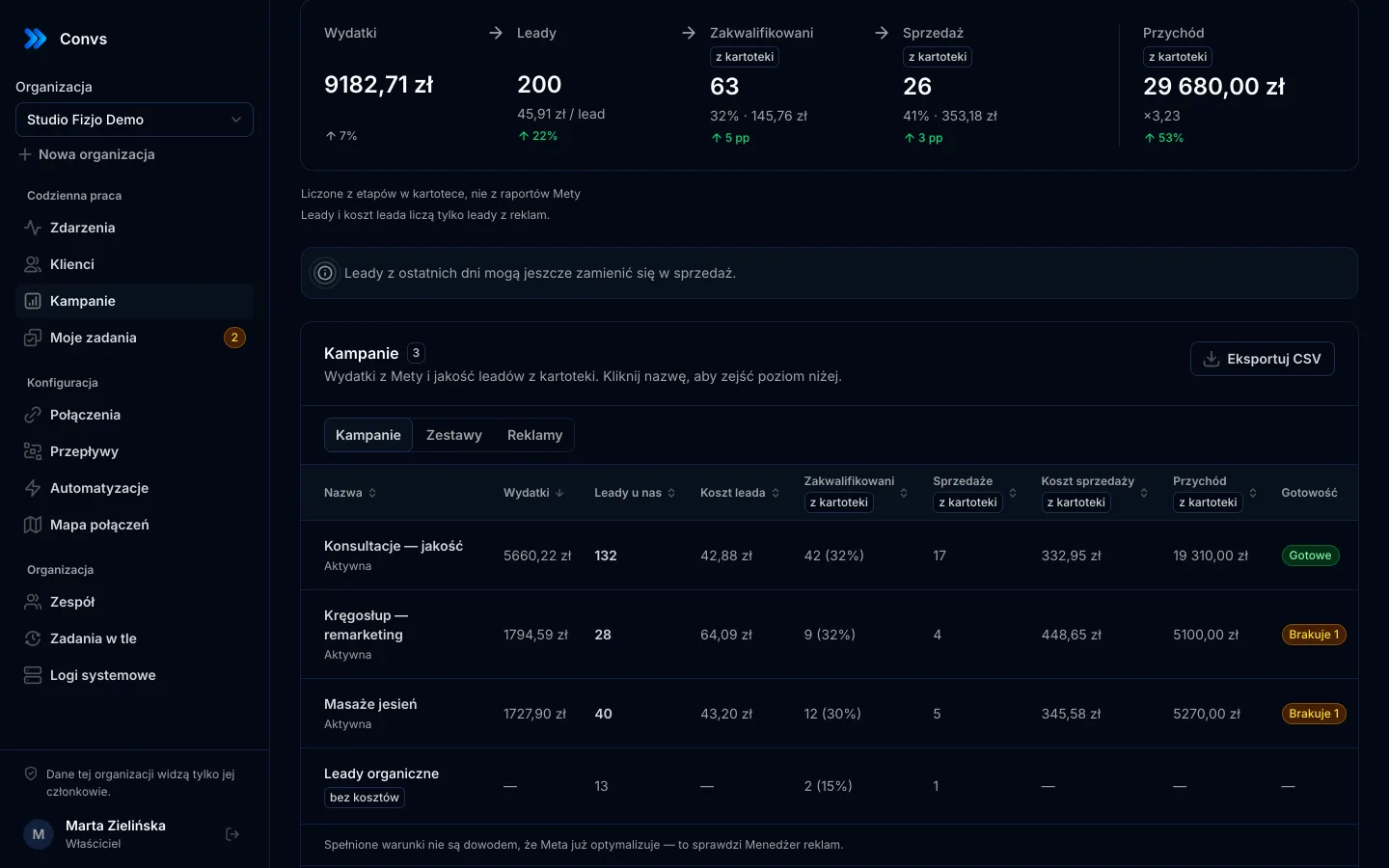
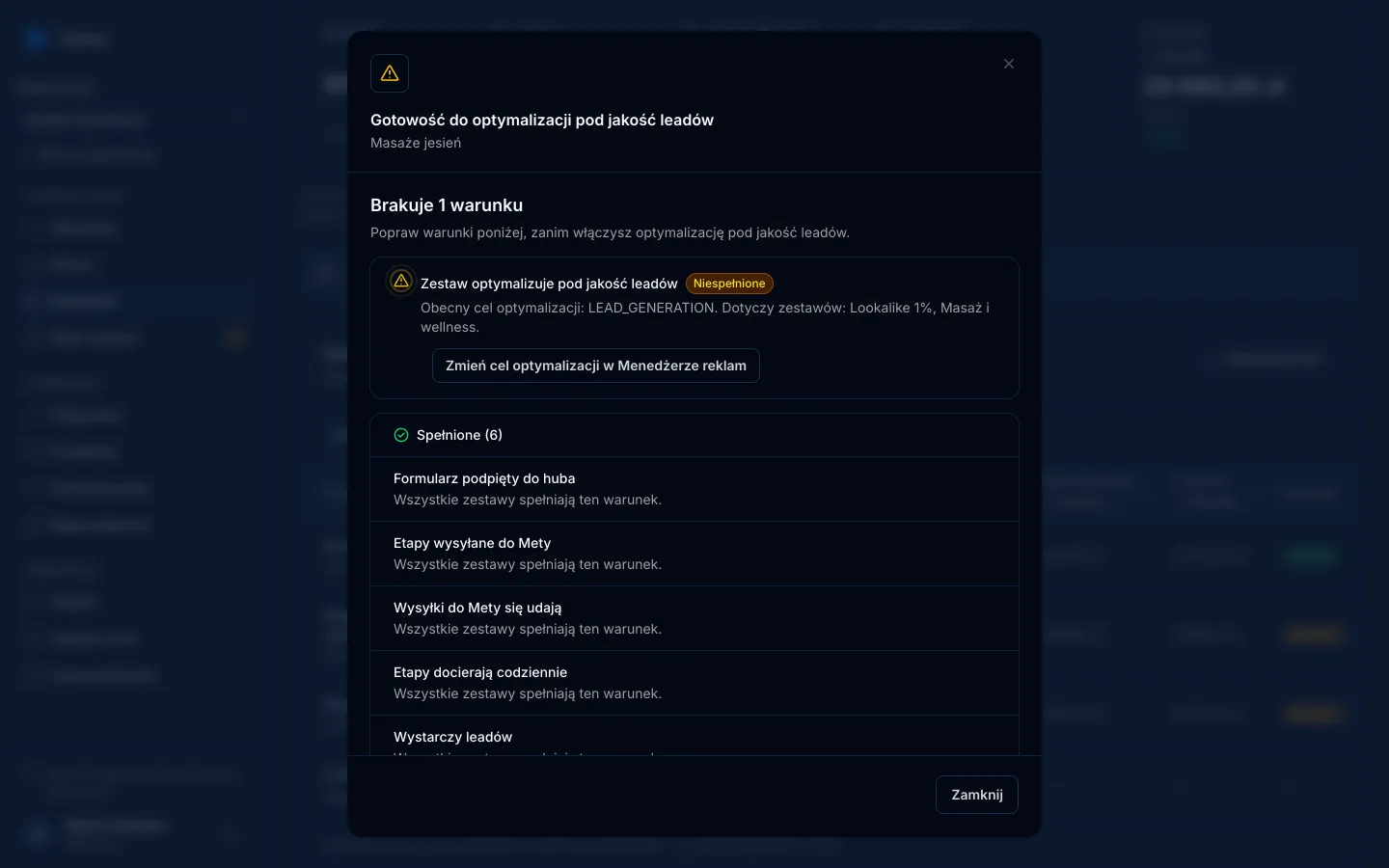
In the form's flow you also mark the valuable stage (qualified or sold). The Readiness column on the campaign reporting page then checks seven conditions per ad set, including whether the flow maps all five stages, whether stages other than "New" arrive on at least 6 of the last 7 days, whether there are 200 leads in 30 days and whether 1–40% of leads reach the valuable stage. More in the guide to conversion leads optimisation.
Common stage design mistakes
| Mistake | Effect | Fix |
|---|---|---|
| The valuable stage covers more than 40% of leads | Meta cannot tell good leads from average ones | Tighten the criterion or pick a later stage |
No first stage (Lead) | Meta has no baseline for later stages | Send an event for every new lead |
| Stages updated once a week | Late data, some of it outside the 7-day window | Update stages the day of contact; send at least daily |
| Only the current state is sent, not transitions | Meta cannot see the lead's path | Send each transition separately, with its time |
| A stage is moved back after a mistake | Contradictory signals | Forward-only stages; explain mistakes in a note |
| Every rep qualifies differently | The stage means different things | One-sentence criterion for the whole team |
Stages are easier to keep current when the team responds fast. An automatic SMS and a task for the owner on every new lead are covered in speed-to-lead SMS automation.
Limits: when stages are not enough
To be straight about what well-designed stages will not fix:
- The CRM integration is for Meta Instant Forms leads. Leads from Google Sheets, a shop or a webhook have no
lead_id, so they do not join this funnel in the same way. - An accepted event is not optimisation. You configure the funnel manually in Events Manager, and the ad set needs a lead quality performance goal. Convs checks the conditions but does not confirm that Meta is already using them; Ads Manager shows that.
- With low volume (under 200 leads a month for a source), Meta itself calls the integration a poor fit. Stages still help your team and your reporting, but do not expect optimisation.
- Campaign results are not guaranteed. Better data gives Meta better material to learn from, not a promise of a lower cost per lead.
If you are still connecting forms to a CRM, start with Meta lead ads to a CRM. Plans with cost per qualified lead and readiness checks are on the pricing page.
Frequently asked questions
How many lead stages should I send to Meta?
Meta does not set a fixed number. In practice four to six stages are enough: new lead, contacted, qualified, sold and disqualified. Each stage should mark a verifiable fact, not a salesperson's impression. Too many small stages make the funnel hard to set up in Events Manager.
Do stage names have to match Meta's documentation?
No. The event_name field in the CRM integration is free-form, and Meta says stage names are advertiser-defined. What matters is that names stay consistent and that you order the funnel correctly in Events Manager afterwards.
Which stage should I optimise for?
The earliest stage that genuinely signals a valuable customer and that 1% to 40% of leads reach within 28 days. Meta then also optimises for stages further down the funnel, and it may switch to a different stage if that performs better.
Do I need to send the first stage, the raw lead?
Yes. Meta asks for all stages, including the first one, because it tells the system the lead was received and processed. Without it, Meta has no baseline for the later stages.
Does sending stages mean my campaign is optimising for lead quality?
No. The Conversions API accepting an event only confirms receipt. You still configure the funnel in Events Manager and set the ad set to optimise for lead quality. Whether Meta is actually using it shows up in Ads Manager.