Meta Conversion Leads Optimisation: Requirements and How to Check You're Ready
What Meta requires for conversion leads optimisation: 200 leads a month, daily CRM stage uploads, a 1–40% conversion rate and lead IDs, plus how to check readiness.
On this page
A lead ad campaign optimises, by default, for people who submit the form. It has no idea which of them later pick up the phone and which ones buy. Conversion leads optimisation changes that: Meta receives stage data from your CRM showing which leads moved forward, and looks for more people like them. This article collects the requirements from Meta's documentation, explains them in plain terms and shows how to check whether an ad set qualifies.
What is conversion leads optimisation?
It's an ad set performance goal where Meta optimises not for the number of form fills, but for leads that reached a stage you choose in your CRM, such as "Qualified". It needs two integrations:
- Getting leads from Meta into your CRM: see Meta lead ads to CRM.
- Sending stages from your CRM back to Meta through the Conversions API for CRM integration.
Without the second, Meta has nothing to learn from. Without the first, your CRM lacks the lead ID that ties the two sides together most reliably.
What does Meta require?
Meta's CRM integration documentation lists the conditions directly:
| Meta requirement | What it means in practice |
|---|---|
| Instant Forms lead ads only | A form on your own website doesn't qualify |
| At least 200 leads per month | Smaller accounts need to build volume first |
| Upload data at least once a day | Stages have to flow daily, not weekly |
| Target stage reached by 1–40% of leads | E.g. 30 qualified out of 300 leads is 10% |
| Target stage within 28 days of the lead | Long sales cycles may need an earlier stage |
| Meta lead ID stored in the CRM | 15–17 digits. Without it, fall back to email, phone or click ID |
What do CRM events have to look like?
CRM events use their own format, different from website events. From Meta's description of the required payload:
action_source=system_generatedcustom_data.event_source=crm, pluscustom_data.lead_event_sourcenaming the CRMuser_data.lead_idwith the lead ID (highest priority; an invalid ID gets the event rejected)event_nameis a free-text name for your CRM stageevent_timemust be after the lead was created, with no backfilling beyond 7 days by shifting timestamps
Meta also asks you to send every stage, including the raw lead, and every change separately. A lead that moved through three stages between uploads should produce three events, not one snapshot of its final state.
How do you check whether you meet the thresholds?
Take the last 30 days and count three things: Instant Forms leads, leads that reached your target stage, and how long it took them to get there. An example for a service business (example data):
| Metric | Value | Meets the requirement? |
|---|---|---|
| Instant Forms leads in 30 days | 340 | Yes, above 200 |
| Qualified | 51 (15%) | Yes, within 1–40% |
| Won | 3 (0.9%) | No, below 1% |
| Typical time to qualification | 2–5 days | Yes, within 28 days |
The takeaway: this business can optimise for qualification, but not yet for sales. It's still worth sending sales stages, because they feed reporting and may cross the threshold later. Recalculate after any major campaign change, since the qualification rate tends to shift with the audience.
How does this work in Convs?
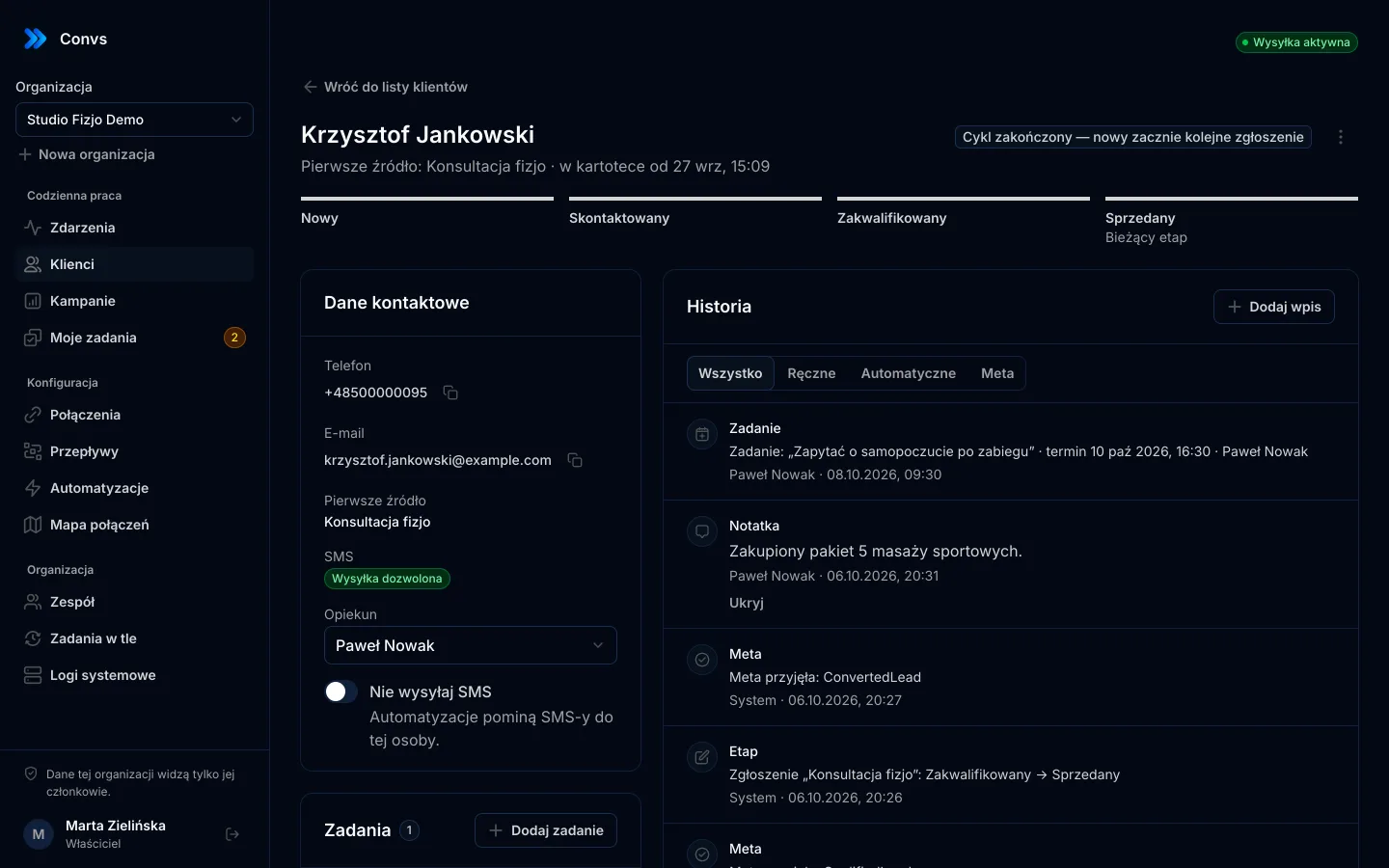
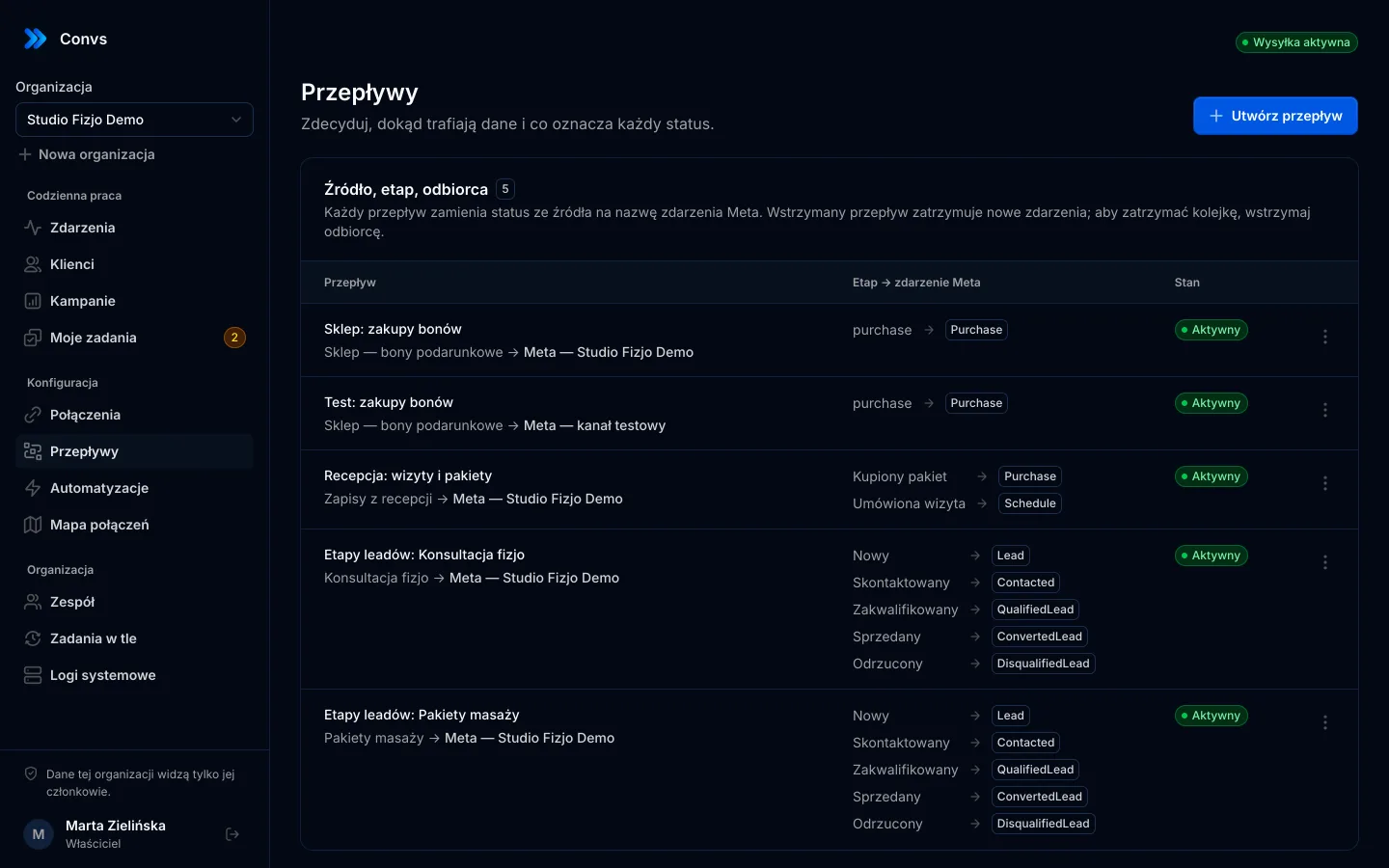
Instant Forms leads arrive in the CRM with their lead ID. Each person has a stage your team updates on their record. The default mapping from stages to Meta events:
| CRM stage | Meta event |
|---|---|
| New | Lead (sent automatically when the lead is fetched) |
| Contacted | Contacted |
| Qualified | QualifiedLead |
| Won | ConvertedLead |
| Disqualified | DisqualifiedLead |
Every event carries the lead ID, a stable event_id, the actual time of the stage change, and event_source=crm with lead_event_source. The stage change and queuing of the event happen together, so you never get "stage updated, event lost". Each stage is recorded once, and stages only move forward. For choosing stages Meta can actually learn from, see CRM lead stages for Meta.
In the form's flow you also pick which outcome counts as valuable: qualification or sale. That is your stated intent, not a setting read from Meta. Assigning the events to a CRM funnel is done in Events Manager.
How do you check whether an ad set is ready?
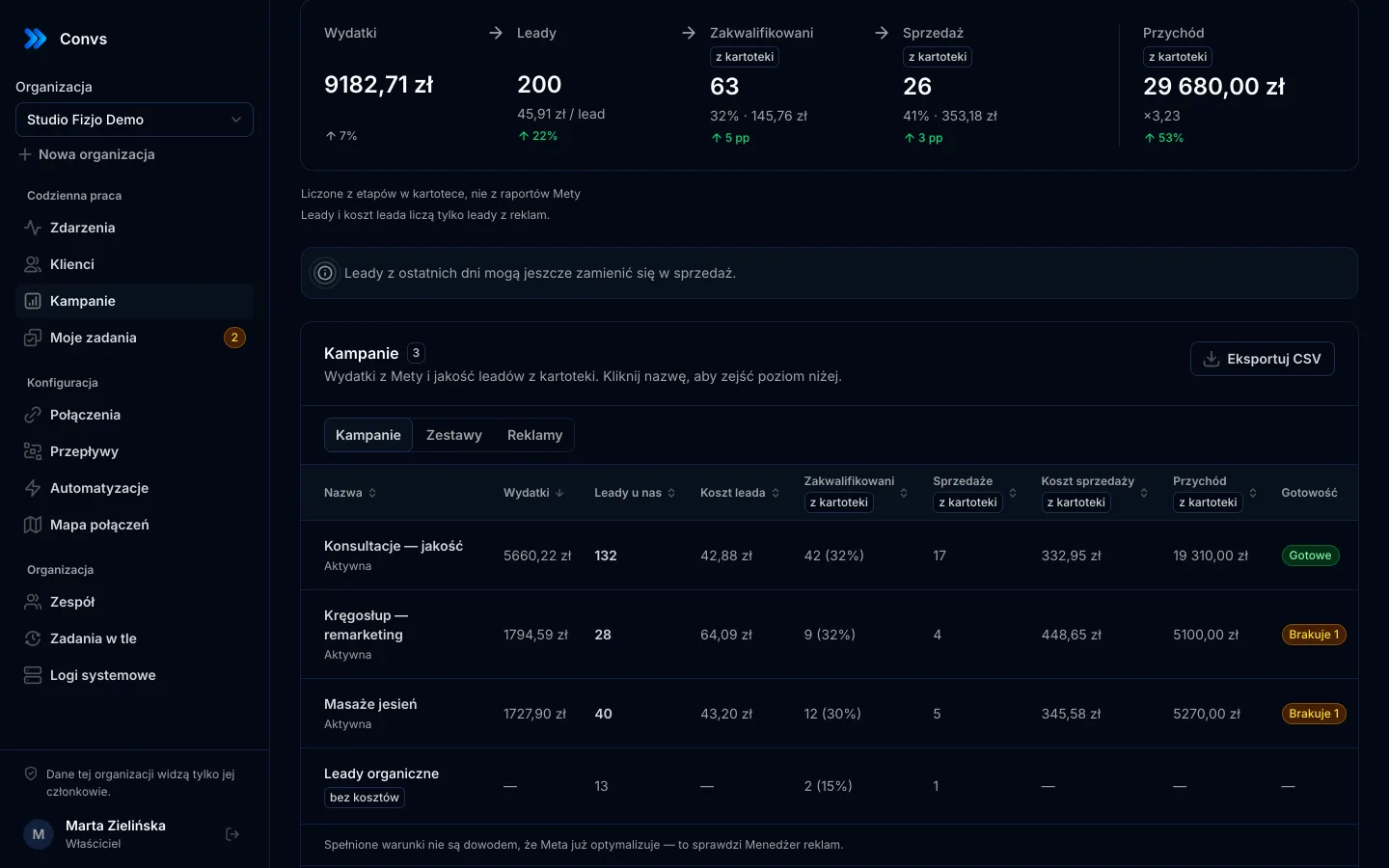
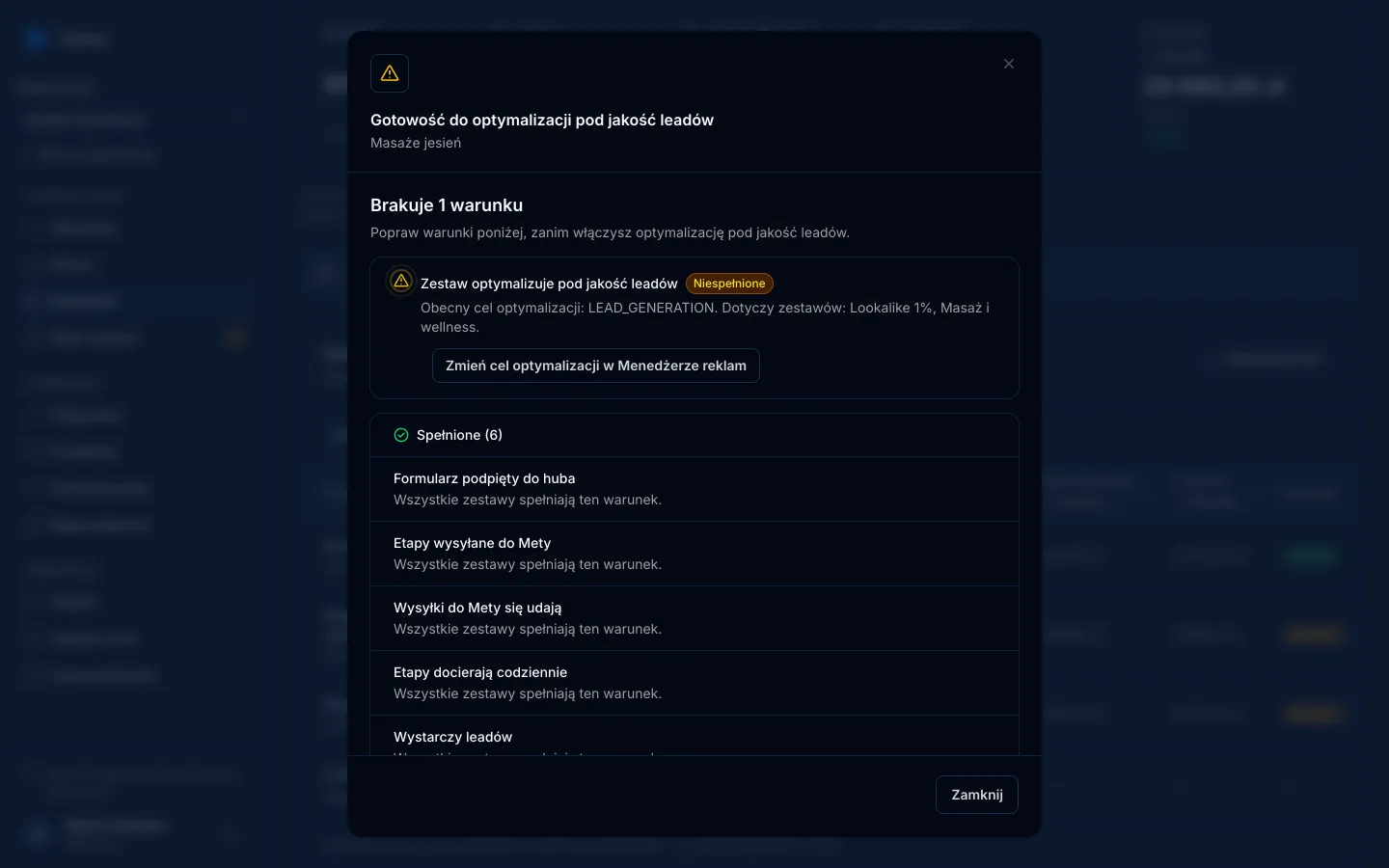
On the campaign reporting page, the Readiness column checks every ad set (and campaign) against seven conditions. Clicking it opens the list, with one concrete action next to each unmet condition.
| Condition | Met when |
|---|---|
| Form connected | the CRM has leads from this ad set |
| Stages sent to Meta | the form's flow maps all 5 stages |
| Deliveries succeed | at least 95% of deliveries in the last 7 days were accepted by Meta |
| Stages arrive daily | a stage other than "New" arrived on at least 6 of the last 7 days |
| Enough leads | at least 200 leads in 30 days for this data source |
| Share of valuable leads | 1–40% of leads from the last 30 days reached the stage marked as valuable |
| Ad set optimises for quality | the ad set's optimisation goal in Meta is lead quality (QUALITY_LEAD) |
Verdicts are Ready, Missing N, Unknown (e.g. before the first nightly sync of ad set settings) and Not applicable (the ad set doesn't collect leads). A campaign gets the worst verdict among its ad sets. Ad set settings are read from Meta every night; Convs never changes anything in your campaigns.
The readiness check is on every plan, including Free; see pricing.
What can't the check see?
To be clear: Meta's API doesn't expose everything. The CRM funnel configured in Events Manager and the stage Meta actually optimises for can't be read. The QUALITY_LEAD goal confirms the ad set setting, not the full configuration. So passing every condition is not proof that Meta is already optimising. Ads Manager is where you confirm that.
Qualification or sale: which stage should you optimise for?
Choosing the valuable stage is the most important decision in this setup. A few practical rules:
- Optimise for sales when at least 1% of leads buy and the decision usually happens within a few weeks. Meta then learns from what actually brings revenue.
- Optimise for qualification when sales are rare or take longer than 28 days. Qualification has to mean something, though: "has a budget and a timeline", not "picked up the phone".
- Don't redefine the stage every week. If "Qualified" means one thing on Monday and another on Friday, Meta learns from noise. Write the criteria down and share them with the team.
- Send every stage whatever you choose. The valuable stage sets the goal, but the other events give Meta the full picture of your funnel.
Disqualified leads matter too: a DisqualifiedLead event tells Meta who not to look for, so send it consistently instead of leaving leads without a stage.
The usual reasons it doesn't work
- Stages updated once a week. The daily condition fails, and some events may hit the time limit. It works best when reps update the stage right after the call; tasks with due dates help.
- Target stage too rare. If 0.5% of leads buy, optimising for sales doesn't qualify. Pick an earlier stage such as qualification.
- Target stage too common. If 90% of leads reach "Contacted", it says little about quality. Pick a stage that genuinely separates good leads.
- No initial stage. Without the first event, Meta doesn't know your CRM processed the lead.
- Leads without an ID. Leads retyped from a spreadsheet often lack the Meta lead ID. Connecting the form directly fixes that.
To judge the results by more than cost per lead, read cost per qualified lead.
When doesn't this optimisation make sense?
- You get fewer than 200 leads a month. Meta's requirement is firm. Send stages now, but you can't pick the goal yet.
- You collect leads on a website form. This goal only covers Meta's Instant Forms.
- Sales take months and there's no earlier stage. The target stage should fall within 28 days of the lead.
- Nobody updates the stages. A tool can deliver data but can't invent it. Without reliable stages there's nothing to optimise for.
Next step
Connect one form, map the five stages and update stages daily for a week. Then open the Readiness column and see which condition is still missing.
Frequently asked questions
Does conversion leads optimisation work with website forms?
No. According to Meta's documentation, the conversion leads goal is currently only compatible with Facebook and Instagram lead ads that use Instant Forms. Website form leads need a different campaign goal.
What if I get fewer than 200 leads a month?
Meta lists 200 leads per month as a requirement. Below that, you can still start sending CRM stages, because the data will be useful later, but the conversion leads goal stays out of reach until your volume grows.
Why must the conversion rate be between 1% and 40%?
Meta requires the stage you optimise for to be reached by 1–40% of leads. A stage that is too rare gives the system too few examples; one that is too common barely separates good leads from bad. If fewer than 1% of leads buy, consider optimising for qualification instead.
Do I need to send the initial lead stage if Meta already knows about the lead?
Yes. Meta's CRM integration guide asks you to send every stage, including the raw lead, because that first event tells Meta the lead was received and processed by your CRM.
If the readiness check is green, is Meta optimising my campaign?
No. The check confirms the conditions visible from your data and ad set settings. Meta's API does not expose the CRM funnel set up in Events Manager or the learning process, so confirm actual optimisation in Ads Manager.