Meta Pixel vs Conversions API vs Conversions API Gateway: Which One Lead Businesses Need
How the Meta Pixel, the Conversions API and the Conversions API Gateway differ, which one can send CRM lead stages, and what to pick for Instant Forms. Tables included.
See it in 20 seconds
Short recordings of the panel with an example organisation, no sound.
On this page
- What is the difference between the Pixel, the Conversions API and the Gateway?
- How do they compare side by side?
- Can the Conversions API Gateway send lead stages from my CRM?
- Do you need the Pixel if you only use Meta Instant Forms?
- How do you avoid counting the same event twice?
- Which one should you choose?
- How it works in Convs
- Limitations
- Next step
- Sources
Three names that sound alike and do quite different jobs. The Pixel, the Conversions API and the Conversions API Gateway all deliver events to the same dataset in Meta, but they collect them in different places and need different upkeep. If you want the general Pixel-versus-CAPI picture, start with what the Meta Conversions API is. This piece adds the Gateway and looks at all three from the seat of a business that gets its leads from Meta lead forms.
What is the difference between the Pixel, the Conversions API and the Gateway?
The Pixel is a script on your website that reports what visitors do in their browser. The Conversions API is a server-to-server connection: your systems report events directly, including ones that never touched your site. The Conversions API Gateway is a ready-made relay you run in your own cloud; it picks up Pixel events and forwards them through the Conversions API.
What Meta's documentation says about each:
- Conversions API. Server events are linked to a dataset ID and processed like Pixel events, and Meta uses them for measurement, reporting and optimisation like any other channel.
- Conversions API Gateway. The product page calls it a self-serve setup in Events Manager. It runs in a cloud account owned by the business: AWS EKS, AWS ECS Express or GCP. A Pixel configured with the Gateway endpoint sends events both to Meta and to the Gateway, which then passes them on server-side.
- Pixel. It only works when the script loads in someone's browser. It has no idea what happens after they leave the page: the sales call, the qualification, the signed contract.
For lead businesses, that last point is the one that matters. The Pixel and the Gateway see your website. The Conversions API can report anything you know about a customer, including the day they bought.
How do they compare side by side?
The Pixel is the simplest and knows only website events. The Gateway moves those same events server-side without you writing an integration, at the price of running cloud infrastructure. Only the Conversions API sends ongoing events from outside the website, CRM lead stages included, and it needs an integration: your own, a partner's or a separate tool.
| Criterion | Meta Pixel | Conversions API (own build, partner, tool) | Conversions API Gateway |
|---|---|---|---|
| Where events come from | Meta PixelThe visitor's browser on your site | Conversions API (own build, partner, tool)Your server, CRM, shop or spreadsheet | Conversions API GatewayPixel events relayed by the gateway; CSV uploads on top |
| Who hosts it | Meta PixelMeta's script on your pages | Conversions API (own build, partner, tool)You, an integration vendor or a tool | Conversions API GatewayYour company, in its own AWS or GCP account |
| Lead stages and offline sales | Meta PixelNo | Conversions API (own build, partner, tool)Yes, with the lead ID | Conversions API GatewayNot covered on the product page; CSV upload accepts CRM and offline events |
| Deduplication | Meta PixeleventID matched to the server's event_id | Conversions API (own build, partner, tool)event_id + event_name within 48 hours | Conversions API Gatewayevent_id generated automatically |
| Upkeep | Meta PixelCode on the website | Conversions API (own build, partner, tool)Developer time or a subscription | Conversions API GatewayCloud resources or partner fees, plus monitoring |
The table describes how each one works, not how well your campaigns will do. None of the three guarantees better results on its own. For the data-quality side, see how to improve Event Match Quality.
Can the Conversions API Gateway send lead stages from my CRM?
Not by itself. The Gateway product page describes a relay for Pixel events and does not mention CRM or offline events at all. The Gateway does have a CSV upload, though, and Meta says it accepts website, app, offline and CRM events. That gives you a manual batch, not a daily sync of lead stages.
The upload is documented on a separate page, Uploading Events. In short:
- each row needs the dataset ID, event name, event time and
action_source, - Lead events require a
LEAD_ID, - events should show up in Events Manager after about 10 minutes.
For Meta lead-form leads that is not enough if you want Meta to optimise for lead quality. The Conversions API for CRM guide asks for at least 200 leads a month, data uploads at least once a day and the 15–17 digit Meta lead ID stored in your CRM. Then there is the limit in the server event parameters: event_time can be at most 7 days old, and a single older event fails the whole request. A file uploaded every other week will keep hitting that wall.
If lead stages need to reach Meta every day, you need a CRM integration with the Conversions API. We compare five ways to build one in how to send offline sales to Meta.
Do you need the Pixel if you only use Meta Instant Forms?
Not for the leads themselves. An Instant Form opens inside the Facebook or Instagram app, not on your website, so the Pixel on your site has nothing to fire on. Meta records the lead on its own side. The Pixel starts to matter once you also send people to your website.
This affects which campaign goal you can use. The Conversion Leads goal ("Maximize number of qualified leads" in Ads Manager) relies on stages from your CRM. Meta's CRM integration guide describes it for Instant Forms, while its help page on performance goals also allows website forms and says that since April 2026 the goal requires a Conversions API integration with your CRM. With Instant Forms, Meta optimises on the stages you send from your CRM through the Conversions API, tied to each lead ID. The Pixel and the Gateway play no part in that loop.
When the Pixel does earn its place:
- you also run campaigns that send traffic to your site or to a landing page with its own form,
- you sell online and want purchases measured,
- you want on-site events, such as content views, for reports or audiences.
To design stages Meta can actually use, read CRM lead stages for Meta.
How do you avoid counting the same event twice?
When one event travels by two routes, give it the same event_id and the same name on both. Meta deduplicates on event_id and event_name within 48 hours of the first one. The Gateway creates that ID itself, so do not push the same events through a third channel as well.
The same page says Meta recommends running the Conversions API alongside the Pixel, which means a redundant setup that needs deduplication. There is a fallback that matches on event_name with fbp or external_id, but it only works when the browser event arrives before the server event.
Where it usually goes wrong:
- The Gateway and your own integration both send Purchase. Each assigns its own
event_id, so Meta sees two purchases. - A retry gets a fresh ID. When you resend an event, keep the original
event_id. - Two systems send the same lead stage. For example, an old Zapier scenario still running next to the new CRM integration.
The details are in Pixel and Conversions API event deduplication.
Which one should you choose?
Start from where the events you care about actually happen. If they happen on your website, you need the Pixel, with the Conversions API or the Gateway alongside it. If they happen after a sales call, in your CRM, you need the Conversions API with the lead ID. Most lead businesses have both and run two routes at once.
| Your situation | Pick | Why |
|---|---|---|
| Meta Instant Forms only, stages kept in a CRM | PickConversions API with the lead ID | WhyThe Pixel never sees the form; Conversion Leads relies on CRM stages |
| A form on your own landing page | PickPixel + Conversions API, deduplicated | WhyMeta recommends both channels together |
| Website or shop, no developer, budget for a cloud account | PickGateway | WhyPixel events reach the server side without a custom integration |
| Offline sales in occasional batches | PickCSV upload (Gateway) or a CRM integration | WhyA file is fine while you stay inside the 7 days |
| Lead stages that change every day | PickCRM integration with the Conversions API | WhyMeta asks for uploads at least daily |
Website events and CRM events can safely travel by different routes. Just make sure no single event goes out by two routes without a shared event_id.
How it works in Convs
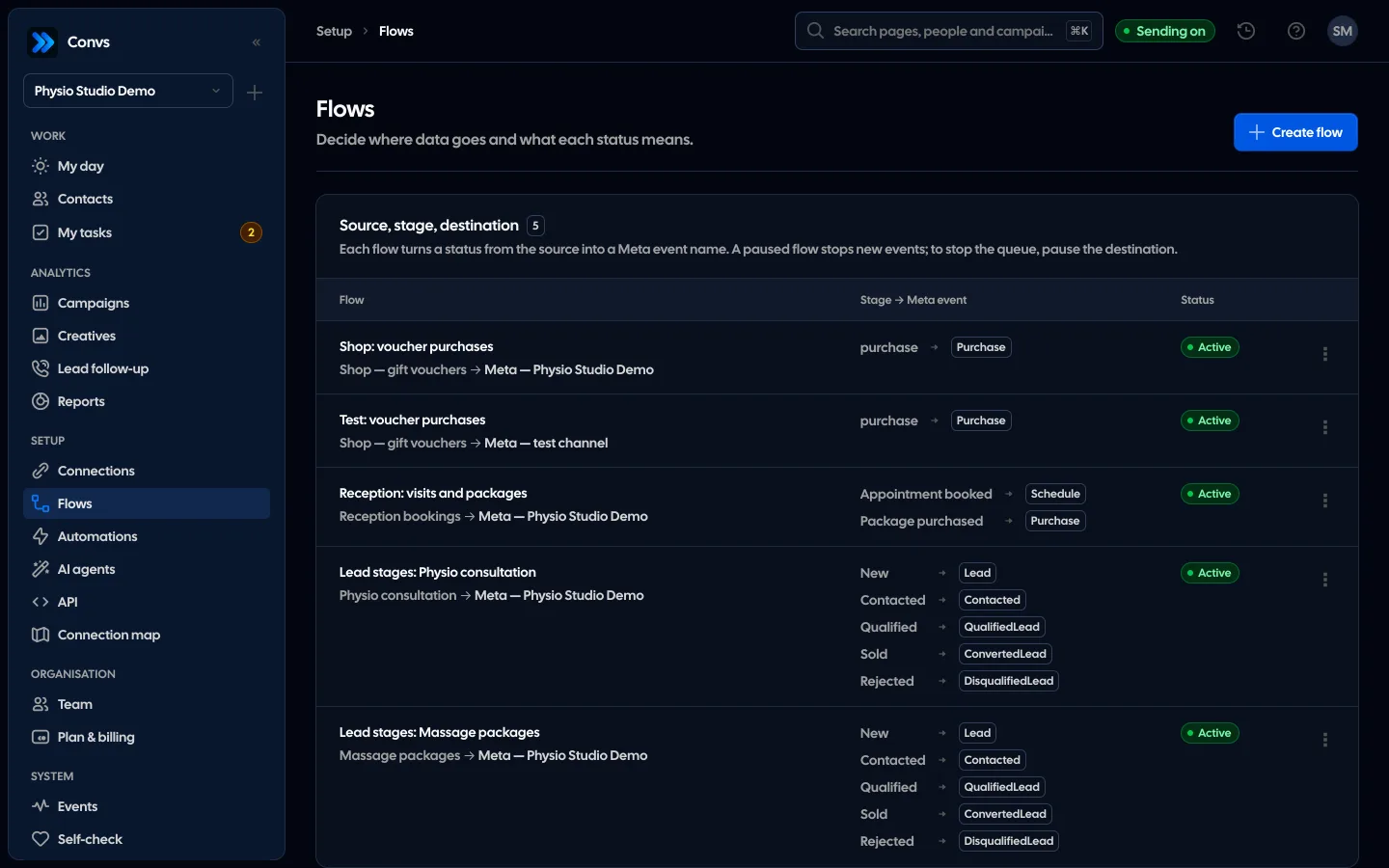
Convs is one way of using the Conversions API. It does not replace the Pixel or the Gateway, and it does not host a gateway. It receives leads from Meta forms, keeps them in a CRM with stages and sends each stage change to the Conversions API with the original lead ID and action_source=system_generated.
The facts that matter here:
- Queue. Every event is stored first, then sent to the datasets its flows point at. Network errors and Meta's rate limits get up to 6 attempts, and an event older than 7 days is never sent.
- Data. E-mail and phone are normalised and SHA-256 hashed. IP address, user agent,
fbp,fbcand the lead ID go unhashed, as Meta requires. - Deduplication. The same delivery (organisation, dataset, event name,
event_id, mode) is never sent twice, even through two receivers of one dataset. - Shops. Orders come from a trusted server, such as a Shoper adapter. The
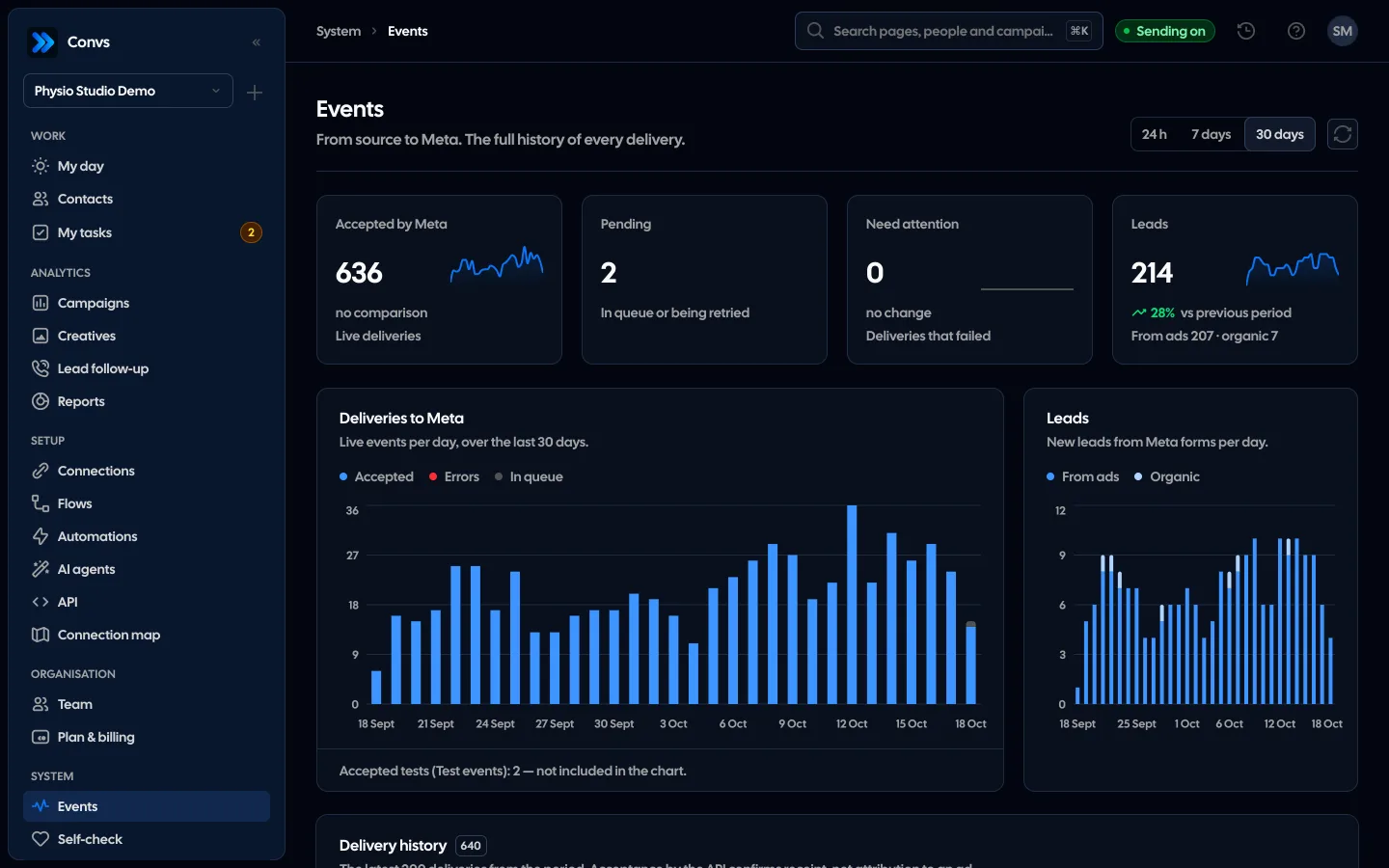
collector.jsscript on the site does nothing until the consent tool callssetConsent(true), works without the Pixel, and can never confirm a purchase; only the server can. - Match events. It compares the dataset's statistics, our accepted sends, the ad sets optimising on that dataset and your flows. Among other things it flags names Meta never recorded and other server senders on the same dataset.
"Accepted by Meta" means Meta received and counted the event. It does not prove that a campaign optimises on that data or that a conversion was attributed to an ad. You check that in the ad set settings and in Ads Manager.
Limitations
This article compares mechanisms as Meta documents them, not results. It cannot tell you how many more events will match once you add the Conversions API, or whether the Gateway will lift your campaigns, because that depends on your site, your traffic and your data. No honest single number exists for that.
A few more caveats:
- Gateway documentation changes with the product. Supported clouds and upload details may move; check them before you build.
- For a shop with one simple purchase event, the Gateway or the shop platform's own integration may well be more convenient than a lead-focused tool.
- Consent and the legal basis for sending data are decided by the law that applies to you, not by the technology you choose.
Next step
List the three events you care about most and mark where each one happens: on the website or in the CRM. Then pick a route from the decision table. To see how Convs sends lead stages and purchases through the Conversions API, visit the Meta Conversions API page.
Sources
- Meta for Developers: Conversions API (server events processed like Pixel events)
- Meta for Developers: Conversions API Gateway (self-serve, the business's own cloud, cost, automatic
event_id) - Meta for Developers: Conversions API Gateway: Uploading Events (CSV with CRM and offline events,
LEAD_ID, about 10 minutes) - Meta for Developers: Conversions API for CRM (Instant Forms, 200 leads, daily uploads, lead ID)
- Meta Business Help Center: About performance goals for lead ads (qualified leads goal for website and Instant Forms; since April 2026 only with a Conversions API integration)
- Meta for Developers: Server Event Parameters (7-day limit,
action_source,event_id) - Meta for Developers: Deduplicate Pixel and Server Events (
event_id+event_name, 48 hours, both channels recommended)
About the author
Aleksander
Founder of Convs.io, BooksyAudit.pl and SMSPortal.app
Founded Convs.io, BooksyAudit.pl and SMSPortal.app. In the knowledge base he explains how to send leads, CRM stages and sales back to Meta and how to measure what a customer from ads costs.
All articles by the authorFrequently asked questions
Is the Conversions API Gateway free?
Meta does not charge for the gateway itself. Its documentation says the only cost is the cloud resources it runs on (AWS or Google Cloud, in your company's account) or a partner's fees if someone hosts it for you. Add the time of whoever keeps an eye on it.
Can I run the Gateway and my own Conversions API integration together?
Yes, when they send different events, for example the Gateway handles website events and your integration sends CRM lead stages. It gets risky when both send the same event: the Gateway generates its own event_id, which your integration does not know, so deduplication may fail.
Does the Conversions API replace the Pixel?
Not necessarily. Meta recommends running the Conversions API alongside the Pixel, deduplicated by event_id and event_name. With Instant Forms alone the Pixel has nothing to record, because the form opens inside Meta's apps rather than on your website.
Does the Conversions API work without cookie consent?
That is a legal question more than a technical one. Whether you may send someone's data to Meta depends on the law that applies to you, so settle it with a lawyer. A server request needs no cookies, but that does not remove your obligations to the people whose data it is.
Will the Gateway send sales from my CRM to Meta?
Not on its own. The Gateway product page talks about Pixel events from your website. It also has a CSV upload that, according to Meta, accepts CRM and offline events, but someone has to build and upload the file. Lead stages that change daily are better sent by a CRM integration.