How to Send Offline Sales to Meta: 5 Methods Compared
CSV upload, your own Conversions API, Zapier or Make, a CRM integration or a separate tool: how to send sales and lead-ad stages to Meta. Table and how to choose.
See it in 20 seconds
Short recordings of the panel with an example organisation, no sound.
On this page
- Can you tell which sales came from your Meta ads?
- How do you send offline sales to Meta today?
- What are the ways to send offline sales to Meta?
- Which method of sending sales to Meta is best? Comparison
- How do you choose a way to send sales to Meta?
- How many stages, and how often, should you send to Meta?
- How do you check that a sale reached Meta?
- Where should you start?
- Sources
A salesperson closes a deal on the phone, logs it in a CRM or a spreadsheet, and your Meta ads keep learning from form fills alone. To change that, sales and lead stages have to go back to Meta. There are five ways to do it, and they differ more than their names suggest. This article compares them fairly, with a table, and helps you pick one for your situation.
Can you tell which sales came from your Meta ads?
You can, if every customer record keeps the lead's source and you can link each sale to its lead. Without that, no sending method helps, because Meta receives an event it cannot connect to an ad. Before you choose a tool, answer five questions about your own data.
- Is the source saved on the customer? The campaign, ad set and ad of the form they filled, kept with the person rather than in a separate report.
- Can you find the lead for every sale? By the Meta lead ID, the phone or the e-mail. A name alone is not enough.
- Is the real sale date written down? The day it closed, not the day someone updated the sheet.
- Does the sale go back to Meta soon? As an event on the same person, shortly after it happens.
- Is each customer counted once? Two forms and one sale are one person, not two conversions.
If any answer is "no", start with the data. How to design stages Meta can learn from is covered in our article on CRM lead stages for Meta.
How do you send offline sales to Meta today?
Through the Conversions API, a server-to-server connection with Meta. Meta describes the old Offline Conversions API as its legacy API and calls the Conversions API its recommended method for offline events. The five methods differ in who builds the connection and where the data comes from.
According to Zapier's help centre, Meta expected to discontinue the Offline Conversions API on May 1, 2025 and disabled creating new offline event sets. If you still run an old integration built on offline event sets, check that it works and move it to a dataset in the Conversions API.
A few rules apply to every method, because they come from the API itself. From the server event parameters:
event_timecan be up to 7 days before you send the event, and one event that is too old fails the whole request,action_sourcesays where the event happened, for examplesystem_generatedorphysical_store,event_idandevent_nameare used for deduplication.
E-mail and phone are normalised and sent as SHA-256 hashes, while the Meta lead ID is sent as is, not hashed. More on the API itself in what is the Meta Conversions API.
What are the ways to send offline sales to Meta?
There are five practical routes: a CSV file uploaded through the Conversions API Gateway, your own Conversions API integration built by a developer, ready-made apps in Zapier or Make, a partner integration that Meta offers during CRM setup, and a separate tool that tracks leads and sends their stages. Each one in a few sentences, then a table.
1. CSV file through the Conversions API Gateway
The Conversions API Gateway receives events from browsers and sends them to the Conversions API, so people associate it with websites. It also has an event upload from a CSV file for a connected dataset, which Meta says accepts offline and CRM events too. Events should appear after about 10 minutes. Files can also be dropped automatically into an AWS S3 or Google Storage bucket. It needs a running Gateway instance.
2. Your own Conversions API integration
A developer sends events from your system straight to /{dataset}/events. You fully control what leaves, when, and with which data. You pay in team time: building it, retries after errors, deduplication, hashing and upkeep as API versions change. In its guide for platforms, Meta estimates 3–7 weeks of development for a partner's CRM integration.
3. Zapier or Make
No-code building blocks. The Facebook Conversions app in Zapier has the actions Send Funnel Event, Send Lead Event, Send Purchase Event and Send Other Event. Make has a separate Facebook Conversions API for CRM app with a Create a Lead Event action, a Lead ID field and a requirement for a CRM-type pixel. You get started fast, but a scenario does not know by itself which leads it already sent or what to do when Meta answers with an error.
4. Your CRM's integration
If your CRM has a Meta partner, you choose "Use a partner" during setup and follow its instructions. Meta keeps the list of supported systems in the help article Available CRM System Integrations for Lead Ads. It is usually the simplest route, as long as your data already lives in that CRM.
5. A separate tool between the form and Meta
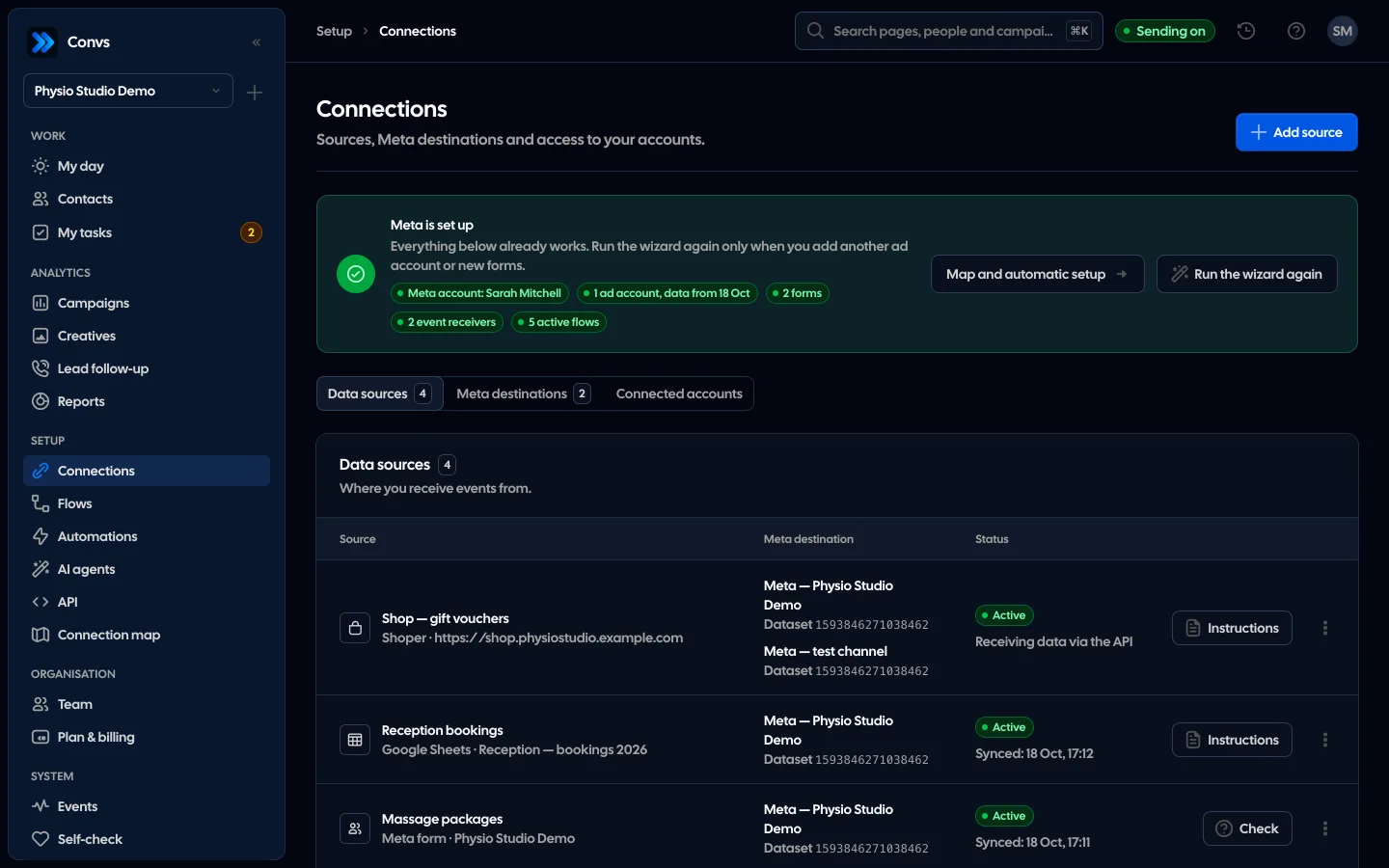
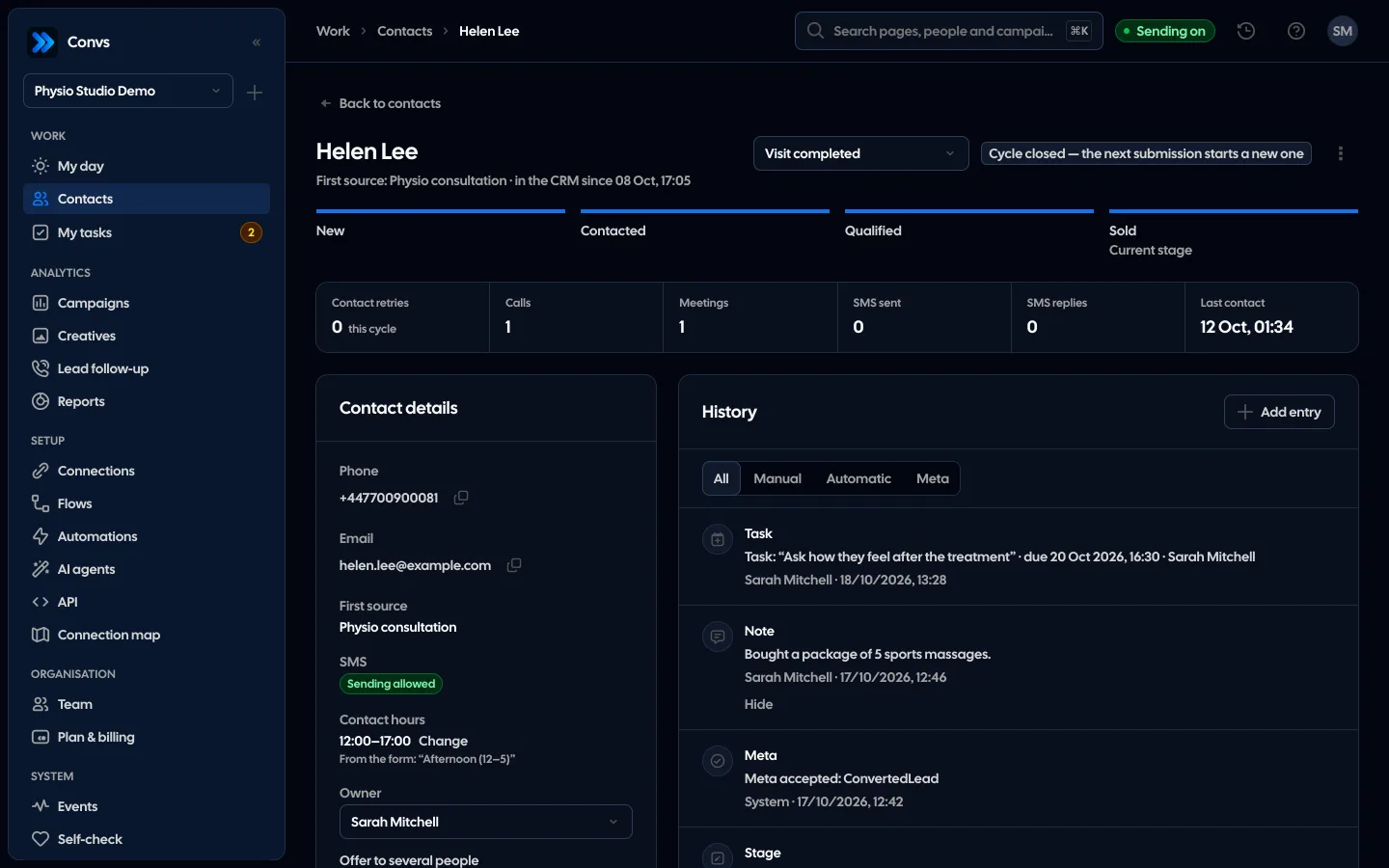
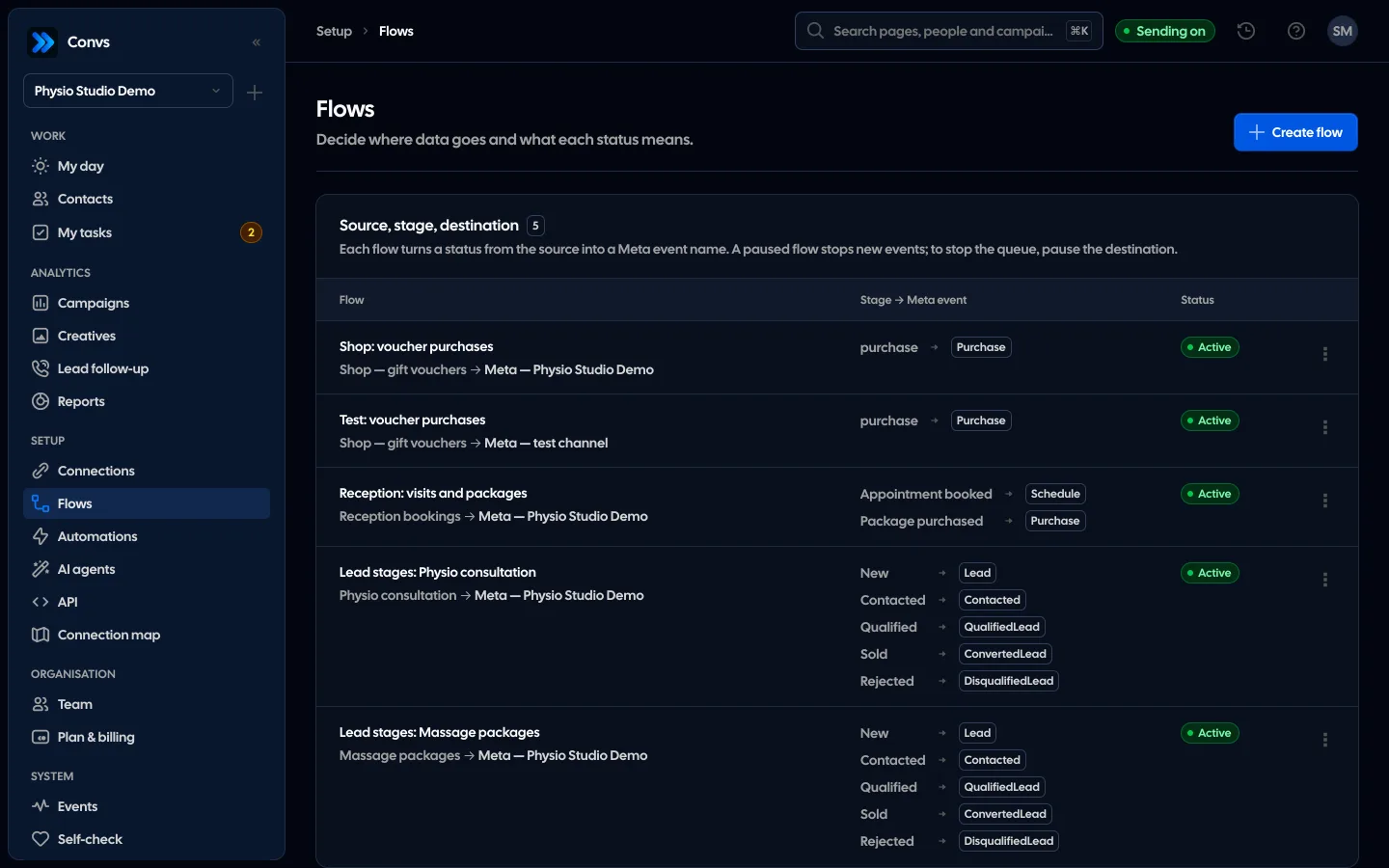
Convs is one example: it receives leads from Meta Instant Forms, keeps them in a CRM with stages and sends every stage change to the Conversions API with the original lead ID. Sales from outside the CRM can come from Google Sheets (read about every minute), Shoper orders or the API. Sending goes through a durable queue with retries and deduplication, and e-mail and phone are SHA-256 hashed on the server.
Which method of sending sales to Meta is best? Comparison
The best one sends every stage as it happens, with the lead ID, and never counts a sale twice with your data. A file suits occasional batches, Zapier or Make a simple flow, a CRM integration data that lives in a supported CRM, and your own code or a separate tool several sources.
| Criterion | CSV file (Gateway) | Own Conversions API | Zapier / Make | CRM integration | Separate tool, e.g. Convs |
|---|---|---|---|---|---|
| Who sets it up | CSV file (Gateway)Someone with Gateway access | Own Conversions APIA developer | Zapier / MakeMarketer or ops | CRM integrationCRM admin | Separate tool, e.g. ConvsMarketer or owner |
| Meta lead ID | CSV file (Gateway)If it is in the file | Own Conversions APIYes, if you store it | Zapier / MakeLead ID field in the action | CRM integrationDepends on the partner | Separate tool, e.g. ConvsYes, from the form |
| All CRM stages | CSV file (Gateway)By hand, in every file | Own Conversions APIYes, if you build it | Zapier / MakeOne scenario per stage or conditions | CRM integrationDepends on the partner | Separate tool, e.g. ConvsYes, five stages in a flow |
| How fast | CSV file (Gateway)When someone uploads | Own Conversions APIReal time | Zapier / MakeOn every run | CRM integrationDepends on the partner | Separate tool, e.g. ConvsMinutes after the change |
| Dedupe and retries | CSV file (Gateway)Not described for uploads | Own Conversions APIYours to build | Zapier / MakeLimited to the scenario | CRM integrationDepends on the partner | Separate tool, e.g. ConvsQueue, event_id, up to 6 attempts |
| Cost model | CSV file (Gateway)Gateway hosting | Own Conversions APIDeveloper time | Zapier / MakeTool subscription | CRM integrationOften in the CRM price | Separate tool, e.g. ConvsTool subscription |
"Depends on the partner" means you need to check that integration's documentation, not that it is bad. Prices change more often than this article, so the table shows the cost model, not amounts.
How do you choose a way to send sales to Meta?
Choose by where the sale is recorded today and how often it changes. If your leads come from Meta lead forms and you want campaigns to learn from lead quality, you need every stage sent daily with the lead ID. If you sell rarely and offline, a simpler method is enough.
- Everything is in a CRM with a Meta partner. Start with the partner integration. Just check that it sends every stage and how often.
- Leads from Meta forms, sales in a sheet or in a salesperson's head. You need a place where a lead has a stage and an owner. A sheet works too if it has the columns from our guide to offline conversions from Google Sheets.
- A simple flow, few leads, someone knows Zapier or Make. No-code blocks run within an hour. Decide who checks the errors.
- Several sources and a development team. Your own integration gives control, but the queue, retries and deduplication are your job.
- Occasional batches of in-store sales. A file upload is enough, as long as you stay within the time limits.
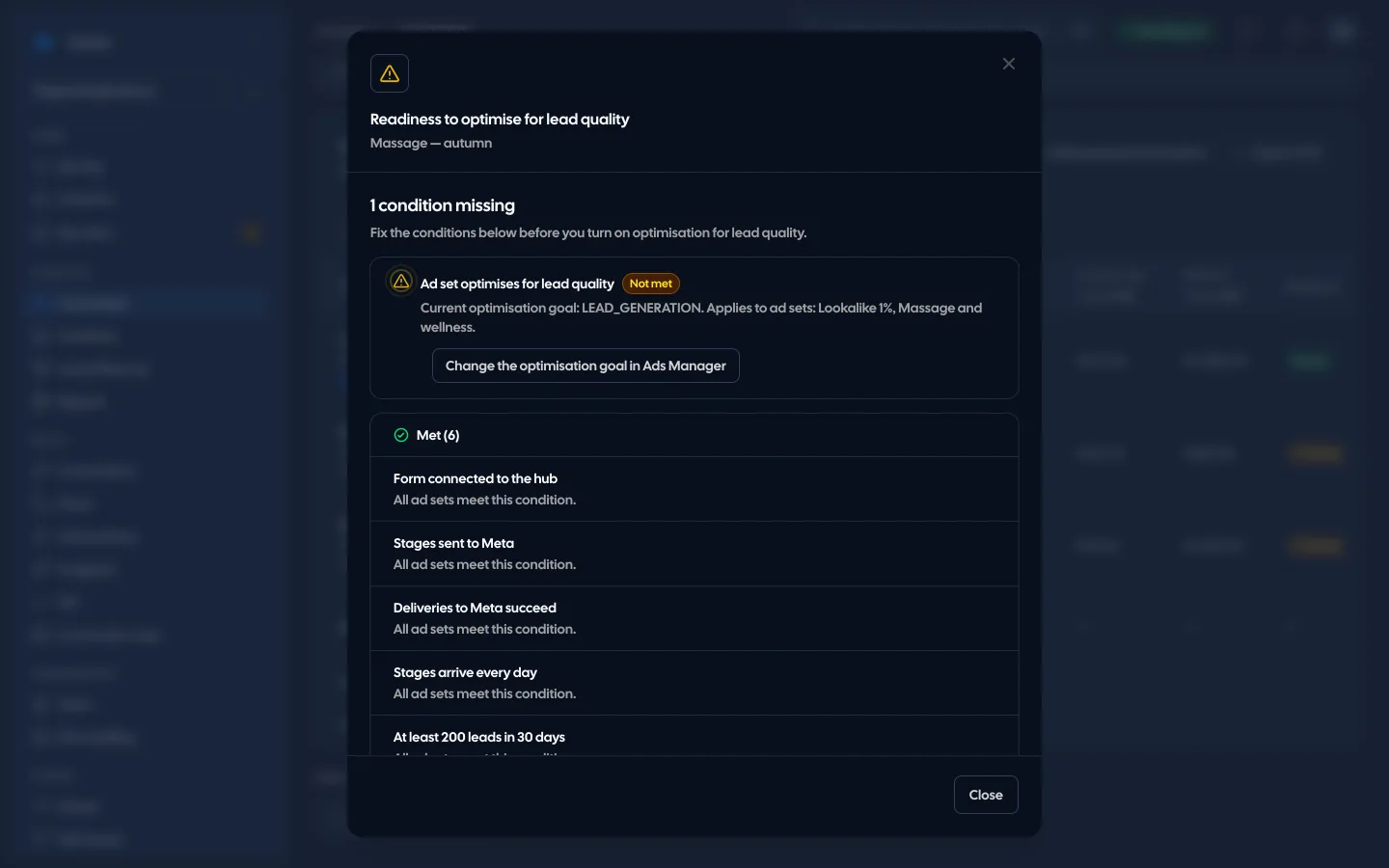
If your goal is lead quality optimisation, also check Meta's requirements in our article on conversion leads optimisation.
How many stages, and how often, should you send to Meta?
For Meta lead-form leads, send every stage as it changes, at least once a day. That is what the Conversions API for CRM guide asks for: ideally in real time, and at least two funnel stages including the raw lead event. A weekly sale on its own is not enough.
Frequency also matters because of the 7-day limit on event_time. A stage changed on Monday and sent two weeks later is rejected. That is why file uploads fit lead stages poorly and closed, occasional batches well.
How do you avoid counting one sale twice?
Give every event a stable event_id and keep it on retries. Meta deduplicates on event_id and event_name, and according to the offline events page offline events are deduplicated against other offline events only. On your side, count the person, not the form: two leads from one person and one sale are one value. Details in our article on event deduplication.
How do you check that a sale reached Meta?
Test mode first, then live. Send one event with the test code from Events Manager and check that it arrived with the right name and data. For lead-form leads, use the CRM event test, which gives you a test lead ID. An accepted event says nothing yet about campaign results.
In Convs that means the receiver's test mode, "CRM test" (it takes the lead ID generated in Events Manager and sends its stages through the normal queue) and "Event matching", which compares the event names we send with the names the dataset already knows. The status "Accepted" means Meta answered and counted the event. It is not proof that a campaign optimises on that data or that a sale was attributed to an ad. You check that in the ad set settings and in Ads Manager.
Where should you start?
Answer the five questions from the start of this article for your last ten sales. If you can find the lead, the date and the source for each one, pick a method from the table and start in test mode. How Convs handles sending stages and sales is shown on the Meta Conversions API page.
Sources
- Meta for Developers: Sending Offline Events Using the Conversions API (recommended method for offline events, 62 days for store transactions, deduplication of offline events)
- Meta for Developers: Server Event Parameters (7-day limit,
action_source,event_id) - Meta for Developers: Customer Information Parameters (
lead_idnot hashed, e-mail and phone as SHA-256) - Meta for Developers: Conversions API for CRM for platforms (every stage, at least daily, 3–7 weeks of development)
- Meta for Developers: Conversions API Gateway and Uploading Events
- Meta for Developers: Getting started with the CRM integration and Meta Business Help: Available CRM System Integrations for Lead Ads
- Zapier: Changes impacting Facebook Offline Conversions users and Facebook Conversions integrations
- Make: Facebook Conversions API for CRM
About the author
Aleksander
Founder of Convs.io, BooksyAudit.pl and SMSPortal.app
Founded Convs.io, BooksyAudit.pl and SMSPortal.app. In the knowledge base he explains how to send leads, CRM stages and sales back to Meta and how to measure what a customer from ads costs.
All articles by the authorFrequently asked questions
Does the Offline Conversions API still work?
Meta's documentation describes it as its legacy API for offline events and calls the Conversions API the recommended method for offline events. Zapier reported that Meta expected to discontinue the Offline Conversions API on May 1, 2025 and disabled creating new offline event sets. Build new setups on the Conversions API.
How far back can I send a sale to Meta?
According to the server event parameters, event_time can be up to 7 days before you send the event, and one event that is too old fails the whole request. For physical store transactions, Meta's offline events page says to upload within 62 days. Send lead stages as they happen.
Is a monthly sales upload enough?
Not for Meta lead-form leads. Meta's CRM integration guide asks for data at least once a day, with every stage sent as it is updated. A monthly file would also break the 7-day limit for most events.
Can the Conversions API Gateway send sales from my CRM?
The Gateway is mainly for browser events: it receives them from the Pixel and passes them to the Conversions API. It also has a CSV upload that, according to Meta, accepts offline and CRM events. That suits occasional batches better than daily lead stages.
How do I know Meta optimises my campaign on my sales?
From the ad set settings and results in Ads Manager, not from the send itself. An accepted event means Meta received it. It does not prove that the campaign learns from it or that the sale was attributed to an ad.