Lead Ads in Google Sheets vs a CRM: 5 Questions That Show a Spreadsheet Is No Longer Enough
When a Google Sheet is enough for Meta lead-form leads and when you need a CRM: a comparison table, five check questions and a move that keeps your history.
See it in 20 seconds
Short recordings of the panel with an example organisation, no sound.
On this page
- Is a Google Sheet enough for Meta lead-form leads?
- Which 5 questions show the spreadsheet is no longer enough?
- How does a spreadsheet differ from a CRM for lead follow-up?
- How do you get Meta leads into a spreadsheet?
- How do you send stages from a spreadsheet back to Meta?
- How do you move from a spreadsheet to a CRM without losing history?
- How it works in Convs
- Limitations
- Next step
- Sources
A Meta lead form collects submissions, someone pulls them into Google Sheets, adds a "status" column and starts calling. At first it works well. The trouble arrives quietly: a second rep, a few hundred more rows, the same phone number in three places. This article helps you judge honestly whether the sheet still does the job, and how to move on without losing your history if it doesn't.
Is a Google Sheet enough for Meta lead-form leads?
Yes, if one person handles the leads, calls back the same day, and nobody needs a contact history or a report of which campaigns bring sales. A sheet costs nothing, everyone knows it and there is nothing to set up. The limit is not the number of rows; it is the number of questions the sheet can no longer answer.
Meta itself says a CRM integration is not required: you can download leads from Ads Manager or Meta Business Suite. If you do connect something, the options are a direct CRM integration, a no-code third-party tool such as Zapier, or your own build on webhooks and the Graph API.
There is one hard limit on Meta's side. Leads can be downloaded for up to 90 days after the form was submitted. If someone exports a file once a quarter, some leads are simply gone. So even with a sheet, leads should land in it automatically, not whenever someone remembers.
Which 5 questions show the spreadsheet is no longer enough?
Ask them about your last ten leads. If two or more get "I don't know" or "I'd have to ask", the sheet has become too small. This is not a matter of taste: every "I don't know" is a lead nobody called in time, or a sale Meta never hears about.
- Who owns this lead? Every row has one named person responsible, not "someone on the team". If two reps call the same person, or nobody does, the question is open. We compare the ways to hand out leads in how to assign leads to sales reps.
- When is the first call due, and did it happen? The sheet shows when the lead came in, but it will not tell you on its own which lead has waited too long. How to measure that is covered in speed to lead.
- What has already happened? Three call attempts, one conversation, a quote sent on Tuesday. A sheet usually keeps the latest status and a comment the next person overwrites.
- Is this the same person? Someone filled in two forms, or typed their number once with +44 and once without. Two rows mean two calls from two reps.
- Do stages go back to Meta? Qualification and sales as events tied to the lead, ideally every day. Without that, your campaigns learn from form fills alone.
How does a spreadsheet differ from a CRM for lead follow-up?
A spreadsheet stores rows; a CRM runs the process. It assigns an owner, remembers the due date, logs every change and joins one person's submissions. You can push a sheet into doing this with formulas and discipline, but each rule holds only while everyone follows it. In a CRM the system enforces the same rules.
| Criterion | Google Sheets | CRM |
|---|---|---|
| Lead owner | Google SheetsA column someone types in, easy to skip | CRMA field on the person, assigned by hand or automatically |
| First-contact deadline | Google SheetsArrival time; the deadline needs a formula | CRMA task with a due date and an overdue list |
| History | Google SheetsLatest status and a comment anyone can overwrite | CRMA timeline of who changed what and when |
| Duplicates | Google SheetsConditional formatting can only highlight them | CRMMatching by phone or e-mail, duplicate warnings |
| Back to Meta | Google SheetsPossible if the row has an ID, status and change time | CRMA stage change sends an event if the CRM integrates with the Conversions API |
| Access to personal data | Google SheetsAnyone with the file sees everything | CRMRoles, and in some systems masked phone and e-mail |
| Getting started | Google SheetsImmediately, for free | CRMSetup, team training, usually a subscription |
The table does not say a CRM always wins. For one person with a handful of leads a day, a sheet is faster and cheaper, and a CRM would be overhead. The gap starts to hurt when a team shares the leads.
How do you get Meta leads into a spreadsheet?
The simplest routes are a ready-made automation or a manual download. On Zapier, the Facebook Lead Ads and Google Sheets connection pairs the "New Lead" trigger with the "Create Spreadsheet Row" action, so every new lead becomes a row. Manual downloads work too, but only for leads from the last 90 days.
A few rules save a lot of clean-up later:
- Store the Meta lead ID as text. It is a long number, and a sheet that treats it as a number can round off the last digits. Without the right ID you cannot tie a sale back to its lead.
- One phone format, with the country code. It is the simplest key for spotting duplicates.
- A separate column for when the status changed. Not when the sheet was edited, but when the lead actually qualified or bought.
- Statuses from a fixed list. Use data validation with a few values instead of free text.
How do you send stages from a spreadsheet back to Meta?
A sheet can act as the status source for the Conversions API. Each row needs a stable ID, a status, the real time of the change and at least one way to identify the person: the Meta lead ID, a phone number or an e-mail. A tool reads the sheet, hashes the personal data and sends each new status as an event.
Know two limits before you start. An event can be no more than 7 days older than the moment you send it, so a status typed in two weeks late will not get through. And if you want campaigns to optimise for lead quality, Meta asks among other things that you upload at least once a day and keep the lead ID. A sheet updated "when someone has a minute" will not meet that.
Columns, date formats and deduplication are covered step by step in offline conversions from Google Sheets to Meta. How to design the stages themselves so Meta can learn from them is in CRM lead stages for Meta.
How do you move from a spreadsheet to a CRM without losing history?
Don't move everything at once. Connect your Meta forms to the CRM first and pull in the last 90 days of leads, which is as far back as Meta still allows. Keep the sheet as a read-only archive of older leads. Pick a switch-over day after which nobody adds new rows.
A workable order:
- Freeze the sheet. From the switch-over day, new leads go to the CRM only. Two live places are the fastest way to double calls.
- Import the Meta leads. If your CRM can fetch past leads, do it within the 90-day window. If it can't, download the file from Ads Manager and import that.
- Carry open deals over by hand. Leads still in conversation get a stage, an owner and a note on what was agreed. Closed sales from months ago don't need retyping.
- Check for duplicates after the import. The same person from the sheet and from a form should end up as one record.
If leads sat in the sheet for a long time, some personal data may still be there for no reason. The move is a good moment to tidy that up. For data handling in Meta integrations, see GDPR and hashing in the Conversions API.
How it works in Convs
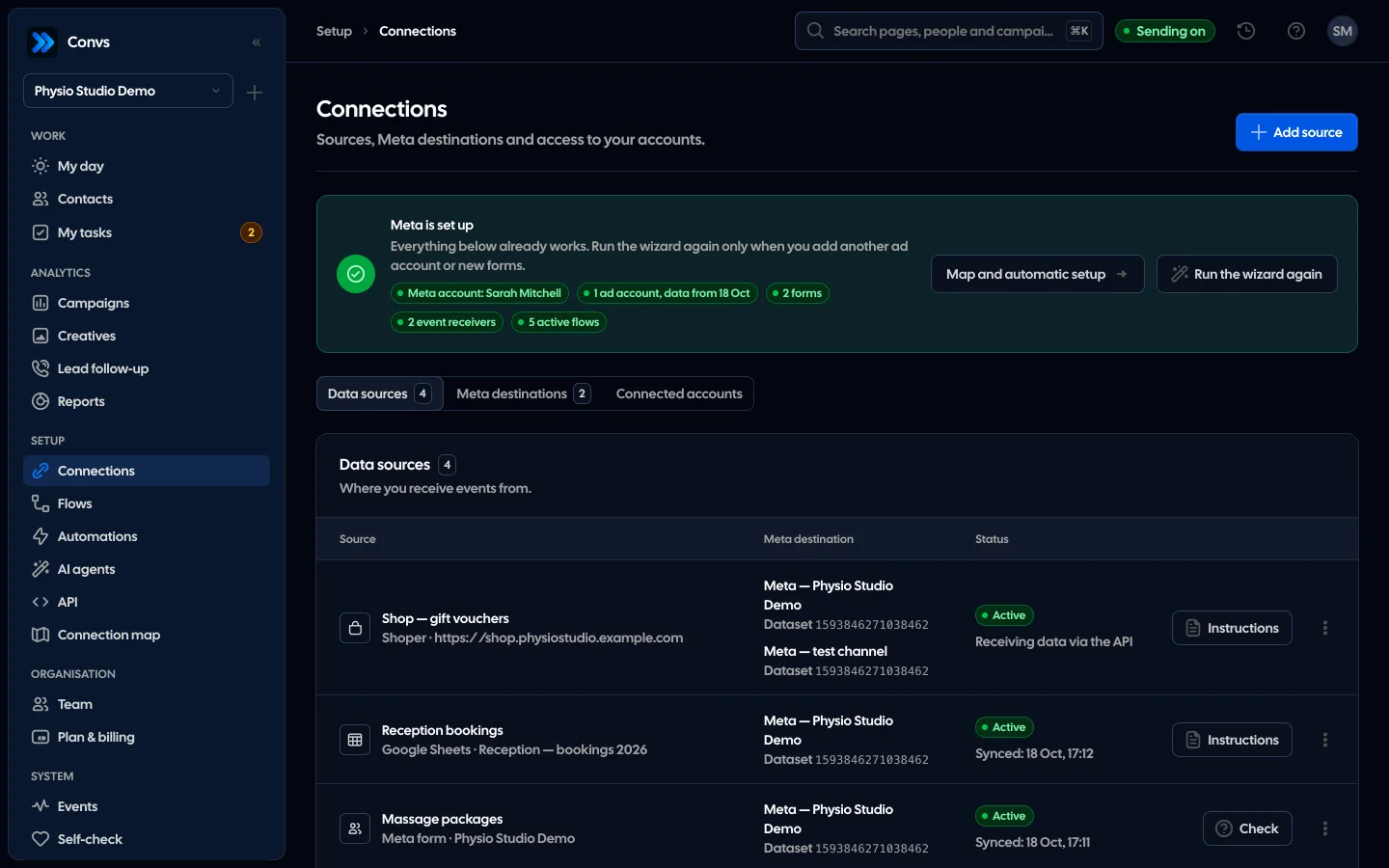
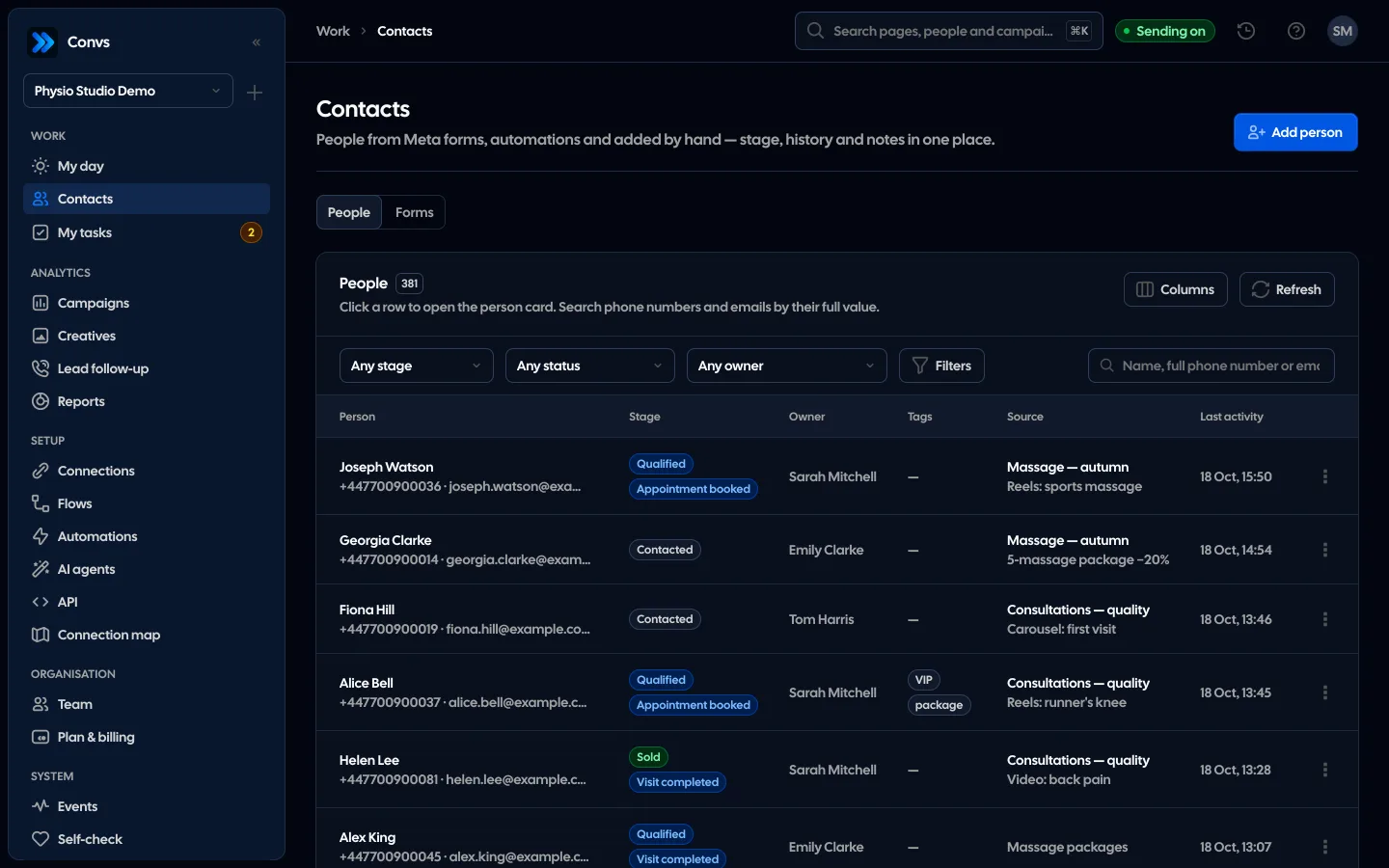
Convs is a simple CRM for Meta lead-form leads. Leads from a connected form arrive through the Page webhook in near real time; forms without a working webhook are read every 5 minutes. When you connect a form you can import the last 7, 30 or 90 days. Every lead becomes a person on the Clients page.
Here is how it answers the five questions:
- Owner: an owner field, round robin assignment (off by default), or an offer to several reps where whoever clicks "Biorę" (I'll take it) first gets the lead.
- Deadline: tasks with due dates on the person's record and a "My tasks" page with an overdue section. The Lead follow-up page shows which leads were handled on time, late or burned; you set the first-contact limit from 1 to 168 hours, 12 by default.
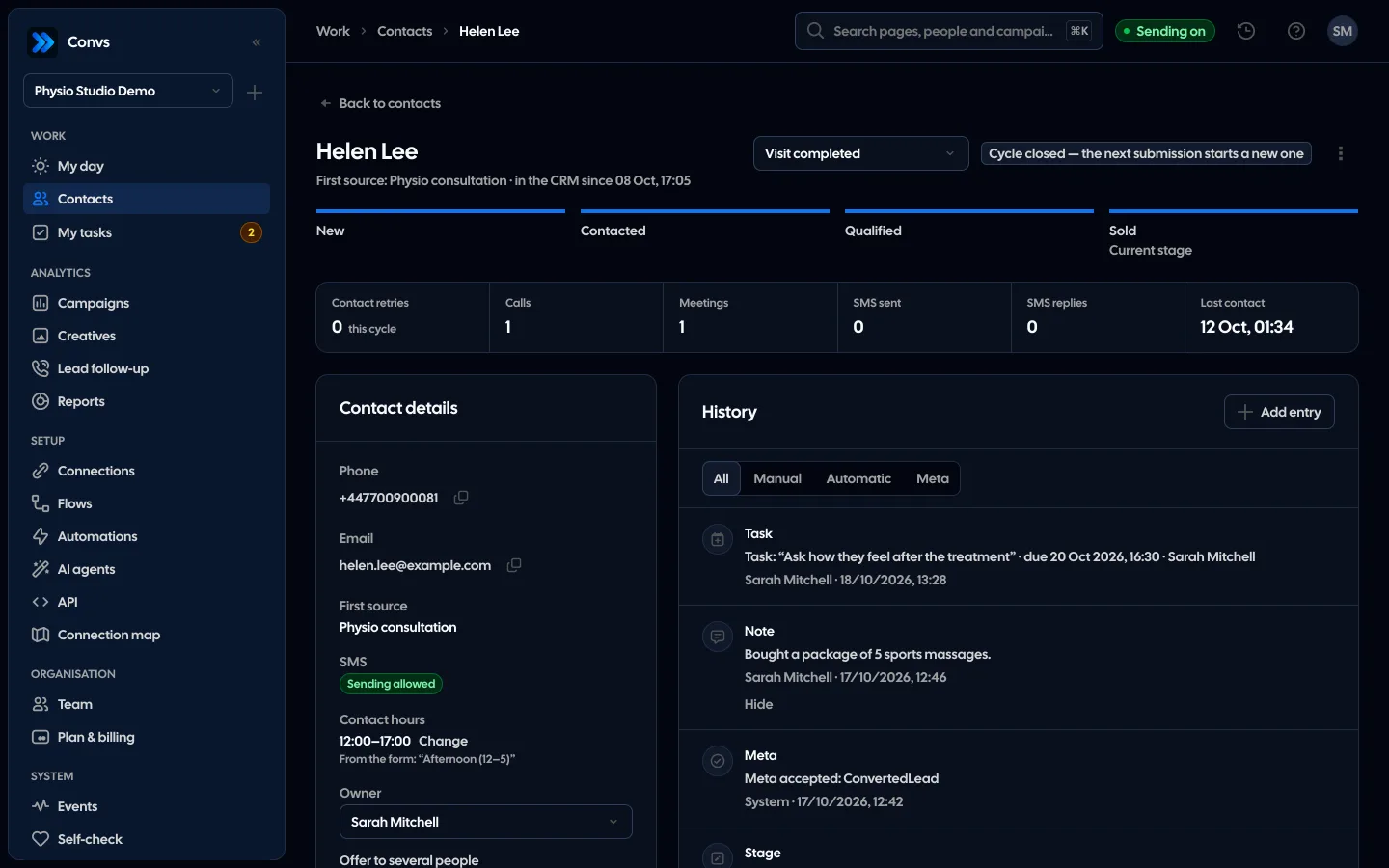
- History: automatic entries for the lead, stage and owner changes, SMS and Meta events, plus manual notes, calls and meetings.
- Duplicates: a person is a phone number or an e-mail within the organisation. The phone is matched first, then the e-mail. When the phone points to one record and the e-mail to another, both get a "possible duplicate" entry; nothing merges on its own, a person does the merge.
- Back to Meta: the stages New, Contacted, Qualified, Sold and Rejected send their mapped events with the original lead ID.
Your sheet doesn't have to go. Convs can read a Google Sheet as a status source: it sees only the files you pick and only reads them, checks about once a minute, up to 500 rows per pass, and every new status mapped in a flow becomes a conversion. What Convs does not do is write leads into a sheet; for that you need Zapier or manual downloads.
Sending an event to Meta does not prove a campaign learns from it or that a sale was attributed to an ad. You check that in the ad set settings and in Ads Manager.
Limitations
This comparison cannot tell you how many leads are "too many" for a sheet, because there is no such number. Two disciplined people will manage a sheet longer than five people without shared rules. A CRM also won't fix a process that doesn't exist: if nobody updates stages, they will be just as empty in a CRM as in a sheet.
If your company already runs a full sales CRM that connects to Meta lead forms, sending leads there usually makes more sense than adding a separate tool. And if leads come in rarely and the owner handles them personally, stay with the sheet and ask the five questions again next quarter.
Next step
Take your last ten leads and answer the five questions above. If two or more come back as "I don't know", see how leads, owners, tasks and stages work in the Convs CRM.
Sources
- Meta Business Help: About CRM System Integrations for Lead Ads (integration types; a CRM is not required)
- Meta Business Help: About Expired Leads (leads downloadable for up to 90 days)
- Meta for Developers: Conversions API for CRM (lead ID, upload at least once a day)
- Meta for Developers: Server Event Parameters (7-day limit on
event_time) - Zapier: Facebook Lead Ads + Google Sheets (New Lead trigger, Create Spreadsheet Row action)
About the author
Aleksander
Founder of Convs.io, BooksyAudit.pl and SMSPortal.app
Founded Convs.io, BooksyAudit.pl and SMSPortal.app. In the knowledge base he explains how to send leads, CRM stages and sales back to Meta and how to measure what a customer from ads costs.
All articles by the authorFrequently asked questions
Do I need Zapier to get Meta leads into a Google Sheet?
No. You can download leads from the last 90 days as a file from Ads Manager or Meta Business Suite. Zapier offers a ready connection where each new Facebook Lead Ads lead creates a row in Google Sheets, so rows arrive without anyone downloading files.
Can a spreadsheet send sales back to Meta?
Yes, if every row has a stable ID, a status, the real time of the status change and an e-mail, a phone number or the Meta lead ID. A tool reads the sheet and sends new statuses through the Conversions API. Keep the 7-day limit on event_time in mind.
How do I avoid duplicate leads in a spreadsheet?
Pick one key per person, ideally the phone number in one format with the country code, and check for it before adding a row. Conditional formatting can highlight repeats but cannot merge them. Someone still has to decide whether two rows are the same person.
Who can see personal data in a lead spreadsheet?
Everyone you share the file with sees every row and column, including phone numbers and e-mails. A sheet cannot hide data from some of its viewers. Review the sharing list, turn off link sharing and keep access to the people who actually call leads.
Is a CRM required to collect Meta lead-form leads?
No. Meta says a CRM integration has benefits but is not required, and leads can be downloaded from Ads Manager or Meta Business Suite. The hard limit is 90 days: Meta does not make older leads available for download.