Cheap leads, poor quality: why Meta lead forms bring junk and what to change
Why Meta Instant Forms bring cheap but random leads, when Higher intent forms, SMS verification and qualifying questions help, and how to judge a form by lead quality.

See it in 20 seconds
Short recordings of the panel with an example organisation, no sound.
On this page
- Why do Meta lead forms bring so many low-quality leads?
- Do Higher intent forms help?
- Which qualifying questions work?
- How do you judge a form by quality instead of cost per lead?
- How do you teach Meta which leads were good?
- When is the problem follow-up rather than the form?
- How it works in Convs
- Limitations
- Next step
- Sources
A lead campaign can look great in Ads Manager: leads at a few dollars each, hundreds a month. Then a sales rep calls and hears "I never filled in a form" or "I just wanted to see the price". This guide explains where those random submissions come from, what you can change in the form, and how to check whether the change actually worked.
Why do Meta lead forms bring so many low-quality leads?
Because an Instant Form is designed to be easy to send. Meta describes the default More volume type as quick to submit on mobile and built to generate a larger number of leads. Pair that with a campaign optimised purely for lead count, and the system looks for people most likely to tap Submit, not people most likely to buy.
Several things stack up:
- Contact fields can be prefilled. Name, e-mail and phone come from the profile, so sending takes seconds. Some people do it without reading the offer.
- The campaign goal rewards volume. Meta learns from the signal you give it. If a submitted form is the only signal, an effortless submission counts as much as a future customer.
- No feedback from the CRM. Without CRM stages, Meta has no idea that half the leads from one ad never pick up the phone.
Poor quality is rarely fraud or a Meta bug. It is the predictable result of settings that reward quantity.
Do Higher intent forms help?
They can, but measure it rather than assume it. According to Meta's help centre, a Higher intent form adds a note under the contact fields saying the business may follow up, plus an extra review screen where people confirm their details before sending. Both are meant to screen out the mildly curious.
Meta itself says this type makes sense when every lead needs follow-up or further qualification. One catch is easy to miss: Higher intent forms are only delivered to Facebook Feed and Instagram feed on mobile, never on desktop. Reach may shift for reasons that have nothing to do with lead quality.
Expect fewer leads and a higher cost per lead. That is fine if the qualified rate goes up. Compare both types against the same audience over the same dates.
What about SMS verification?
Meta lets you require a one-time passcode sent by SMS before the form can be submitted, on any form type. Anyone who enters a landline cannot verify, so they never become a lead. A verified number is not asked again for 90 days. Meta notes the feature may be switched on by default for eligible advertisers and is not available in some countries. Verification proves a working number, not buying intent.
Which qualifying questions work?
The ones your sales rep asks on the first call anyway, and that split people into "worth a conversation" and "not for us". One or two multiple-choice questions are usually enough: timing, budget, location or type of service. A good question filters people out; it does not just collect data for the CRM.
A few rules you can check against your own form:
- Ask about what decides qualification. If you only serve one region, ask for the town. If the service starts at a certain price, show the price ranges.
- Offer "not sure yet" as an answer. Otherwise people pick anything and the answer tells you nothing.
- Drop questions you will not use. A question that changes nothing in follow-up just costs you leads.
- Keep answers on the person's record. The rep should see the answers before calling, not in a CSV export.
More questions mean fewer submissions. Whether that is good news only shows up in the qualified rate.
How do you judge a form by quality instead of cost per lead?
Put two numbers side by side: how many leads the form brings per 1,000 impressions, and what share of them your sales team marked as qualified in the CRM. Together they give you the cost per qualified lead. A form with expensive leads and a high qualified rate often beats a cheap one that floods the call list.
Example data: three versions of a form, each with $4,000 spend and 40,000 impressions.
| Form (example data) | Leads per 1,000 impressions | Cost per lead | Qualified | Cost per qualified lead |
|---|---|---|---|---|
| More volume, no questions | Leads per 1,000 impressions10 | Cost per lead$10.00 | Qualified8% | Cost per qualified lead$125.00 |
| More volume, 2 questions | Leads per 1,000 impressions6 | Cost per lead$16.67 | Qualified20% | Cost per qualified lead$83.33 |
| Higher intent, 2 questions | Leads per 1,000 impressions4 | Cost per lead$25.00 | Qualified35% | Cost per qualified lead$71.43 |
By cost per lead you would keep the first form. By cost per qualified lead you would keep the last. We cover the metric itself in cost per qualified lead.
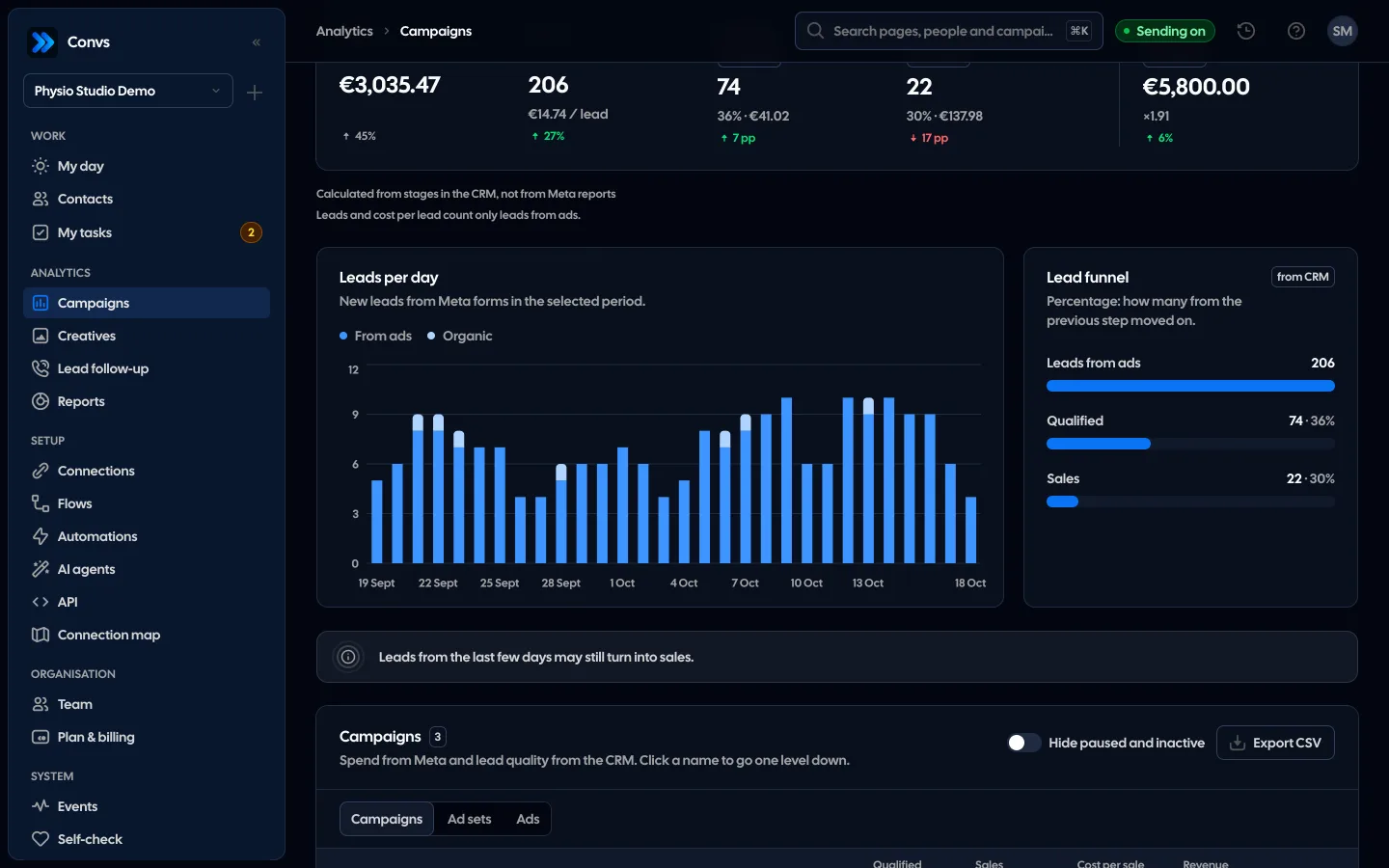
To keep the comparison fair, count leads by the date they came in (a cohort) and give your team time to qualify them. Leads from the last few days have no stage yet and drag the rate down.
How do you teach Meta which leads were good?
Send your CRM stages back to Meta: contacted, qualified, sold and rejected, each with the original lead ID. Then you can use the conversion leads performance goal, and Meta learns from which people moved forward rather than from form fills alone.
Meta's documentation sets clear conditions:
- it describes the goal for Instant Forms (a newer help page on performance goals also allows website forms and, since April 2026, requires a Conversions API integration with your CRM),
- your CRM keeps the 15–17 digit Meta lead ID,
- you generate at least 200 leads a month,
- you upload data at least once a day,
- the stage you optimise for happens within 28 days of the lead and 1% to 40% of leads reach it.
How to design stages Meta can learn from is covered in CRM lead stages for Meta, and the optimisation itself in conversion leads optimisation. Sending stages is a precondition, not proof: what the ad set actually optimises for is in its settings in Ads Manager.
When is the problem follow-up rather than the form?
When leads are fine at the moment they submit but go cold before anyone calls. The same lead looks "bad" if a rep calls two days later and reaches someone who has forgotten the form. Before you rebuild the form, check how quickly your team makes first contact.
Signs that follow-up, not the ad, is to blame:
- the qualified rate differs a lot between reps working the same campaigns,
- Friday-afternoon leads do worse than Monday-morning ones,
- notes often say "no answer" with no second attempt.
A simple first step is an automatic message right after the submission; see an SMS to every new lead for how to set it up with consent in mind. An automatic SMS does not replace a conversation, though.
How it works in Convs
Convs connects the form with what happened to the lead afterwards. In Creatives, the Forms tab lists every connected Instant Form described by its fields (prefilled contact fields plus the number of custom questions): impressions, spend, Meta leads, leads in the CRM, leads per 1,000 impressions, Meta cost per lead and qualified rate. Forms with the same set of fields are grouped as one configuration.
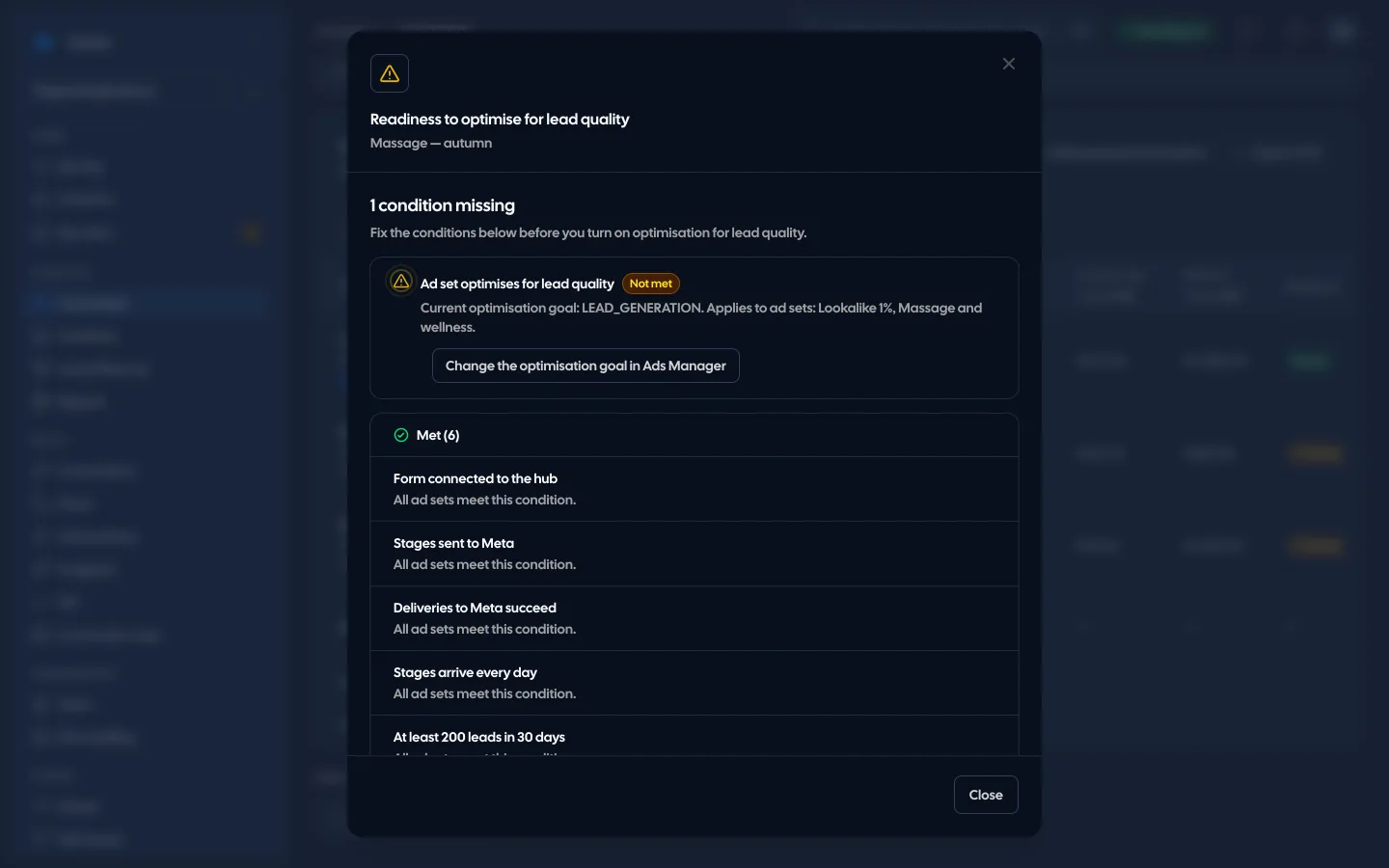
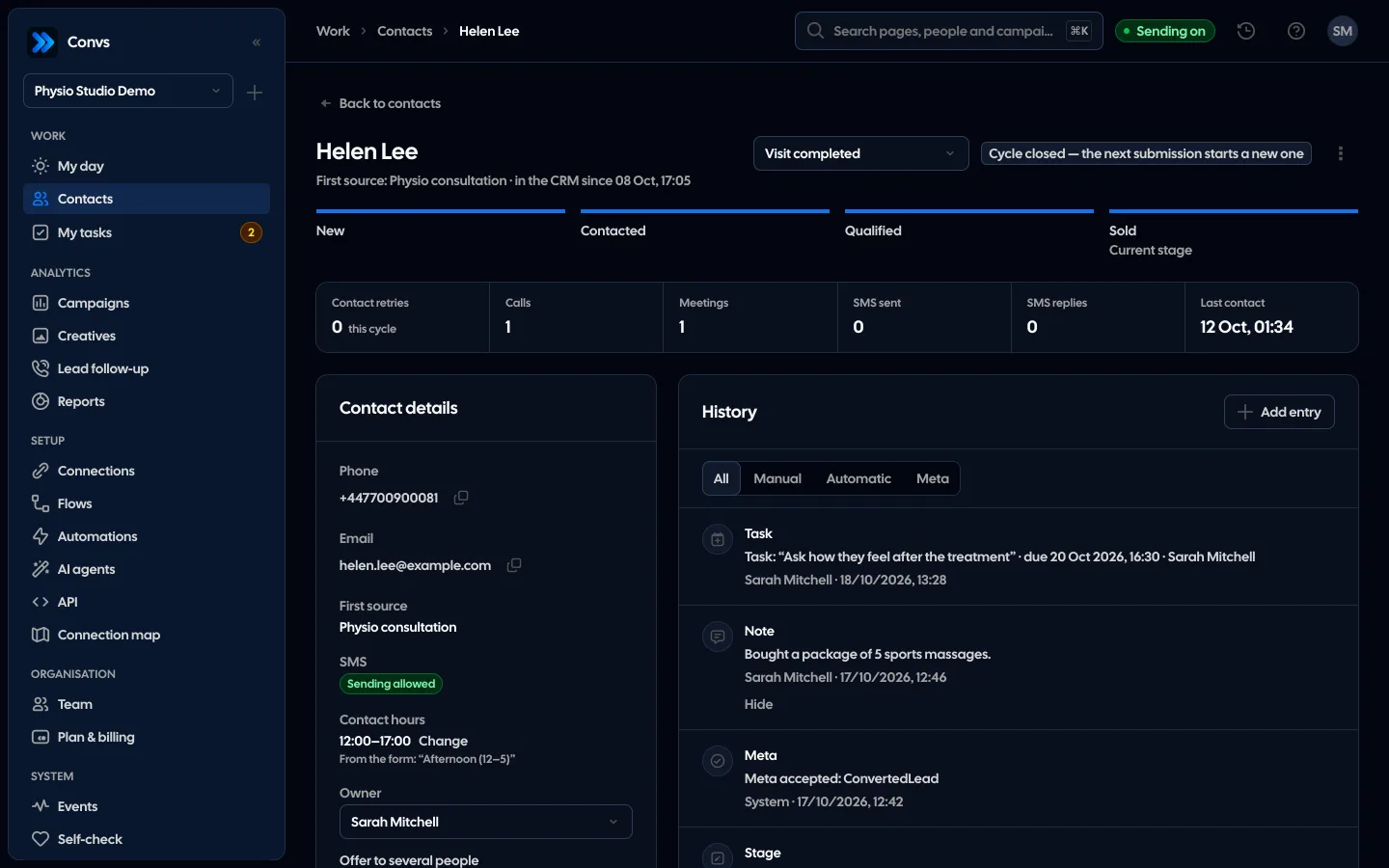
Qualified means a person at the Qualified or Sold stage in the CRM. A flow maps the five stages (New, Contacted, Qualified, Sold, Rejected) to five Meta events and sends each change with the lead ID. The Readiness column in Campaigns checks Meta's 7 conditions for lead-quality optimisation per ad set and gives one fix for each missing one. Met conditions do not prove Meta optimises the campaign; Ads Manager confirms that. Details on the creative analytics page.
Limitations
What you can measure depends on how carefully your team updates CRM stages. If reps never mark leads as rejected, every form looks better than it is. Comparing forms on a handful of leads misleads too: a few qualified people more or less move the rate by ten points or more.
Changing the form type also changes where ads appear (Higher intent is mobile only), so a quality difference is not always down to the form itself. If you collect leads on your website rather than in Instant Forms, this article only partly fits your case: check in Ads Manager whether the qualified leads goal is available to you. And this article cannot tell you whether a given lead was a real person; that is a job for number verification and the first call.
Next step
Take the leads from the last 30 days and work out two numbers for each form: qualified rate and cost per qualified lead. The form with the highest cost per qualified lead is your first candidate for a new form type or an extra question. The creative analytics page shows what that comparison looks like in the panel.
Sources
- Meta Business Help Center: About instant form types (More volume, Higher intent with a review screen, mobile-only delivery)
- Meta Business Help Center: Enable the SMS verification feature (one-time passcode, landlines, 90 days)
- Meta for Developers: Conversion Leads Integration (Instant Forms, 200 leads a month, daily uploads, 28 days, 1–40%)
- Meta Business Help Center: About performance goals for lead ads (qualified leads goal for website and Instant Forms; since April 2026 only with a Conversions API integration)
About the author
Aleksander
Founder of Convs.io, BooksyAudit.pl and SMSPortal.app
Founded Convs.io, BooksyAudit.pl and SMSPortal.app. In the knowledge base he explains how to send leads, CRM stages and sales back to Meta and how to measure what a customer from ads costs.
All articles by the authorFrequently asked questions
Do more questions on the form always mean fewer leads?
Usually, yes: every field is extra effort. That is not necessarily a loss. If the people who drop out are mostly ones your sales team would have disqualified anyway, the cost per qualified lead can go down. Only your own data can tell, so compare both versions by qualified rate.
Does SMS verification improve lead quality?
Meta says a one-time passcode sent to a mobile number helps filter out fake leads such as spam bots. Someone who enters a landline cannot verify, so no lead is recorded at all. Verification confirms the phone number. It does not confirm interest in your offer.
How many leads do I need before judging a form?
There is no single number. A dozen leads shows a direction, but a qualified rate from a small sample swings a lot. Convs Creatives switches its main metric to cost per qualified lead only once the period has at least 10 qualified leads. Treat that as a practical floor, not a statistical test.
Does lead-quality optimisation work with any form?
Meta's CRM integration guide only lists Instant Forms, but its newer help page on performance goals also allows website forms, and since April 2026 the goal needs a Conversions API integration with your CRM. Meta also requires at least 200 leads a month, CRM stage data sent at least once a day, and a stage that 1% to 40% of leads reach within 28 days of the lead.
Do Higher intent forms show on desktop?
No. According to Meta's help centre, a Higher intent instant form is only delivered to Facebook Feed and Instagram feed on mobile devices. If much of your audience sees ads on desktop, keep that in mind when you compare reach between the two form types.