Creative testing for Meta lead ads: a plan based on cost per qualified lead
How to test creatives in Meta lead ads: group ads by asset, rank by cost per qualified lead, map assets against copy and add tests without breaking the ad set.
See it in 20 seconds
Short recordings of the panel with an example organisation, no sound.
On this page
- Why is cost per lead a poor judge of creatives?
- How do you group ads by creative instead of by name?
- Which metric should rank your creatives?
- How do you find combinations you haven't tested?
- When is a creative fatigued, and when is it just noise?
- How do you add a new test without breaking the ad set?
- How does this work in Convs?
- Limitations
- Next step
- Sources
Ads Manager will happily tell you which ad has the cheapest form fill. In a lead campaign that answers the wrong question, because a cheap form is not a customer. This is a creative testing plan where the judge is cost per qualified lead from your CRM. Five steps, no magic thresholds, and no rebuilding of campaigns that already work.
Why is cost per lead a poor judge of creatives?
Cost per lead measures how cheaply an ad collects form fills, not how many of those turn into a real sales conversation. A creative that attracts the merely curious shows a low cost per lead and a high cost per qualified lead. Judge tests by form fills and you reward exactly the ads that bury your sales team in junk.
Here is the same pattern with two creatives in one ad set. The numbers are example data, made up for illustration:
| Creative (example data) | Spend | Leads | Cost per lead | Qualified | Cost per qualified lead |
|---|---|---|---|---|---|
| A: discount carousel | Spend$900 | Leads45 | Cost per lead$20 | Qualified3 | Cost per qualified lead$300 |
| B: customer story video | Spend$900 | Leads25 | Cost per lead$36 | Qualified9 | Cost per qualified lead$100 |
On cost per lead, A wins comfortably. On what is left for sales, B is three times cheaper. The metric itself, and how to calculate it, is covered in cost per qualified lead. Where cheap, weak submissions come from is the topic of low-quality Meta lead form leads.
How do you group ads by creative instead of by name?
Group by asset: every ad that uses the same video or image is one creative, whatever its ad set, name or "copy" suffix. Only the combined spend and leads of that group tell you something about the creative. A single ad rarely has enough data, and the same asset spread across ad sets blurs the picture.
Ads multiply fast. One video ends up in a cold-audience ad set, in retargeting and in next month's duplicated campaign. Each version collects a few leads, so none of them looks like a winner or a loser. Add them up and the asset suddenly has a usable sample.
If you do this in a spreadsheet, add one column with an asset identifier, such as the video file name, next to every ad. Grouping by ad name alone works worse, because names drift and suffixes like "(copy)" have to be cleaned up by hand every time.
Which metric should rank your creatives?
Cost per qualified lead, once the period has enough qualified leads that the result doesn't hinge on a few people. When qualified leads are scarce, cost per lead counted in your CRM, from leads that actually reached you, is the fairer measure. Treat Ads Manager figures as context, not as the judge.
A few rules keep the ranking honest:
- Count by lead date. A lead from October that qualifies in November belongs to October. Otherwise new creatives always look worse, because their leads haven't had time to be qualified.
- Compare within one currency. Two ad accounts in different currencies are two rankings, not one.
- Leave low-spend creatives out. Set a spend floor below which a creative goes into "not enough data" rather than onto the best or worst list.
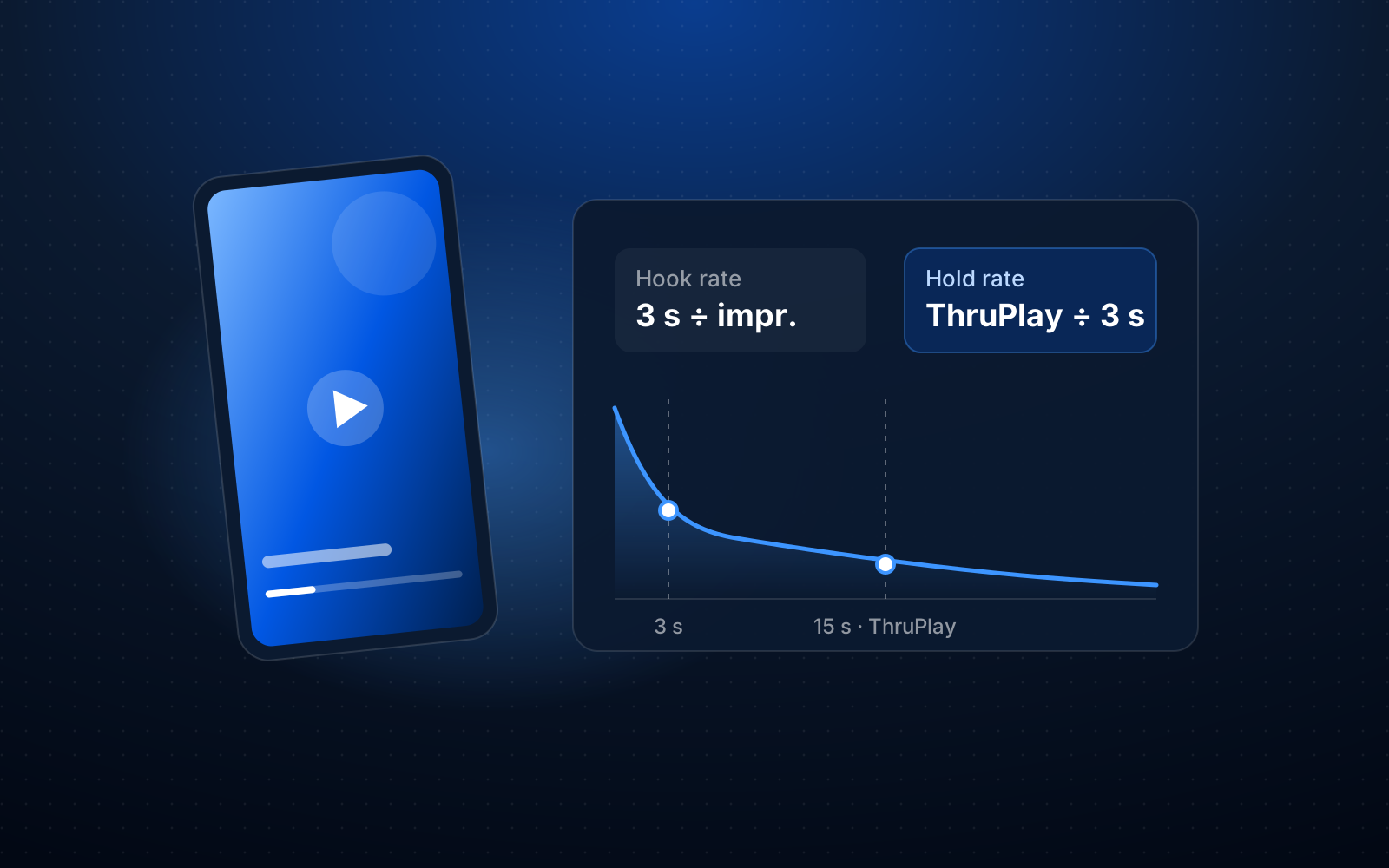
- Keep supporting metrics separate. Hook rate and hold rate help explain why a video works or doesn't, but they don't replace the result in your CRM.
All of this assumes lead stages are kept up to date. If reps don't move stages, the ranking measures their backlog, not your creatives.
How do you find combinations you haven't tested?
Build a grid: assets in rows, ad copy in columns, and your chosen metric in the cells. An empty cell is a pairing you haven't run in the period. It is the simplest way to make the next test come from your data rather than from whoever spoke loudest in the last meeting.
The grid surfaces the same patterns again and again. Your best visual often runs with only one text, because that's how it was first published. A new text gets tried only with a weaker visual and loses for reasons that have nothing to do with the words. An empty cell next to a strong asset and a strong text is a good candidate for the next test.
Keep to one change at a time. If a new ad changes the visual, the copy and the form at once, you won't learn what made the difference. For forms, a separate view helps: leads per 1,000 impressions next to the share of qualified leads for each form.
When is a creative fatigued, and when is it just noise?
Fatigue looks like the main cost rising for several weeks in a row at similar spend, not one bad week. A single jump is often noise: a few fewer leads, a slow week in sales, a budget change. A fatigue signal is a reason to look closer at the creative, not proof that the creative is the cause.
Before you retire a creative, check in this order:
- Has the cost risen for at least two weeks running, with spend high enough that one lead doesn't swing the result?
- Did anything change in the ad set during that time (budget, audience, optimisation goal) that would move results on its own?
- For video, is hook rate falling too? That hints people are scrolling past something they have already seen.
- Are the latest weeks simply immature, with leads that haven't reached qualification yet?
How to build that kind of signal, and what to avoid confusing it with, is covered in creative fatigue and cost per qualified lead.
How do you add a new test without breaking the ad set?
Add the new creative as a separate ad in an ad set that already delivers, rather than rebuilding the ad set or editing live ads. Meta says its delivery system learns again when you create a new ad or ad set or make a significant edit, and that edits during learning reset it. Fewer simultaneous changes give you a cleaner read.
Three points from Meta's help article on the learning phase are worth keeping in mind:
- ad sets usually leave the learning phase after about 50 results in the week after the last significant edit,
- editing an ad, ad set or campaign during learning resets learning and delays optimisation,
- with many ads and ad sets, the system learns less about each one, so testing a couple of creatives beats launching ten at once.
The same article also says testing new creative is essential for improving performance over time. So the aim is a rhythm, not avoiding change: one or two new tests, time to collect data, a decision, then the next test. Judge the result on the cohort of leads from the test period, once they have had time to reach qualification.
How does this work in Convs?
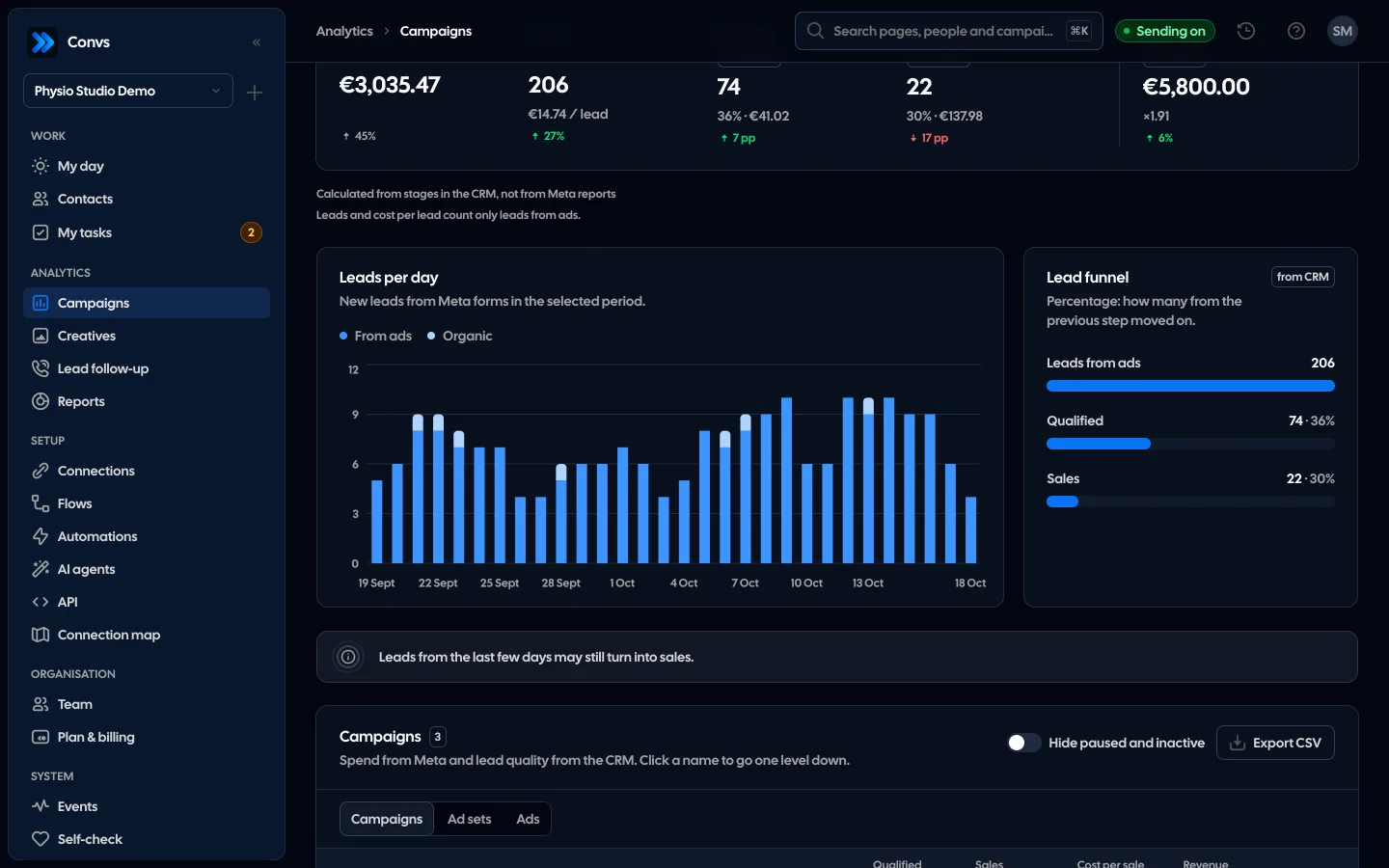
Convs has a Creatives page that joins Meta spend with lead stages from its CRM. A creative there is every ad using the same video or image (for a carousel, the first card). Until the asset has been read from Meta, ads group by normalised name within an ad account, ignoring suffixes like "(copy)".
- The main metric is cost per qualified lead once the period has at least 10 qualified leads, otherwise cost per lead in the CRM.
- Overview ranks creatives in groups of five: best creatives, losing momentum and to check. Only creatives above a spend threshold are ranked (automatically the larger of 50 and twice the median main cost, a fixed 50–1,000, or none), within one currency.
- Matrix plots spend against Meta leads and sorts creatives into Pillars, To scale, Burning budget and Not enough data.
- Clusters is the asset × copy grid, with empty cells for untested pairings (graded by Meta cost per lead by default; you can pick another metric). "Create this combination" creates a new ad in Meta, always paused, in the ad set of that asset's top-spending ad; up to 10 new ads an hour. That is the only write Convs makes to Meta: existing campaigns, ad sets and ads are never changed.
- Copy, Forms and Comparison show results by ad text, by form (leads per 1,000 impressions and qualified share) and by creatives summed per format or tag.
The "possible fatigue" and "hook rate drop" signals are labelled as reasons to check, not proof of cause. Details on the creative analytics page.
Limitations
This plan assumes lead stages in your CRM are current and that every lead carries its source: campaign, ad set and ad. Without that, cost per qualified lead is calculated from partial data. Meta makes form leads available for download for 90 days after submission, so older leads may have an unknown source.
Comparing creatives is not a randomised experiment. Meta shows different ads to different people, so a creative's result also depends on who saw it. When you need a firm answer to one specific question, a separate experiment that splits the audience into non-overlapping groups is the better tool.
With a small budget and only a few qualified leads a month, any ranking will be unstable, whatever tool you use. In that case, test less often, over longer periods, and lean on cost per lead counted in your CRM.
Next step
Take the last 30 days and, for your three most used assets, write down which ad copy each ran with and what the cost per qualified lead was. The first empty cell next to your best asset is your next test. To see how Convs builds that grid, visit creative analytics.
Sources
- Meta Business Help Center: About the learning phase (about 50 results in the week after a significant edit, edits reset learning, less learning with many ads, testing new creative is essential)
- Meta Business Help Center: About expired leads (form leads available for download for up to 90 days)
About the author
Aleksander
Founder of Convs.io, BooksyAudit.pl and SMSPortal.app
Founded Convs.io, BooksyAudit.pl and SMSPortal.app. In the knowledge base he explains how to send leads, CRM stages and sales back to Meta and how to measure what a customer from ads costs.
All articles by the authorFrequently asked questions
How much should a creative spend before I judge it?
There is no figure that fits every account. A sensible rule is that one lead more or less should not flip the result. In practice, rank only creatives whose spend is well above the typical cost of one qualified lead, and park the rest as not enough data.
Is hook rate enough to pick a winning creative?
No. Hook rate tells you how many people stopped on the first seconds of a video. It says nothing about whether they became leads or whether those leads were any good. Use it to understand a video, and make the call on cost per qualified lead.
Should I test the copy or the visual first?
Usually the visual, because it decides whether anyone stops on the ad at all. Once you have a visual that works, a grid of assets against copy shows which texts you have never paired it with. Change one thing at a time, or you won't know what moved the result.
Will a testing tool change my live ads?
That depends on the tool, so check before you connect one. In Convs, the only write to Meta is creating a new ad from a chosen asset and copy pair, always paused. Existing campaigns, ad sets and ads are never changed.
What if I only get a few qualified leads?
Then compare creatives by cost per lead in your CRM, meaning leads that actually reached you, and look at a longer period. A handful of qualified leads per creative is too few for a stable ranking; one sales rep having a good week can flip it.